Blog

  • Natural vs. Unnatural Backlinks: Understanding the Difference

    Natural vs. Unnatural Backlinks: Understanding the Difference

    As a website owner, you may have heard the terms ‘natural’ and ‘unnatural’ backlinks thrown around in the world of search engine optimization (SEO). But what do these terms actually mean, and why do they matter?

    In simple terms, a backlink is a link from one website to another. Backlinks are an important factor in determining a website’s ranking in search engine results pages (SERPs). However, not all backlinks are created equal. Natural backlinks are those that occur organically, without any manipulation or influence from the website owner. Unnatural backlinks, on the other hand, are those that are acquired through manipulative tactics, such as buying links or participating in link schemes.

    Understanding the difference between natural and unnatural backlinks is crucial for any website owner who wants to improve their SEO.

    In this article, we’ll explore the benefits and drawbacks of each type of backlink, as well as strategies for acquiring more natural backlinks.

    Let’s jump into this.

    Natural backlinks are links that are acquired organically without any manipulation or coercion. They are links that are earned based on the quality of your content and the value it provides to your audience. These links are considered high quality because they are earned naturally and are a sign that your website is credible and trustworthy.

    Natural backlinks are usually obtained when other websites link to your content because they find it useful and relevant to their audience. This means that the content on your website must be of high quality and provide value to your audience for other websites to link to it.

    One of the main advantages of natural backlinks is that they are more likely to improve your search engine rankings. Search engines like Google consider natural backlinks as a sign of the quality and relevance of your content. This means that if you have many natural backlinks, your website is likely to rank higher in search engine results pages (SERPs).

    Another advantage of natural backlinks is that they are more likely to be long-lasting. This is because they are earned based on the quality of your content and the value it provides to your audience. This means that they are less likely to be removed or devalued by search engines.

    Natural backlinks are links that are earned organically based on the quality and relevance of your content. They are a sign of the credibility and trustworthiness of your website and are more likely to improve your search engine rankings.

    Unnatural backlinks are links that are created with the sole purpose of manipulating search engine rankings. These types of links are often bought or exchanged between websites, and they violate Google’s guidelines for webmasters. Unnatural backlinks are considered low-quality and can hurt your website’s SEO efforts.

    Unnatural backlinks can be identified by their characteristics. They are often:

    • Irrelevant to the content of the website they are linking to
    • Created in large quantities in a short amount of time
    • Located in the footer or sidebar of a website
    • Placed on low-quality or spammy websites
    • Anchor text is overly optimized with exact match keywords

    Google’s algorithms are designed to detect and penalize websites that use unnatural backlinks to manipulate search engine rankings. If your website is caught using unnatural backlinks, it can result in a drop in search engine rankings, a manual penalty, or even a complete removal from Google’s search results.

    It’s important to focus on building high-quality, natural backlinks that are relevant to your website’s content. This can be done by creating valuable content that other websites will want to link to, engaging with your audience on social media, and building relationships with other websites in your industry.

    In summary, unnatural backlinks are low-quality links that are created solely for the purpose of manipulating search engine rankings. They can harm your website’s SEO efforts and should be avoided. Instead, focus on building high-quality, natural backlinks that are relevant to your website’s content.

    When it comes to link building, there are two types of links: natural and unnatural. Natural backlinks are links that are created without any effort on your part. These links are created when other websites link to your website because they find your content useful, interesting, or informative. On the other hand, unnatural backlinks are links that are created through link building tactics that are not considered genuine or spammy.

    Natural backlinks are considered to be of higher quality because they are genuine and not forced. These links are earned through the quality of your content and the value it provides to others. These links are often from high-quality websites that have a good reputation and are trusted by search engines.

    Unnatural backlinks, on the other hand, are created through tactics such as buying links, link farms, and other spammy tactics. These links are considered to be of low quality because they are not genuine and are often created solely for the purpose of manipulating search engine rankings.

    In general, it is better to focus on building natural backlinks rather than unnatural ones. This is because natural backlinks are more likely to be of higher quality and will provide long-term benefits for your website. Additionally, natural backlinks are less likely to be penalized by search engines, which can happen with unnatural backlinks.

    When building links, it is important to focus on quality over quantity. It is better to have a few high-quality natural backlinks than many low-quality unnatural backlinks. This is because high-quality natural backlinks will provide more value to your website and will help to improve your search engine rankings.

    Natural backlinks are considered to be of higher quality and are more beneficial for your website in the long run. Unnatural backlinks, on the other hand, are considered to be of low quality and can be harmful to your website’s search engine rankings. When building links, it is important to focus on quality over quantity and to avoid using spammy tactics to build links.

    Unnatural backlinks are links that are created solely for the purpose of manipulating a website’s ranking in search engine results pages (SERPs). These links do not provide any value to the user and are often created in large quantities through link building schemes.

    Google’s Penguin algorithm is designed to identify and penalize websites with unnatural backlinks. If your website is found to have unnatural backlinks, it can result in a penalty that can significantly impact your website’s ranking.

    To avoid penalties, it is important to identify and remove any unnatural backlinks pointing to your website. Here are some ways to identify unnatural backlinks:

    • Check your backlink profile: Use tools like Google Search Console or Ahrefs to analyze your backlink profile and identify any links that appear suspicious or irrelevant to your website’s content.
    • Look for patterns: Unnatural backlinks often have patterns, such as links from the same domain or IP address, links with the same anchor text, or links from low-quality websites.
    • Check webmaster guidelines: Google’s webmaster guidelines provide information on what types of links are considered unnatural. Review these guidelines to ensure that your website is not violating any rules.
    • Avoid link building schemes: Link building schemes, such as buying links or participating in link exchange programs, can result in unnatural backlinks. Avoid these schemes and focus on creating high-quality content that naturally attracts links.

    By identifying and removing any unnatural backlinks, you can avoid penalties and improve your website’s ranking in search engine results pages.

    Unnatural backlinks can have a negative impact on your website’s search engine rankings and organic traffic. When search engines detect that your website has a high number of unnatural backlinks, they may penalize your website by lowering its search engine rankings.

    Penalties for unnatural backlinks can range from a slight drop in rankings to a complete removal of your website from search engine results pages. This can have a significant impact on your website’s traffic and visibility, making it harder for potential customers to find your website.

    Unnatural backlinks can also lead to a drop in organic traffic. When search engines penalize your website for unnatural backlinks, they may also reduce the amount of organic traffic that your website receives. This can result in a decrease in the number of visitors to your website, which can ultimately lead to a decrease in revenue.

    To avoid penalties and a drop in rankings, it is important to focus on building natural backlinks. Natural backlinks are links that are earned through high-quality content and a strong online presence. These links are more valuable to search engines and can help improve your website’s search engine rankings and organic traffic.

    Overall, it is important to be cautious when building backlinks to your website. While backlinks can be a valuable tool for improving your website’s search engine rankings and organic traffic, it is important to focus on building natural backlinks and avoiding the negative impact of unnatural backlinks. At the same time, you can support this effort by considering affordable link insertion services that provide relevant placements without compromising quality.

    Building natural backlinks is an important aspect of SEO. Natural backlinks are links that are earned by creating quality content that people want to link to. Here are some ways to build natural backlinks:

    Create Quality Content

    Creating quality content is the most important factor in building natural backlinks. Quality content is content that is informative, useful, and engaging. When you create quality content, people will naturally want to link to it.

    Blog

    Blogging is a great way to build natural backlinks. When you blog, you can create content that is relevant to your industry and share your expertise. This will attract people who are interested in your industry and they may link to your content.

    Social Media

    Social media is a great way to promote your content and build natural backlinks. When you share your content on social media, people may link to it if they find it useful or interesting.

    Influencers

    Influencers are people who have a large following on social media or in your industry. If you can get an influencer to share your content, it can lead to natural backlinks.

    Guest Blogging

    Guest blogging is when you write a blog post for another website. When you guest blog, you can include a link back to your website. This can lead to natural backlinks if people find your content useful.

    HARO

    HARO is a service that connects journalists with sources. When you sign up for HARO, you can respond to queries from journalists and get featured in articles. This can lead to natural backlinks.

    Skyscraper Technique

    The Skyscraper Technique is a method of creating content that is better than what is currently available. When you create content that is better than what is currently available, people will naturally want to link to it.

    Overall, building natural backlinks takes time and effort. By creating quality content and promoting it through various channels, you can attract natural backlinks that will improve your SEO.

    Final Thought

    In conclusion, both natural and unnatural backlinks have their advantages and disadvantages. Natural backlinks are more valuable and can help improve your website’s authority and search engine rankings in the long run. However, they can be difficult to acquire and require a lot of effort and time.

    On the other hand, unnatural backlinks can be easier to obtain and provide quicker results. However, they can also be risky and may result in penalties from search engines. It’s important to remember that quality is more important than quantity when it comes to backlinks.

    When building backlinks, it’s important to focus on creating valuable content that will naturally attract links from other websites. You should also avoid using black hat SEO tactics and instead focus on ethical and sustainable link building strategies.

    Overall, the key to success with backlinks is to focus on quality over quantity, and to always keep the user in mind. By creating valuable content and building natural, high-quality backlinks, you can improve your website’s authority and search engine rankings, and ultimately drive more traffic and conversions to your site.

  • High Ticket Digital Marketing: Maximize Profit with Clear Insight

    High Ticket Digital Marketing: Maximize Profit with Clear Insight

    If you’re a business owner looking to increase your profits, you may have heard the term “high ticket digital marketing” floating around. But what exactly does it mean? In simple terms, high ticket digital marketing refers to the promotion and sale of high-end products or services through online channels. These products or services typically come with a hefty price tag, and require a higher level of trust and relationship-building with potential clients.

    High ticket digital marketing can be a highly effective strategy for businesses looking to maximize their profits. By promoting high-end products or services to a targeted audience, businesses can increase their revenue while also building long-term relationships with loyal customers. However, it’s important to note that high ticket digital marketing requires a unique approach compared to traditional digital marketing tactics. Rather than focusing solely on rapid conversions, high ticket digital marketing prioritizes trust-building and value delivery to potential clients.

    Understanding High Ticket Digital Marketing

    Understanding High Ticket Digital Marketing

    High Ticket Digital Marketing is a strategic approach to promoting premium products and services to a targeted elite audience. It is a contemporary strategy that focuses on promoting and selling premium, high-cost products or services online. The primary objective of this method is to generate high returns on investment (ROI) for your business.

    Instead of focusing on rapid conversion, High Ticket Digital Marketing prioritizes trust-building and value delivery. The emphasis is on fostering a deep connection with potential clients, ensuring they recognize the unparalleled value of the high-ticket product or service on offer. This approach is particularly effective for businesses offering premium products/services, effectively engaging the target audience. It proves highly lucrative when executed well, expanding the reach and boosting revenue.

    To succeed in this journey, equip yourself with essential tools for a compelling online presence. High-ticket digital marketing employs various channels and strategies to effectively reach and convert premium customers who are interested in investing in high-value products or services. Some of the key channels and approaches include:

    • Content Marketing: High-ticket digital marketing relies heavily on providing valuable and educational content to potential customers. This content should be informative, engaging, and relevant to the target audience. You can use various types of content such as blog posts, videos, webinars, podcasts, and more to educate and inform your audience.
    • Email Marketing: Email marketing is a highly effective way to reach out to potential customers and build a relationship with them. You can use email marketing to provide exclusive offers, discounts, and other incentives to your subscribers. This will help to build trust and loyalty with your audience, leading to increased sales and revenue.
    • Social Media Marketing: Social media platforms are a great way to connect with potential customers and engage with your audience. You can use social media to share valuable content, promote your products and services, and build a community around your brand. Social media marketing can help you to increase your reach, build brand awareness, and drive traffic to your website.

    The Importance of High Ticket Digital Marketing

    If you’re looking to maximize your profits, high ticket digital marketing is an essential strategy that you should consider. This approach focuses on promoting premium products and services to an elite audience. By targeting this audience, you can increase your revenue and grow your business.

    Maximizing Profits

    One of the primary benefits of high ticket digital marketing is that it can help you maximize your profits. By promoting high-ticket items, you can earn more money per sale. While it may take longer to close a sale, the increased revenue per sale can make up for the longer sales cycle.

    Targeting the Right Audience

    Another key benefit of high ticket digital marketing is that it allows you to target the right audience. By focusing on an elite audience, you can ensure that you’re marketing to people who are more likely to be interested in your products and services. This can help you save time and money by avoiding marketing to people who are unlikely to convert.

    To effectively target the right audience, you need to create a clear and compelling value proposition. You need to explain why your products and services are worth the higher price point. By doing so, you can build trust with your audience and convince them to make a purchase.

    Components of High Ticket Digital Marketing

    Components of High Ticket Digital Marketing

    To maximize profits in high ticket digital marketing, you need to understand its key components. These components are the backbone of any successful high ticket digital marketing campaign. In this section, we will take a closer look at the three main components of high ticket digital marketing.

    Product/Service Quality

    The quality of your product or service is a crucial component of high ticket digital marketing. You need to ensure that your product or service is of high quality and provides real value to your customers. High ticket items are expensive, and customers expect to get their money’s worth. If your product or service does not meet their expectations, they will not hesitate to leave negative reviews or demand a refund.

    To ensure the quality of your product or service, you need to invest in research and development. You need to know your target audience and understand their needs and preferences. You also need to keep up with the latest trends and technologies in your industry and incorporate them into your product or service.

    Pricing Strategy

    Pricing strategy is another critical component of high ticket digital marketing. Your pricing strategy should be based on the value that your product or service provides to your customers. High ticket items are expensive, but customers are willing to pay for them if they provide real value.

    To determine the right price for your product or service, you need to conduct market research. You need to know your competitors and their pricing strategies. You also need to understand your target audience and their willingness to pay for your product or service. You can use different pricing strategies such as value-based pricing, cost-plus pricing, or penetration pricing.

    Marketing Strategy

    Marketing strategy is the third critical component of high ticket digital marketing. You need to create a marketing strategy that targets your ideal customers and convinces them to buy your product or service. High ticket items require a more complex marketing strategy than low ticket items.

    To create an effective marketing strategy, you need to know your target audience and their preferences. You also need to understand the different digital marketing channels and how to use them effectively. You can use different marketing tactics such as content marketing, social media marketing, email marketing, and paid advertising.

    Steps to Implement High Ticket Digital Marketing

    Steps to Implement High Ticket Digital Marketing

    Implementing a high ticket digital marketing strategy requires a well-planned approach. Here are the key steps to get started:

    Identifying High Value Products/Services

    The first step is to identify the high-value products or services that you want to promote. These are the items that are expensive but offer significant value to your target audience. You need to ensure that the products/services meet the needs of your target audience and are in demand.

    To identify the high value products/services, you can conduct market research, analyze customer feedback, and monitor industry trends. This will help you understand the needs and preferences of your target audience and identify the products/services that are in demand.

    Setting the Right Price

    Once you have identified the high-value products/services, the next step is to set the right price. The price should be high enough to reflect the value of the product/service, but not so high that it becomes unaffordable, as real audiences deserve real price.

    To set the right price, you need to consider the cost of production, the value of the product/service, and the price of similar products/services in the market. You can also conduct pricing experiments to determine the optimal price point for your product/service.

    Developing a Marketing Plan

    The final step is to develop a marketing plan to promote your high-value products/services. The marketing plan should include a mix of online and offline marketing channels, such as social media, email marketing, content marketing, and paid advertising.

    You need to ensure that your marketing messages are targeted and focused on the benefits of your high-value products/services. You can also use testimonials and case studies to demonstrate the value of your products/services and build trust with your target audience.

    Challenges in High Ticket Digital Marketing

    Challenges in High Ticket Digital Marketing

    High ticket digital marketing can be a profitable strategy, but it also comes with its own set of challenges. In this section, we will explore some of the obstacles you may encounter when implementing this approach.

    Customer Acquisition

    One of the biggest challenges in high ticket digital marketing is acquiring the right customers. Since you are targeting a niche audience with premium products or services, it can be difficult to find individuals who are willing to pay a higher price point. This means that you will need to invest in effective marketing tactics that can reach your target audience and convince them of the value of your offerings.

    Building Trust

    Another challenge in high ticket digital marketing is building trust with potential customers. Since you are asking them to invest a significant amount of money in your products or services, they need to feel confident that they are making a wise decision. This means that you must establish credibility and authority in your industry, demonstrate the value of your offerings, and provide excellent customer service.

    To build trust, you may need to invest in content marketing, social media marketing, and other tactics that can showcase your expertise and provide value to your target audience. You may also need to offer free trials, consultations, or other incentives that can help potential customers feel more comfortable with your offerings.

    Conclusion

    high ticket digital marketing is a strategy that involves promoting and selling expensive products or services to a specific target audience. It requires a deep understanding of the market, the target audience, and the product or service being offered. By using the right tactics and strategies, businesses can tap into a lucrative market segment and ensure impressive ROI and sustained growth.

    To succeed in high ticket digital marketing, businesses must focus on building trust with their target audience. This involves providing valuable content, being transparent about pricing and product features, and offering excellent customer service. It is also important to use multiple channels to reach potential customers, such as social media, email marketing, and paid advertising.

    Another key aspect of high ticket digital marketing is providing a personalized experience for each customer. This involves understanding their needs and preferences and tailoring the marketing message accordingly. By doing so, businesses can increase the likelihood of a sale and build long-term relationships with their customers.

    Leverage the strategies detailed in this guide to effectively position yourself for success in high ticket digital marketing.

  • ChatGPT vs BARD: A Comprehensive Comparison

    ChatGPT vs BARD: A Comprehensive Comparison

    chatgpt vs bard

    When it comes to AI chatbots, two of the most well-known ones are ChatGPT and Bard. Both of these chatbots use natural language processing to generate responses to user queries. ChatGPT was developed by OpenAI, while Bard was developed by Google. In this article, we will compare these two chatbots and discuss their similarities and differences.

    One of the key differences between ChatGPT and Bard is their approach to generating responses. ChatGPT tends to stick to the facts and provide straightforward answers to user queries. In contrast, Bard is more conversational and provides more in-depth answers to subjective questions about ethics and morality. Bard’s responses are typically better formatted and easier to read, while ChatGPT sometimes writes long paragraphs and isn’t as consistent in its formatting.

    This article will take you through the comprehensive comparison on ChatGPT vs Bard. Let’s get started:

    Overview of ChatGPT and Bard

    We have been witnessing a significant advancement in the field of AI, and one of the exciting developments is the emergence of AI chatbots. These chatbots are designed to answer questions and generate content using natural language processing (NLP). Two such chatbots that are gaining popularity are ChatGPT and Bard.

    ChatGPT is an AI-powered language model developed by OpenAI, which is a research organization that aims to create safe AI systems. ChatGPT is a generative pre-trained transformer that uses deep learning to generate human-like responses. It is based on the GPT (Generative Pre-trained Transformer) architecture and has a large number of parameters, which makes it capable of generating high-quality responses.

    Bard, on the other hand, is a chatbot developed by Google. It is designed to help users generate content and answer questions. Bard is also based on the GPT architecture and is considered to be Google’s answer to ChatGPT. Bard is a large language model (LLM) that uses deep learning to generate responses.

    Both ChatGPT and Bard are AI chatbots that can be used to generate content and answer questions. They are both based on the GPT architecture and use deep learning to generate responses. However, there are some differences between the two chatbots.

    ChatGPT is more focused on generating ideas and content, while Bard is more helpful if you have a specific question. ChatGPT is also more advanced than Bard, as it is based on the GPT-3 architecture, which has a larger number of parameters. However, Bard is faster than ChatGPT and is also free to use.

    ChatGPT vs Bard: The Features and Capabilities

    features and capabilities of chatgpt and bard

    ChatGPT Features

    ChatGPT is a conversational AI developed by OpenAI. It is capable of generating human-like responses to a wide range of prompts. ChatGPT has a vast knowledge base that it uses to provide accurate and informative responses. It can converse on a variety of topics, including news, entertainment, science, and technology.

    One of the key features of ChatGPT is its ability to generate responses that are consistent in tone and style. This is due to its advanced natural language processing capabilities. ChatGPT can also provide real-time information on a variety of topics, making it a valuable tool for researchers and journalists.

    Another useful feature of ChatGPT is its ability to generate drafts of articles and other written content. This can save writers a significant amount of time and effort, as ChatGPT can quickly generate high-quality drafts that can be refined and polished.

    Bard Features

    Bard is a conversational AI developed by Google. It is designed to provide accurate and informative responses to a wide range of prompts. Bard is capable of generating responses that are conversational and engaging, making it an ideal tool for customer service and other applications where a friendly tone is important.

    One of the key features of Bard is its ability to understand and respond to prompts in multiple languages. This makes it a valuable tool for businesses and organizations that operate in multiple countries. Bard is also capable of formatting responses in a way that is easy to read and understand.

    Another useful feature of Bard is its ability to provide real-time information on a variety of topics. This can be particularly useful for researchers and journalists who need access to up-to-date information on a particular topic.

    Both ChatGPT and Bard have advanced coding capabilities that allow them to understand and respond to a wide range of prompts. They are both capable of engaging in complex dialogues and can be used for prompt engineering. However, ChatGPT tends to provide more factual responses, while Bard is more conversational and engaging.

    Access and Pricing

    When it comes to accessing ChatGPT and Bard, both AI chatbots are available for free. However, to use either of these chatbots, you’ll need internet access and an account.

    Accessing ChatGPT

    To access ChatGPT, you simply need to create an account. With the free version of ChatGPT, you’ll have access to GPT-3.5, which is a highly powerful tool. However, if you’re looking for even more possibilities, ChatGPT offers a subscription model called ChatGPT Plus. This will give you access to additional features and capabilities.

    Accessing Bard

    Bard, on the other hand, is developed by Google and requires a Google account to access. However, it is completely free to use. Bard provides more accurate information than ChatGPT, making it better suited for productivity-related tasks.

    Cost and Pricing

    As mentioned earlier, both ChatGPT and Bard are available for free. However, if you’re looking for additional features and capabilities, ChatGPT Plus is available as a subscription model. It’s important to note that while the free versions of both chatbots are highly capable, the subscription models provide additional functionality that may be useful for certain tasks.

    Overall, accessing ChatGPT and Bard is relatively straightforward. Both chatbots are available for free, and while they do require an account to use, creating one is a simple process.

    Data and Privacy

    data privacy of chatgpt and bard

    When it comes to chatbots, data and privacy are two critical aspects that must be taken into account. In this section, we will compare ChatGPT and Google Bard in terms of data and privacy.

    Data Sources and Knowledge Base

    Both ChatGPT and Google Bard use large datasets to train their models. ChatGPT uses GPT-3.5 with GPT-4 technology available in its paid version — ChatGPT Plus. On the other hand, Bard uses Google’s newest language model — PaLM 2. According to a TechTarget article, Bard has more data to gather information in real-time by accessing the latest research.

    Privacy Concerns

    Privacy is a major concern when it comes to chatbots. Users want to know that their data is secure and that their conversations are private. ChatGPT and Google Bard both claim to take user privacy seriously.

    According to a Forbes article, ChatGPT and Google Bard both use end-to-end encryption to protect user conversations. Additionally, both models follow strict data retention policies and do not store user data longer than necessary.

    Context and Models

    ChatGPT and Google Bard have different approaches when it comes to context and models. ChatGPT tends to stick to the facts (pre-2021), while Bard is more conversational and gives more in-depth answers. Bard’s responses are typically better formatted and easier to read. ChatGPT sometimes writes long paragraphs and isn’t as consistent in its formatting.

    Sources and Dataset

    ChatGPT and Google Bard use different sources and datasets to train their models. ChatGPT’s sources end with 2021 data, so it is limited on newer research and information. Bard, on the other hand, has access to more recent research and information.

    Comparative Analysis

    As we delve deeper into the realm of conversational AI, it’s essential to understand the foundations and specifics of the two models in focus—ChatGPT and Bard. In this section, we will compare the pros and cons of ChatGPT and Bard, covering various aspects such as user experience, accuracy, content generation, and plugins and integrations.

    Pros and Cons of ChatGPT

    ChatGPT is a product of OpenAI, developed with the aim to generate human-like text that’s contextually relevant and coherent. Here are some of the pros and cons of ChatGPT:

    Pros

    • ChatGPT is one of the most popular conversational AI models, with a vast user community.
    • It is an excellent tool for generating text on complex topics, such as legal or medical matters.
    • ChatGPT offers a smooth user experience, with a user-friendly interface and easy-to-use tools.
    • It generates accurate information, making it an ideal tool for research and analysis.

    Cons

    • ChatGPT may generate irrelevant text, which can be time-consuming to sift through.
    • It may also produce biased or offensive content, which can be problematic.
    • ChatGPT may require a considerable amount of training data to generate high-quality text, which can be a barrier to entry for some users.

    Pros and Cons of Bard

    Bard is Google’s latest conversational AI model, based on the PaLM 2 architecture. Here are some of the pros and cons of Bard:

    Pros

    • Bard is a highly accurate conversational AI model, with excellent natural language processing capabilities.
    • It offers a wide range of plugins and integrations, making it an ideal tool for content generation and marketing.
    • Bard generates contextually relevant text, making it an ideal tool for research and analysis.

    Cons

    • Bard may generate text that lacks coherence or is irrelevant, which can be time-consuming to sift through.
    • It may also produce biased or offensive content, which can be problematic.
    • Bard requires a considerable amount of training data to generate high-quality text, which can be a barrier to entry for some users.

    Future Directions and Conclusion

    As we have seen in this comparison of ChatGPT vs Bard, both AI-powered chatbots have unique capabilities and differences. While ChatGPT runs on GPT-3.5 model, Bard runs on LaMDA. However, both are built on Transformers, and they have the potential to revolutionize the way we interact with technology.

    Looking ahead, we can expect both ChatGPT and Bard to continue to evolve and improve. As research and development in machine learning and GPT-4 technology advances, we can expect these chatbots to become even more sophisticated and capable of performing a wider range of tasks.

    One area where we may see significant growth is in web browsing. As chatbots become more adept at understanding natural language and context, they may be able to help users navigate the web more efficiently and effectively. Additionally, chatbots may also become more useful for debugging code, especially as they become better at understanding programming languages and syntax.

    Overall, the future of AI-powered chatbots like ChatGPT and Bard is bright. While there is still much to be learned and improved upon, we believe that these technologies have the potential to transform the way we interact with technology and each other. As researchers and developers continue to push the boundaries of what is possible, we look forward to seeing what the future holds for these exciting technologies in the U.S. and beyond.

  • How to Calculate CPM in Digital Marketing: A Clear and Confident Guide

    How to Calculate CPM in Digital Marketing: A Clear and Confident Guide

    Welcome to our easy-to-understand guide on calculating Cost Per mille (CPM) in digital marketing! If you’ve ever wondered how to measure the cost effectiveness of your online advertising campaigns, you’re in the right place. CPM, which stands for Cost Per Thousand Impressions, is a crucial metric that helps you understand the financial efficiency of your ads.

    In this guide, we’ll break down the concept of CPM in simple terms, show you how to calculate it, and explain why it’s a vital tool for any digital marketer looking to make confident and cost-effective decisions. Whether you’re a beginner or just need a quick refresher, our guide will provide you with a clear understanding of CPM and its importance in the digital marketing landscape.

    Let’s dive in and demystify CPM together!

    What is CPM in Digital Marketing

    What is CPM in Digital Marketing

    CPM stands for “Cost per Mille,” which is a Latin term that translates to “cost per thousand.” In digital marketing, CPM is a common metric used to measure the cost of displaying an advertisement to 1,000 people. It is calculated by dividing the total cost of the ad campaign by the number of times the ad was displayed (impressions) and then multiplying that number by 1,000.

    CPM is an important metric for digital marketers because it helps them determine the cost-effectiveness of their advertising campaigns. By comparing the CPM of different ad campaigns, marketers can determine which campaigns are more cost-effective and adjust their strategies accordingly.

    It is important to note that CPM is not the same as CPC (cost per click). CPM measures the cost of displaying an ad, while CPC measures the cost of each click on the ad. In other words, CPM is a measure of how many people saw the ad, while CPC is a measure of how many people clicked on the ad.

    In digital marketing, CPM is used across a variety of advertising channels, including display advertising, social media advertising, and video advertising. It is also commonly used in programmatic advertising, where ads are purchased and displayed automatically by an algorithm.

    Importance of CPM in Advertising

    Cost per thousand impressions (CPM) is a crucial metric in digital advertising. It is a pricing model that measures the cost an advertiser pays for one thousand ad impressions. CPM is important for both advertisers and publishers as it helps them to determine the value of their ad inventory and the effectiveness of their ad campaigns.

    CPM is an essential metric for advertisers as it helps them to measure the cost of their ad campaigns. By knowing the CPM, advertisers can determine the cost of each impression and optimize their ad campaigns accordingly. This helps them to achieve their marketing goals while minimizing their ad spend.

    CPM is also important for publishers as it helps them to determine the value of their ad inventory. By knowing the CPM, publishers can set the right price for their ad inventory and maximize their revenue. This helps them to monetize their website traffic while providing advertisers with high-quality ad placements.

    CPM is especially important for brand awareness and recognition campaigns. In these campaigns, the primary objective is to create brand awareness and recognition among potential customers. CPM helps advertisers to measure the number of impressions their ads receive, which is a crucial factor in creating brand awareness. Effective ad spend monitoring through CPM allows advertisers to track ad impressions, vital for building brand awareness.

    How to Calculate CPM

    How to Calculate CPM

    CPM is a crucial metric in digital marketing that measures the cost of reaching a thousand potential customers through display advertising. It is important to know how to calculate CPM to effectively measure the cost-effectiveness of your advertising campaigns.

    To calculate CPM, you need to use the following formula:
    For a more detailed analysis of your potential earnings, consider using a YouTube Money Calculator to estimate your revenue based on views and engagement.

    CPM = (Total Cost of Ad Campaign / Total Number of Impressions) x 1000

    For example, if you spent $10,000 on an ad campaign that generated 250,000 impressions, your CPM would be:

    CPM = ($10,000 / 250,000) x 1000 = $40

    This means that your total cost for every one thousand impressions would be $40.

    Alternatively, you can use a CPM calculator to simplify the process. You just need to input the total cost of the ad campaign and the total number of impressions, and the calculator will give you the CPM.

    It is important to note that CPM is not the only metric that you should consider when evaluating the success of your advertising campaigns. You should also look at other metrics such as click-through rates, conversion rates, and return on investment (ROI) to get a more comprehensive picture of your campaign’s performance.

    Key Metrics in CPM Calculation

    When calculating CPM in digital marketing, there are several key metrics that you need to keep in mind. These metrics include impressions, cost, views, and revenue. By understanding these metrics and how they relate to each other, you can better optimize your ad campaigns and improve your ROI.

    Impressions

    Impressions refer to the number of times your ad is displayed to a user. This includes ad impressions, which are the number of times your ad is displayed on a website or app, as well as total impressions, which include all impressions, including those that were not seen by a user. Impressions are an important metric to track as they give you an idea of how many people are seeing your ad.

    Cost

    Cost refers to the amount of money you are spending on your ad campaign. This can include advertising costs, campaign costs, and any other marketing investments you are making. By tracking your costs, you can ensure that you are staying within your budget and getting the most bang for your buck.

    Views

    Views refer to the number of times your ad is actually seen by a user. This is different from impressions, which include all instances of your ad being displayed, regardless of whether it was seen by a user or not. By tracking views, you can get a better idea of how engaging your ads are and how many people are actually interacting with them.

    Revenue

    Revenue refers to the amount of money you are making from your ad campaign. This can include sales, leads, or any other conversions that you are tracking. By tracking your revenue, you can calculate your ROI and determine whether your ad campaign is profitable.

    Comparing CPM with Other Advertising Metrics

    When it comes to digital advertising, there are several metrics that marketers use to measure the success of their campaigns. While CPM is a popular metric, it is not the only one. In this section, we will compare CPM with other advertising metrics to help you understand how they differ and when to use them.

    Cost Per Click (CPC)

    Cost Per Click (CPC) is a metric that measures the cost of each click on an ad. Unlike CPM, which charges advertisers for every 1,000 impressions, CPC only charges advertisers when someone clicks on their ad. This metric is commonly used in pay-per-click (PPC) advertising campaigns.

    CPC can be a useful metric for advertisers who want to drive traffic to their website or landing page. By paying for clicks, advertisers can ensure that they are only paying for traffic that is interested in their product or service.

    Cost Per Action (CPA)

    Cost Per Action (CPA) is a metric that measures the cost of each desired action taken by a user, such as filling out a form, making a purchase, or signing up for a newsletter. This metric is commonly used in performance-based advertising campaigns.

    CPA can be a useful metric for advertisers who want to measure the effectiveness of their campaigns in terms of generating leads or sales. By paying for actions, advertisers can ensure that they are only paying for results that are valuable to their business.

    Click-Through Rate (CTR)

    Click-Through Rate (CTR) is a metric that measures the percentage of clicks on an ad compared to the number of impressions it receives. This metric can be used to measure the effectiveness of an ad in terms of generating clicks and driving traffic to a website or landing page.

    CTR can be a useful metric for advertisers who want to optimize their campaigns for engagement and traffic. By monitoring CTR, advertisers can identify which ads are performing well and make adjustments to improve their campaigns.

    Effective Cost Per Mille (eCPM)

    Effective Cost Per Mille (eCPM) is a metric that measures the revenue generated per 1,000 impressions. This metric takes into account both the CPM and the click-through rate (CTR) of an ad.

    eCPM can be a useful metric for publishers who want to maximize their revenue from advertising. By optimizing for eCPM, publishers can ensure that they are displaying ads that generate the most revenue per impression.

    Factors Affecting CPM Rates

    Several factors can significantly affect CPM rates in digital marketing. Understanding these factors can help you optimize your ad campaigns and get the most value from your advertising budget.

    Ad Placement and Format

    The placement of an ad within a website or digital platform can affect its visibility and engagement. Premium ad placements, such as above-the-fold or within high-traffic sections, tend to command higher CPM rates. Similarly, the ad format can also impact the CPM rates. Rich media ads, such as video or interactive ads, tend to have higher CPM rates than standard display ads.

    Target Audience

    The target audience of an ad campaign can also affect the CPM rates. If you are targeting a niche audience, you may have to pay a higher CPM rate to reach them. On the other hand, if you are targeting a broad audience, you may be able to get a lower CPM rate.

    Ad Quality

    The quality of your ad can also impact the CPM rates. Ads that are well-designed and visually appealing tend to have higher engagement rates, which can lead to higher CPM rates. Similarly, ads that are poorly designed or irrelevant to the target audience may have lower engagement rates, which can lead to lower CPM rates.

    Pricing Model

    The pricing model used by the ad platform can also impact the CPM rates. Some platforms use an auction-based pricing model, where advertisers bid on ad placements. In this model, the CPM rates can vary depending on the competition for the ad placement. Other platforms use a fixed CPM pricing model, where the CPM rate is predetermined.

    Ad Value

    The perceived value of the ad to the target audience can also impact the CPM rates. If the ad is relevant and valuable to the target audience, they are more likely to engage with it, leading to higher CPM rates. Conversely, if the ad is not relevant or valuable to the target audience, they are less likely to engage with it, leading to lower CPM rates.

    CPM in Different Digital Platforms

    When it comes to digital marketing, there are several platforms where you can measure CPM. Here are some of the most popular platforms and how CPM is calculated in each one.

    CPM in Social Media

    Social media platforms like Facebook, Twitter, and Instagram are great places to run digital marketing campaigns. The CPM in social media is usually calculated based on engagement. This means that the more engagement your ad gets, the lower your CPM will be. Here are some factors that can affect your CPM in social media:

    • Target audience: If you target a specific audience, your CPM will be lower because your ad will be shown to people who are more likely to engage with it.
    • Ad format: Different ad formats have different CPM rates. For example, video ads tend to have higher CPM rates than image ads.
    • Ad placement: Ads placed in prime locations on social media platforms tend to have higher CPM rates.

    CPM in Google Adsense

    Google Adsense is an advertising platform that allows you to place ads on your website. The CPM in Google Adsense is calculated based on the number of impressions your ad receives. Here are some things that can affect your CPM in Google Adsense:

    • Ad size: Larger ads tend to have higher CPM rates than smaller ads.
    • Ad placement: Ads placed in prime locations on your website tend to have higher CPM rates.
    • Target audience: If your website attracts a specific audience, your CPM will be lower because your ad will be shown to people who are more likely to engage with it.

    CPM in YouTube

    CPM in YouTube

    YouTube is a great platform for running video ads. The CPM on YouTube is calculated based on the number of impressions your ad receives. Here are some things that can affect your CPM on YouTube:

    • Ad format: Different ad formats have different CPM rates. For example, skippable ads tend to have lower CPM rates than non-skippable ads.
    • Ad placement: Ads placed in prime locations on YouTube tend to have higher CPM rates.
    • Target audience: If your video attracts a specific audience, your CPM will be lower because your ad will be shown to people who are more likely to engage with it.

    Optimizing CPM for Better Results

    Now that you know how to calculate CPM, it’s time to optimize it for better results. Optimization is crucial for achieving better campaign performance, increasing ROI, and enhancing ad effectiveness. Here are some tips to help you optimize your CPM:

    1. Set Clear KPIs

    Setting clear key performance indicators (KPIs) is crucial for measuring campaign success and optimizing CPM. Make sure your KPIs align with your campaign goals and are measurable. Some common KPIs include click-through rates (CTR), conversion rates, cost per acquisition (CPA), and return on ad spend (ROAS).

    2. Utilize DSPs

    Demand-side platforms (DSPs) can help you optimize your CPM by allowing you to target specific audiences and bid on ad space in real time. DSPs use programmatic advertising to automate the buying and selling of ad space, which can help you save time and money while increasing ad effectiveness.

    3. Optimize Ad Space

    Optimizing your ad space is crucial for increasing ad effectiveness and achieving better CPM rates. Make sure your ad space is relevant to your target audience, visually appealing, and easy to navigate. Test different ad placements and formats to see what works best for your campaign.

    4. Monitor Campaign Performance

    Monitoring your campaign performance is crucial for optimizing CPM rates. Keep track of your KPIs and adjust your bidding strategy and targeting as needed. Use data analytics tools to analyze your campaign performance and identify areas for improvement.

    5. Test and Experiment

    Testing and experimenting with different strategies is crucial for optimizing CPM rates. Try different bidding strategies, ad formats, and targeting options to see what works best for your campaign. Use A/B testing to compare different versions of your ads and landing pages to see what performs better.

    By following these tips, you can optimize your CPM rates and achieve better results in your digital marketing campaigns.

    Challenges in CPM Advertising

    While CPM advertising can be an effective way to reach a large audience, there are several challenges that advertisers must be aware of. These challenges can impact the accuracy of CPM calculations and ultimately affect the success of your advertising campaign.

    Bots

    One of the biggest challenges in CPM advertising is the issue of bots. Bots are automated programs that can mimic human behavior online, including clicking on ads. This can artificially inflate the number of impressions and clicks on your ads, leading to inaccurate CPM calculations.

    To combat this issue, it’s important to work with reputable ad networks and publishers that have measures in place to detect and prevent bot traffic.

    Advertising Fraud

    Another challenge in CPM advertising is the risk of advertising fraud. This can include fraudulent clicks, impressions, or conversions generated by individuals or organizations with the intent to deceive advertisers and steal ad revenue.

    To minimize the risk of advertising fraud, it’s important to carefully monitor your campaign and track metrics such as click-through rates and conversion rates. You can also work with third-party verification companies to ensure that your ads are being shown to real, engaged users. To strengthen these efforts further, fraud detection helps identify suspicious patterns early, reduce wasted ad spend, and ensure campaigns reach genuine audiences.

    Ad Blockers

    Ad blockers are another challenge in CPM advertising. These are software programs that can prevent ads from being displayed on a user’s device, leading to lower impression and click-through rates.

    To address this issue, it’s important to create engaging, relevant ads that users are more likely to interact with. You can also consider using native advertising or sponsored content, which are less likely to be blocked by ad blockers.

    Overall, while CPM advertising can be a valuable tool for reaching your target audience, it’s important to be aware of these challenges and take steps to address them in order to ensure the accuracy and effectiveness of your campaigns.

    Conclusion

    Calculating CPM is an essential part of digital marketing. It helps you compare advertising opportunities and measure the effectiveness of your campaigns. By understanding the formula for calculating CPM, you can make informed decisions about your advertising budget and optimize your campaigns for maximum ROI.

    Remember that CPM is just one metric to consider when evaluating your advertising options. Other factors, such as click-through rates, conversion rates, and cost per conversion, should also be taken into account. By analyzing all of these metrics together, you can make data-driven decisions that will help you achieve your marketing goals.

    When calculating CPM, be sure to consider all of the costs associated with your campaign, including creative development, ad serving fees, and any other expenses. By accurately calculating your CPM, you can ensure that you are getting the most value for your advertising spend.

    Keep in mind that the digital marketing landscape is constantly evolving, so it’s important to stay up-to-date with the latest trends and best practices. With the right tools and strategies, you can achieve your marketing objectives and drive growth for your business.

  • What is Content Management in Digital Marketing: Unlock Its Power for Success

    What is Content Management in Digital Marketing: Unlock Its Power for Success

    What is Content Management in Digital Marketing? Content management is a critical aspect of digital marketing. It involves the creation, storage, access, delivery, and optimization of digital media on one central platform. Content management systems (CMS) have grown in popularity in recent years, in no small part due to the COVID-19 pandemic. A CMS allows marketers to easily edit digital experiences and then publish those experiences out to the web and other digital channels.

    Structured and unstructured content can be built into customer experiences, but the way they are formatted differs. Structured content is organized and formatted in a consistent manner, making it easier to manage and reuse. Unstructured content is more flexible, allowing for more creative freedom, but can be more difficult to manage. Digital marketing content management (MCM) is a type of software that organizes online content and provides insights on engagement.

    A content manager oversees the development, distribution, and strategic efforts of creating messaging to inform and delight audiences. This role usually involves knowledge of digital marketing software, tools, and methods with a focus on content and SEO. The role also requires people and project management skills. Understanding content management is essential for any digital marketer looking to create effective and engaging content that resonates with their target audience.

    Understanding what is Content Management in Digital Marketing

    Content management in digital marketing (MCM) involves organizing and optimizing online content to boost engagement and conversions. MCM software, or content management systems (CMS), helps marketers create, manage, and publish content from a centralized platform. With a Headless CMS, marketers can focus on creating engaging content without being restricted by traditional frontend templates.

    MCM allows for targeted content delivery based on user behavior, leading to higher engagement, brand loyalty, and conversions. It also enables easy updates without technical expertise, saving time and keeping content relevant.

    With various CMS options like WordPress and Sitecore, businesses can choose the right fit. WordPress is ideal for small to mid-sized businesses, while Sitecore excels for large corporations needing advanced personalization and omnichannel content delivery. For teams that manage structured and reusable content, such as technical documentation, a component content management system (CCMS) can provide more granular control. MCM also offers insights into content performance, guiding future strategies and improving ROI.

    The Importance of Content Management in Digital Marketing

    importance of content management in digital marketing

    Effective content management is crucial for any business aiming to succeed in digital marketing. With guidance from a digital marketing expert, it involves strategically organizing, creating, and publishing content that resonates with the target audience, driving engagement, traffic, and ultimately, conversions.

    One of the primary benefits of content management is that it adds value to the audience. By providing high-quality, relevant, and informative content, businesses can establish themselves as thought leaders in their industry. This, in turn, helps build authority and trust, which can be key factors in driving conversions.

    Another important aspect of content management is its ability to increase reach. By creating content that is shareable and engaging, businesses can expand their audience beyond their existing customer base. This can help increase awareness and create new opportunities for growth.

    Content management also plays a critical role in building loyalty. By creating content that speaks directly to the needs and interests of the audience, businesses can foster a sense of community and establish long-term relationships with their customers. This can help increase customer lifetime value and drive repeat business. A headless CMS can support these efforts by offering greater flexibility in how and where content is delivered, ensuring a consistent experience across platforms.

    In addition to these benefits, content management also plays a key role in guiding customers through the awareness and consideration stages of the buying journey. By creating content that speaks to the specific needs and pain points of the audience, businesses can help educate and inform potential customers, making it more likely that they will ultimately decide to make a purchase.

    Content Creation Process

    Content creation is the foundation of all modern digital marketing efforts. It is the process of generating topic ideas that appeal to the target audience, creating written or visual content around those ideas, and making that information accessible to the audience as a blog, video, infographics, or other content formats.

    Identifying the Target Audience

    The first step in the content creation process is identifying the target audience. Without knowing who the target audience is, it is difficult to create content that will resonate with them. Marketers must conduct research to learn about their customers’ demographics, interests, and pain points. Once the target audience is identified, marketers can tailor their content to meet the needs of their customers.

    Setting a Budget

    Before creating any content, marketers must set a budget for their content creation efforts. This budget should take into account the cost of creating content, such as hiring writers or designers, as well as the cost of promoting the content. By setting a budget, marketers can ensure that they are not overspending on their content creation efforts.

    Creating a Content Strategy

    Once the target audience is identified and the budget is set, marketers must create a content strategy. A content strategy defines the goals of the content creation efforts and the types of content that will be created. It also outlines the channels that will be used to promote the content.

    Building an Editorial Calendar

    An editorial calendar is an essential tool for organizing a content creation effort. It is a schedule that outlines when content will be created and published. It also helps to ensure that the content is aligned with the content strategy and that deadlines are met.

    Establishing a Brand Voice

    Establishing a brand voice is an important part of the content creation process. A brand voice is the tone and personality that a brand uses to communicate with its audience. It should be consistent across all content and should reflect the brand’s values and mission.

    Different Types of Content and Their Management

    content type

    Content management in digital marketing involves the creation, storage, access, delivery, and optimization of digital media on one central platform. Different types of content require different management techniques to ensure their effectiveness in reaching the target audience.

    Blog Posts

    Blog posts are a popular form of content that can help a business establish its authority in a particular industry or niche. Content management for blog posts involves creating a content calendar, researching topics, and optimizing the content for search engines. A CMS for SEO can help streamline the process of publishing and organizing blog posts.

    Videos

    Videos are a highly engaging form of content that can help businesses increase brand awareness and drive conversions. Content management for videos involves planning the video content, creating a storyboard, filming and editing the video, and optimizing the video for search engines. A video hosting platform, such as YouTube or Vimeo, can help with video content management.

    Infographics

    Infographics are a visually appealing form of content that can help businesses communicate complex information in a simple and easy-to-understand manner. Content management for infographics involves creating the infographic, promoting it on social media and other channels, and tracking its performance. A graphic design tool, such as Canva or Adobe Illustrator, can help with infographic content management.

    Ebooks

    Ebooks are a valuable form of content that can help businesses generate leads and establish their authority in a particular industry or niche. Content management for ebooks involves creating the ebook, designing the cover, formatting the content, and promoting the ebook on social media and other channels. An ebook publishing platform, such as Amazon Kindle Direct Publishing or Apple Books, can help with ebook content management. Additionally, marketers often need to update or repurpose existing ebooks, and tools that let you easily convert PDF to editable Word format make this task quick and hassle-free.

    Newsletters

    Newsletters are a great way to keep in touch with customers and prospects and provide them with valuable information about a business’s products or services. Content management for newsletters involves creating a content calendar, designing the newsletter, writing the content, and tracking its performance. An email marketing platform, such as Mailchimp or Constant Contact, can help with newsletter content management.

    Case Studies

    Case studies are a powerful form of content that can help businesses showcase their successes and establish their authority in a particular industry or niche. Content management for case studies involves identifying the right customers to feature, conducting interviews, writing the case study, and promoting it on social media and other channels. A content management system (CMS) can help with case study content management.

    Content Distribution and Promotion

    Content distribution and promotion are essential parts of digital marketing content management. They help maximize the reach of the content, increase engagement, and drive traffic to the website. There are several ways to distribute and promote content, including social media platforms, email marketing, and search engine optimization (SEO).

    Social Media Platforms

    Social media platforms are one of the most popular ways to distribute and promote content. They allow businesses to reach a large audience and engage with them in real-time. Each social media platform has its own strengths and weaknesses, and it’s important to choose the right ones based on the target audience and the type of content being promoted.

    For example, Facebook is the most popular social media platform, with over 2 billion active users. It’s a great platform for businesses that want to reach a broad audience and promote their content through organic and paid posts. Instagram, on the other hand, is a visual platform that’s ideal for businesses that want to promote their products or services through high-quality images and videos. Users and marketers can also use InStory America to explore public social media stories anonymously, making it easier to view content, research trends, and understand audience activity without requiring a login.

    Email Marketing

    Email marketing is another effective way to distribute and promote content. It involves sending emails to a targeted list of subscribers who have opted-in to receive updates from the business. Email marketing is a great way to reach a highly engaged audience and promote content through newsletters, promotional emails, and other types of email campaigns.

    Businesses can use email marketing to promote their content by including links to blog posts, videos, and other types of content in their emails. They can also use email marketing to promote their social media accounts and encourage subscribers to follow them on social media.

    SEO

    Search engine optimization (SEO) is the process of optimizing a website to rank higher in search engine results pages (SERPs). It’s an essential part of content management because it helps businesses attract organic traffic to their website and promote their content to a wider audience.

    Businesses can use SEO to promote their content by optimizing their website’s content for relevant keywords, building high-quality backlinks to their website, and improving the user experience on their website. By doing so, they can improve their website’s visibility in search engine results pages and attract more traffic to their website.

    In conclusion, content distribution and promotion are essential parts of digital marketing content management. Businesses can use social media platforms, email marketing, and SEO to maximize the reach of their content and attract more traffic to their website.

    Measuring Content Performance

    Measuring content performance is crucial to determine the success of a content marketing strategy. Content performance can be measured in different ways, including clicks, conversions, and revenue. In the digital marketing world, there are several tools and platforms available to measure content performance. Two of the most popular tools are Google Analytics and CRM.

    Google Analytics

    Google Analytics is a free tool that provides valuable insights into website traffic and user behavior. It allows marketers to track website traffic, user engagement, and conversion rates. Google Analytics can be used to measure the performance of a content marketing campaign by tracking the number of page views, bounce rates, and time spent on the website.

    Marketers can set up specific goals and track their progress with Google Analytics. Goals can be anything from filling out a contact form to making a purchase. By tracking these goals, marketers can determine the effectiveness of their content in driving conversions.

    CRM

    Customer Relationship Management (CRM) software is another tool that can be used to measure content performance. CRM software allows businesses to manage customer interactions and track customer behavior. By tracking customer behavior, marketers can determine which content is most effective in driving conversions through Microsoft CRM Development Services.

    CRM software can also be used to track customer engagement with content. For example, businesses can track how many customers opened an email, clicked on a link, or downloaded a whitepaper. By tracking customer engagement, marketers can determine which content is most effective in driving customer engagement.

    Inbound Marketing and Content Management

    Inbound marketing is a business methodology that attracts customers by creating valuable content that is tailored to them. Content management is the process of collecting, managing, and publishing information to a website or other digital platform. Inbound marketing and content management are closely related, as inbound marketing relies heavily on content creation and distribution.

    Inbound marketing is all about creating content that is useful, relevant, and engaging to the target audience. This content can take many forms, such as blog posts, social media updates, videos, and more. Content management is crucial to the success of inbound marketing because it allows businesses to create and publish this content in a way that is efficient, organized, and effective. When publishing video content, using a secure video platform ensures your media is protected while reaching your audience effectively.

    A well-executed content management strategy is essential for inbound marketing success. This strategy should include the following elements:

    • Content creation: This involves creating content that is relevant and engaging to the target audience. The content should be optimized for search engines and social media platforms to ensure maximum visibility.
    • Content organization: This involves organizing the content in a way that is easy to find and navigate. This can be achieved through the use of categories, tags, and other organizational tools.
    • Content distribution: This involves distributing the content to the appropriate channels, such as social media platforms, email newsletters, and other digital marketing channels.
    • Content analysis: This involves analyzing the performance of the content to determine what is working and what is not. This can be achieved through the use of analytics tools, such as Google Analytics.

    Overall, content management is a crucial component of inbound marketing. By creating and publishing relevant and engaging content, businesses can attract and retain customers and build long-term relationships with their target audience.

    Content Management for B2B Marketing

    Content management is vital for B2B marketing, focusing on building credibility and educating customers. Unlike B2C, B2B content targets specific business buyers, addressing their challenges and needs.

    To succeed, companies must understand their audience’s pain points and goals through surveys, interviews, and social media listening. Once identified, content like blog posts, whitepapers, and videos should be crafted to address these needs.

    Effective content management includes organizing and distributing content using CMS tools, which track performance and engagement. Ultimately, quality content drives credibility, educates customers, and fosters business growth.

  • How to Start a Digital Marketing Agency with No Experience: A Step-by-Step Guide

    How to Start a Digital Marketing Agency with No Experience: A Step-by-Step Guide

    If you’re interested in starting a digital marketing agency but have no prior experience, you might be wondering where to begin. Luckily, with the right mindset and a few key steps, you can launch a successful digital marketing agency and gain valuable experience along the way.

    To start a digital marketing agency with no experience, you’ll need to focus on building your skills and knowledge in the field. This might involve taking online courses, attending workshops or conferences, or working with a mentor who has experience in the industry. Additionally, you’ll need to develop a solid business plan, find clients, and build a team of talented professionals to help you grow your agency.

    By following these steps and staying committed to your goals, you can launch a successful digital marketing agency and begin building a rewarding career in the field.

    Is Starting a Digital Marketing Business a Wise Choice?

    Is Starting a Digital Marketing Business a Wise Choice?

    Starting a digital marketing agency can be a wise choice if you have a passion for marketing and a desire to help businesses grow. However, it’s important to recognize that starting a business from scratch requires a lot of hard work, dedication, and patience.

    One of the benefits of starting a digital marketing agency is that there is a high demand for digital marketing services. In today’s digital age, businesses need to have a strong online presence in order to succeed. This means that there is a lot of potential for growth in the digital marketing industry.

    it’s important to note that starting a digital marketing business requires a certain level of digital marketing skills. If you don’t have these skills, you may need to take digital marketing courses or hire someone who does. Additionally, you’ll need to invest in digital marketing tools that will help you manage your campaigns and track your results.

    Another consideration when starting a digital marketing agency is the level of competition. There are already many established digital marketing agencies out there, so you’ll need to find a way to differentiate yourself from the competition. This may mean specializing in a specific niche or offering unique digital marketing services.

    Identifying Your Niche

    When starting a digital marketing agency with no experience, it’s important to identify your niche. A niche is a specific area of focus within the digital marketing industry. By identifying your niche, you can better target your marketing efforts and position yourself as an expert in that area.

    To identify your niche, you’ll need to conduct market research. This involves analyzing the demand for your services, understanding your target market, and identifying their pain points and goals. By doing so, you can determine whether there is a need for your services and what specific areas you should focus on.

    One way to identify your niche is to look at your own interests and skills. What are you passionate about? What are you good at? By focusing on an area that you’re passionate about and have expertise in, you’ll be more likely to succeed.

    Another way to identify your niche is to look at the competition. Analyzing other digital marketing agencies can help you identify gaps in the market and areas where you can differentiate yourself. Look for areas where your competitors are weak or not offering services, and consider focusing on those areas.

    Once you’ve identified your niche, it’s important to position yourself as an expert in that area. This can involve creating content, attending industry events, and networking with other professionals in your niche. By positioning yourself as an expert, you can attract clients and build your reputation in the industry.

    Building Your Skills

    Starting a digital marketing agency with no experience may seem daunting, but it’s not impossible. The first step is to build your skills in various areas of digital marketing.

    Marketing Skills

    To become a successful digital marketer, you need to have a solid understanding of marketing concepts. You can start by reading industry publications penned by authorities in the field of digital marketing. This will help you stay up-to-date with the latest trends and best practices. You can also conduct online surveys and polls to gather feedback from potential clients and target audiences. These insights can guide you in framing custom services that cater to specific needs and preferences.

    Content Writing

    Content marketing is an essential part of digital marketing. You need to be able to create high-quality content that engages your audience and drives traffic to your website. If you don’t have any experience in content writing, you can start by taking online courses or reading blogs and tutorials. You can also practice writing on your own by creating a blog or writing guest posts for other websites.

    SEO

    SEO is crucial for the success of any digital marketing campaign. You need to have a good understanding of how search engines work and how to optimize your website and content for search engines. You can start by reading blogs and tutorials on SEO or taking online courses. You can also practice on your own by optimizing your own website or creating a mock website to experiment with different SEO strategies.

    Social Media Marketing

    Social media marketing is another important aspect of digital marketing. You need to be able to create engaging content for social media platforms and manage social media accounts for your clients. You can start by creating your own social media accounts and experimenting with different types of content. You can also take online courses or read blogs and tutorials on social media marketing.

    PPC

    PPC (pay-per-click) advertising is a great way to drive traffic to your website and generate leads for your clients. You need to have a good understanding of how PPC advertising works and how to create effective PPC campaigns. You can start by taking online courses or reading blogs and tutorials on PPC advertising. You can also practice on your own by creating mock PPC campaigns.

    Specialization

    To stand out from the competition, it’s important to specialize in a particular area of digital marketing. You can choose to specialize in areas such as content marketing, social media marketing, SEO, or PPC advertising. Specializing in a particular area will help you become an expert in that area and attract clients who are looking for specific services.

    .

    Creating a Business Plan

    Creating a Business Plan

    One of the most crucial steps in starting a digital marketing agency is creating a solid business plan. A business plan is a roadmap that outlines your business model, goals, marketing strategy, financial projections, and more. It helps you identify potential challenges and opportunities and provides a framework for decision-making.

    To create a comprehensive business plan, you need to start by defining your business model. This includes identifying your target market, the services you will offer, and your unique selling proposition. Your business model should also outline your revenue streams, pricing strategy, and cost structure.

    Next, you need to set clear business goals. Your goals should be specific, measurable, attainable, relevant, and time-bound. For example, your goals could include acquiring a certain number of clients within a specific timeframe, increasing your revenue by a certain percentage, or expanding your service offerings.

    Once you have defined your business model and goals, you need to create a marketing budget. Your marketing budget should include all the costs associated with promoting your business, such as advertising, social media marketing, content creation, and more. You should also allocate funds for ongoing education and training to keep up with the latest digital marketing trends and technologies. You need to establish clear business agreements with partners, vendors, and service providers to ensure smooth operations and accountability throughout your marketing initiatives.

    Finally, you need to create financial projections that outline your expected revenue and expenses. Your financial projections should include a cash flow statement, income statement, and balance sheet. These projections will help you determine how much funding you need to start and sustain your business.

    By creating a solid business plan, you can set your digital marketing agency up for success. It provides a clear roadmap for achieving your goals and helps you make informed decisions along the way.

    Establishing Your Brand

    Establishing a strong brand is crucial for any business, especially for a digital marketing agency. Your brand is what sets you apart from your competitors and helps you attract and retain clients. Here are some key steps to establish your brand:

    Branding

    The first step in establishing your brand is to create a strong brand identity. This includes your cool logo, color scheme, tagline, and overall visual style. Your brand identity should be consistent across all your marketing materials, including your website, social media profiles, and business cards. Well-designed business cards serve as essential physical touchpoints that reinforce these visual elements during face-to-face networking interactions.

    Brand Awareness

    Once you have a strong brand identity, it’s important to build brand awareness. This means getting your brand in front of as many potential clients as possible. One way to do this is through content marketing, such as blogging, guest posting, and social media marketing. Another way is through paid advertising, such as Google Ads or Facebook Ads.

    Official Website

    Your website is the centerpiece of your digital marketing strategy, so it’s important to get it right. Your website should be professional, easy to navigate, and optimized for search engines. It should also reflect your brand identity and communicate your services clearly.

    Website Design

    The design of your website is just as important as the content. It should be visually appealing, easy to read, and optimized for mobile devices. A professional web designer can help you create a website that reflects your brand and meets your business goals.

    Website Development

    Once you have a design in place, it’s time to develop your website. This involves coding and programming to make your site functional. If you want to build a fast, secure, and user-friendly website, it’s best to hire a web developer who can bring your design to life efficiently.

    Graphic Design

    In addition to your website, you’ll also need marketing materials including digital business cards, brochures, and social media graphics. A professional graphic designer can help you create eye-catching designs that reflect your brand identity and communicate your message effectively.

    By following these steps, you can establish a strong brand that sets you apart from your competitors and attracts the right clients to your digital marketing agency.

    Building a Portfolio

    Building a Portfolio

    As a beginner in the digital marketing industry, building a portfolio is crucial to showcase your expertise and attract potential clients. Even if you don’t have any experience, you can still create a portfolio that highlights your skills and abilities.

    Start by identifying your strengths and interests. Do you have experience in social media marketing or content creation? Are you skilled in web development or graphic design? Choose a niche that you are passionate about and focus on building your portfolio around it.

    Once you have identified your niche, start creating content that showcases your skills. This can include blog posts, social media posts, email marketing campaigns, or even a website. Use your creativity and think outside the box to create content that stands out.

    When creating your portfolio, make sure to include case studies and testimonials from your first clients. This will help potential clients see the value that you can bring to their business. Be sure to highlight the results that you have achieved and the impact that your work has had on your client’s businesses.

    Setting Up Your Online Presence

    When starting a digital marketing agency, company formation is one of the first steps, followed by building a strong online presence. It’s the face of your company and the first thing potential clients will see. Here are some steps to take when setting up your online presence:

    Create a Website

    Your website is the foundation of your online presence. It’s where you’ll showcase your services, portfolio, and contact information. Consider using a platform like WordPress to build your website. It’s user-friendly and offers a variety of templates to choose from.

    Develop Social Media Profiles

    Social media is a great way to connect with potential clients and showcase your expertise. Develop profiles on platforms like Facebook, Twitter, and LinkedIn. Be sure to post regularly and engage with your followers.

    Create Google Ads

    Google Ads is a powerful tool for driving traffic to your website. You can create ads that target specific keywords and demographics. Be sure to track your results and adjust your ads as needed.

    Develop Social Media Content

    Your social media profiles should be active and engaging. Develop content that showcases your expertise and provides value to your followers. Use images and videos to make your content more engaging.

    By following these steps, you’ll be well on your way to developing a strong online presence for your digital marketing agency.

    Finding Your First Client

    Finding Your First Client

    So, you’ve set up your digital marketing agency, and now it’s time to find your first client. It can be challenging to get your foot in the door, especially when you don’t have any experience. However, with the right approach, you can attract new clients and build a solid reputation for your agency.

    Define Your Ideal Client

    Before you start looking for clients, it’s essential to define your ideal client. Who are they? What industry are they in? What are their marketing goals? Once you’ve identified your ideal client, you can tailor your services to meet their specific needs.

    Direct Outreach

    Direct outreach is an effective way to find new clients. You can reach out to potential clients via email, social media, or even phone calls. However, it’s important to make sure that your outreach is personalized and not spammy. Show that you’ve done your research and understand their business needs.

    Word of Mouth

    Word of mouth is a powerful tool in the world of marketing. Ask your friends, family, and colleagues to spread the word about your agency. You can also ask your satisfied clients for referrals. When your clients are happy with your services, they’re more likely to recommend you to others.

    Lead Generation

    Lead generation is the process of identifying and attracting potential clients. There are many lead generation tools available, such as LinkedIn Sales Navigator, Hunter.io, and Leadfeeder. These tools can help you find potential clients based on their industry, location, and company size.

    Ideal Client

    When you’re starting out, it’s essential to focus on your ideal client. Don’t try to be everything to everyone. Instead, focus on providing high-quality services to your ideal client. This will help you build a solid reputation and attract new customers who fit your ideal client profile.

    Forming Your Team

    Now that you have determined the services you will offer and how you will operate your business, it’s time to start building your team. Your digital marketing team will be the backbone of your agency, and it’s crucial to find the right people for the job.

    When starting a digital marketing agency with no experience, it’s essential to find A+++ marketing talent to form your core digital marketing team. You can start by hiring freelancers or contractors to help you with specific projects. You can also look for entry-level marketing professionals who are looking to gain experience and grow with your agency.

    It’s important to keep in mind that building a digital marketing team is not just about finding people with the right skills; it’s also about finding people who fit your company culture and share your values. Also, using a teams shared calendar in place can ensure smooth communication and help you stay on top of your objectives. You want to create a team that works well together and is committed to achieving your agency’s goals.

    To piece together a world-class digital marketing team structure, you must first learn the inner workings of a marketing team. Below are some key roles that you should consider when building your digital marketing team:

    • Marketing Manager: The marketing manager is responsible for overseeing the entire marketing team and ensuring that all marketing activities align with the agency’s goals.
    • Content Writer: The content writer is responsible for creating engaging and informative content for your clients’ websites, social media, and other marketing channels.
    • SEO Specialist: The SEO specialist is responsible for optimizing your clients’ websites and content to improve their search engine rankings.
    • Social Media Manager: The social media manager is responsible for managing your client’s social media accounts and creating engaging content to build their online presence.
    • Graphic Designer: The graphic designer is responsible for creating visually appealing designs for your clients’ marketing materials, such as logos, brochures, and social media posts.

    When forming your team, it’s important to remember that you don’t have to hire all these roles at once. You can start with a small team and gradually expand as your agency grows. Make sure to hire people who are passionate about digital marketing and are willing to learn and grow with your agency. Finally, finding the best calendar app can streamline your team’s scheduling and productivity.

    Pricing Your Services

    Pricing Your Services

    One of the most important aspects of starting a digital marketing agency is pricing your services. It’s crucial to set a pricing structure that is both competitive and profitable. Here are some factors to consider when pricing your services:

    1. Services Offered

    Your pricing structure will depend on the services you offer. For example, if you offer social media management, you may charge a monthly retainer fee. On the other hand, if you offer SEO services, you may charge a one-time fee or a monthly retainer fee.

    2. Pricing Model

    There are different pricing models to choose from, including hourly rates, project-based pricing, and retainer-based pricing. Hourly rates are suitable for short-term projects, while project-based pricing is more suitable for long-term projects. Retainer-based pricing is ideal for ongoing services, such as social media management.

    3. Value Proposition

    Your pricing should reflect the value you provide to your clients. It’s important to communicate the benefits of your service offering and how it can help your clients achieve their business goals. Make sure your pricing aligns with the value you provide.

    4. Market Research

    Do some market research to see what your competitors are charging for similar services. This will give you an idea of what the market rate is and help you set a competitive price. However, don’t base your pricing solely on what your competitors are charging. Consider your own costs and profit margins.

    5. Flexibility

    Be flexible with your pricing. Consider offering discounts for long-term contracts or bundled services. This can help you attract and retain clients.

    Marketing Your Agency

    Now that you have set up your digital marketing agency, it’s time to start marketing it to potential clients. Here are some effective ways to promote your agency:

    Advertising

    One of the best ways to get your agency in front of potential clients is through advertising. You can use platforms like Google Ads, Facebook Ads, and LinkedIn Ads to target your ideal clients. Make sure you have a clear value proposition and a compelling call-to-action in your ads to entice potential clients to click through to your website.

    PR

    Getting featured in publications and media outlets can help establish your agency as an authority in the industry. Reach out to journalists and bloggers in your niche and pitch them story ideas that showcase your expertise. You can also submit guest posts to relevant publications to increase your exposure.

    Influencer Marketing

    Partnering with influencers in your niche can help you reach a wider audience and establish credibility. Look for influencers who have a large following and whose values align with your agency’s. Offer them a free trial of your services or a commission for any clients they refer to you.

    Canva, DesignWiz, Notion, and Grammarly

    Using tools like Canva, Notion, and Grammarly can help you create professional-looking marketing materials and streamline your workflow.

    Canva allows you to create eye-catching graphics and visuals, DesignWiz enables you to design professional marketing materials like flyers with ease.

    Notion can help you manage your tasks and projects, and Grammarly ensures that your writing is error-free.

    Referrals

    Word-of-mouth is one of the most effective forms of marketing. Encourage your satisfied clients to refer their friends and colleagues to your agency. You can offer them a discount on their next project or a free consultation as a thank you.

    By implementing these marketing strategies, you can start attracting clients and growing your digital marketing agency.

    Managing Your Agency

    Now that you have started your digital marketing agency, it is time to manage it effectively. Managing your agency involves several aspects, including time management, accounting, and building a scalable and lucrative business.

    One of the most important aspects of managing your agency is time management. As a digital marketing agency owner, you will have to juggle multiple tasks, including client management, project management, and team management. To effectively manage your time, you can use time management tools like Trello, Asana, or Monday.com. These tools can help you keep track of your tasks, prioritize them, and ensure that you meet your deadlines.

    Another important aspect of managing your agency is accounting. You need to keep track of your expenses, revenue, and profits to ensure that your business is financially stable. You can use accounting software like Quickbooks, Xero, or Freshbooks to manage your finances effectively. These tools can help you implement invoice automation, manage your expenses, and track your cash flow.

    Building a scalable and lucrative business is another important aspect of managing your agency. To build a scalable business, you need to focus on building systems and processes that can be replicated and scaled. You can also consider outsourcing some of your tasks to freelancers or agencies to free up your time and focus on growing your business.

    Building self-confidence is crucial for managing your agency. As a digital marketing agency owner, you need to believe in yourself and your abilities to succeed. You can build self-confidence by setting achievable goals, celebrating your successes, and learning from your failures.

    Exploring Different Sectors

    When starting a digital marketing agency, it’s important to explore different sectors that you can specialize in. By doing so, you can identify the sectors that you have the most knowledge about and are most passionate about. This will help you to provide better services to your clients and differentiate your agency from others.

    Industry

    The industry sector is one of the most popular sectors for digital marketing agencies. This sector includes manufacturing, construction, transportation, and other related industries. Construction teams, in particular, face challenges in managing projects, coordinating labor, and ensuring safety and quality compliance. Construction inspection software helps by tracking on-site progress, logging safety checks, and monitoring quality standards in real time, keeping projects on schedule and reducing delays. For digital marketing agencies and SaaS providers, understanding these needs enables them to offer tailored solutions that address construction firms’ operational challenges while improving efficiency and communication. By specializing in this sector, you can help businesses to increase their online presence, generate leads, and improve their overall marketing strategy. As an extension to the SaaS industry, utilizing specialized electrical contractor software can also offer advantages for software providers by addressing niche project management needs. This type of software integrates scheduling, dispatch, and payment features into one accessible platform.

    Energy

    The energy sector is another sector that digital marketing agencies can specialize in. This sector includes renewable energy, oil and gas, and other related industries. By specializing in this sector, you can help businesses to promote their products and services, increase their online visibility, and generate leads.

    Healthcare

    The healthcare sector is a rapidly growing sector that digital marketing agencies can specialize in. This sector includes hospitals, clinics, medical equipment manufacturers, Hospital Management Software providers, and other related industries. By specializing in this sector, you can help businesses to improve their online presence, attract new patients, and increase their revenue.

    Education

    The education sector is another sector that digital marketing agencies can specialize in. This sector includes schools, universities, online learning platforms, and other related industries. This sector includes schools, universities, online course platform online learning platforms, and other related industries. By specializing in this sector, you can help businesses promote their courses and programs, increase their online visibility, and attract more students.

    SaaS

    The software as a service (SaaS) sector is a rapidly growing sector that digital marketing agencies can specialize in. This sector includes companies that provide cloud-based software solutions to businesses and individuals. By specializing in this sector, you can help businesses increase their online visibility, generate leads, and improve their overall marketing strategy. For digital marketing agencies specializing in SaaS, real-time monitoring is essential for optimizing marketing efforts.

    B2B

    The business-to-business (B2B) sector is another sector that digital marketing agencies can specialize in. This sector includes companies that provide products and services to other businesses. By specializing in this sector, you can help businesses improve their online presence, generate leads, and increase their revenue.

    Analyzing Your Competition

    One of the most important steps in starting a digital marketing agency is analyzing your competition. By understanding what your competitors are doing, you can identify gaps in the market and find ways to differentiate your business.

    Competitor research is essential to creating a successful digital marketing agency. You need to know who your competitors are, what services they offer, and how they market themselves. This information can help you identify areas where you can improve and find new opportunities.

    Start by researching social media marketing agencies and SEO agencies in your area. Look at their websites, social media profiles, and online reviews. Identify what services they offer and how they position themselves in the market. This will help you understand what your potential clients are looking for and how you can differentiate your business.

    Next, analyze your competitors’ marketing strategies. Look at their social media posts, blog content, and email campaigns. Identify what types of content they create and what topics they cover. This will help you understand what your potential clients are interested in and how you can create content that resonates with them.

    Identify your competitors’ strengths and weaknesses. Look at their client reviews and case studies to see what they do well and where they fall short. This will help you identify areas where you can improve and find ways to differentiate your business.

    By analyzing your competition, you can create a more effective digital marketing strategy and find new opportunities for growth. Keep in mind that this is an ongoing process, and you should continue to monitor your competitors and adjust your strategy as needed.

    Registering Your Business

    Registering Your Business

    Once you have decided on the agency type you want to start, it’s time to register your business. This step is crucial as it ensures your business is legally recognized and protected.

    The process of registering your business will vary depending on your location and the type of agency you are starting. It’s important to research the specific requirements for your area to ensure you are compliant with all regulations.

    In general, registering your business will involve choosing a business name, registering for a business license, and obtaining any necessary permits․ You may also need to register for taxes and obtain an Employer Identification Number (EIN) if you plan on hiring employees.

    It’s important to note that registering your business as a sole proprietorship or partnership may leave you personally liable for any debts or legal issues that arise. Consider registering your business as a Limited Liability Company (LLC) to protect your personal assets.

    Conclusion

    Starting a digital marketing agency with no experience might seem challenging, but it’s definitely achievable. This guide has shown that with dedication to learning, strategic networking, and a focus on developing essential skills, you can successfully launch and grow your agency. Remember, perseverance and adaptability are your keys to success in the dynamic digital marketing landscape. So take that first bold step, stay committed, and watch your agency flourish!

    Frequently Asked Questions

    What are the essential steps to start a successful digital marketing agency?

    To start a successful digital marketing agency, you need to follow these essential steps:

    1. Acquire knowledge: Equip yourself with in-depth knowledge about various online marketing strategies, social media platforms, SEO techniques, content marketing, email marketing, and more.
    2. Identify your niche: Identify your target audience and choose a niche that you are passionate about.
    3. Build a strong brand: Develop a brand that reflects your values and mission.
    4. Build a team: Build a team of experts who can help you deliver high-quality services to your clients.
    5. Create a business plan: Create a comprehensive business plan that outlines your goals, strategies, and financial projections.
    6. Establish your online presence: Create a website, social media profiles, and other online platforms to showcase your services.
    7. Network and collaborate: Network with other professionals and collaborate with them to expand your reach.

    How can you build a strong portfolio for your digital marketing agency?

    To build a strong portfolio for your digital marketing agency, you can follow these tips:

    1. Showcase your best work: Highlight your best work and use case studies to demonstrate your expertise.
    2. Focus on results: Emphasize the results you have achieved for your clients, such as increased traffic, higher conversions, and improved ROI.
    3. Use visuals: Use visuals such as infographics, videos, and images to make your portfolio more engaging.
    4. Highlight your unique selling proposition: Highlight what makes your agency unique and emphasize how you can help clients achieve their goals.

    What are some effective ways to acquire clients for your digital marketing agency?

    To acquire clients for your digital marketing agency, you can follow these effective ways:

    1. Build your network: Network with other professionals and attend industry events to meet potential clients.
    2. Offer free consultations: Offer free consultations to potential clients to demonstrate your expertise and build trust.
    3. Use social media: Use social media platforms such as LinkedIn, Twitter, and Facebook to promote your services and connect with potential clients.
    4. Leverage email marketing: Use email marketing to reach out to potential clients and offer them your services.

    What are the most important skills to have when starting a digital marketing agency?

    The most important skills to have when starting a digital marketing agency include:

    1. Marketing knowledge: You should have in-depth knowledge about various online marketing strategies, social media platforms, SEO techniques, content marketing, email marketing, and more.
    2. Communication skills: You should be able to communicate effectively with clients, team members, and other professionals.
    3. Analytical skills: You should be able to analyze data and use it to make informed decisions.
    4. Project management skills: You should be able to manage projects effectively and meet deadlines.

    How can you differentiate your digital marketing agency from competitors?

    To differentiate your digital marketing agency from competitors, you can follow these tips:

    1. Focus on a niche: Focus on a specific niche and become an expert in that area.
    2. Offer unique services: Offer unique services that your competitors don’t offer.
    3. Emphasize your values: Emphasize your values and mission to attract clients who share your values.
    4. Provide exceptional customer service: Provide exceptional customer service to build trust and loyalty with your clients.

    What are some common mistakes to avoid when starting a digital marketing agency?

    Some common mistakes to avoid when starting a digital marketing agency include:

    1. Not having a clear business plan: You need to have a clear business plan that outlines your goals, strategies, and financial projections.
    2. Not focusing on results: You need to focus on delivering results for your clients, such as increased traffic, higher conversions, and improved ROI.
    3. Not building a strong brand: You need to develop a brand that reflects your values and mission.
    4. Not staying up-to-date with industry trends: You need to stay up-to-date with the latest industry trends and technologies to remain competitive.
  • Ninja Outreach Alternative: Top 5 Tools for Influencer Outreach

    Ninja Outreach Alternative: Top 5 Tools for Influencer Outreach

    Alternative of Ninjaoutrech

    As digital marketers, we understand how important it is to have the right tools at our disposal to help us achieve our goals. One of the most crucial aspects of any successful marketing campaign is outreach. While Ninja Outreach has been a popular choice for many marketers, there are several alternatives that offer similar or even better features. In this article, we will explore some of the best Ninja Outreach alternative available in the market today.

    We understand that it can be overwhelming to choose the right outreach tool for your business. With so many options available, it can be challenging to determine which one is the best fit for your needs. That’s why we have done the research for you and compiled a list of the top Ninja Outreach alternatives. In this article, we will provide an overview of each tool, its features, pricing, advantages, and limitations to help you make an informed decision.

    Whether you’re looking for a tool that offers influencer search based on 20+ criteria or one that provides all-in-one influencer marketing platform, we’ve got you covered. Our aim is to provide you with a comprehensive guide to the best Ninja Outreach alternatives available in the market today so that you can choose the one that suits your business needs the most. So, without further ado, let’s dive into the world of outreach tools and explore some of the best alternatives to Ninja Outreach.

    What is Ninja Outreach

    Ninja Outreach is an influencer marketing and analysis platform that provides businesses with a database of over 100 million influencers. The tool helps businesses find and connect with influencers for their marketing campaigns.

    With Ninja Outreach, businesses can search for influencers by keywords, location, social media platform, and more. The platform provides a range of metrics to help businesses evaluate influencers and their reach, including audience size, engagement rate, and demographics.

    Ninja Outreach also offers email outreach capabilities, allowing businesses to send personalized emails to influencers and track their responses. The platform provides templates and tools to help businesses create effective outreach emails and follow-up messages.

    Overall, Ninja Outreach is a useful tool for businesses looking to expand their reach and connect with influencers in their industry. However, there are also other tools available that offer similar features and capabilities.

    Key Features to Look for in an Alternative

    When searching for a Ninja Outreach alternative, it’s important to consider a few key features that will help you make a well-informed decision. Here are the top features to look for in a Ninja Outreach alternative:

    Ease of Use

    One of the most important features to consider when choosing a Ninja Outreach alternative is ease of use. The platform should be easy to navigate and user-friendly, with a simple and intuitive interface. This will help you save time and ensure that you can get started quickly without having to spend hours learning how to use the platform.

    Customer Support

    Another important factor to consider when choosing a Ninja Outreach alternative is customer support. You want to choose a platform that offers excellent customer support, with a responsive and knowledgeable support team that can help you resolve any issues or answer any questions you may have. Look for a platform that offers multiple channels of support, such as email, phone, and chat, to ensure that you can get help whenever you need it.

    Integration Capability

    Finally, it’s important to choose a Ninja Outreach alternative that integrates well with your existing tools and workflows. Look for a platform that offers integrations with popular tools such as CRM software, email marketing platforms, and social media management tools. This will help you streamline your workflows and save time by eliminating the need to switch between multiple platforms.

    By considering these key features when choosing a Ninja Outreach alternative, you can ensure that you choose a platform that meets your needs and helps you achieve your marketing goals.

    Top Ninja Outreach Alternatives

    If you’re looking for alternatives to Ninja Outreach, there are a few options that are worth considering. Here are three of the top alternatives to Ninja Outreach:

    Buzzsumo

    buzzsumo- the ninjaoutreach alternative

    Buzzsumo is a content marketing and social media analytics tool that can help you find influencers and track the performance of your content. With Buzzsumo, you can search for influencers by topic, location, and other criteria, and you can see how many social media shares each piece of content has received. Buzzsumo also offers a range of other features, including content analysis, competitor analysis, and social media monitoring.

    Mention

    Mention- the ninjaoutreach alternative

    Mention is a social media monitoring and listening tool that can help you find influencers and track mentions of your brand online. With Mention, you can set up alerts for specific keywords and phrases, and you can see who is talking about your brand on social media. Mention also offers a range of other features, including sentiment analysis, competitor analysis, and influencer identification.

    Brand24

    brand24- the alternative of ninjaoutreach

    Brand24 is a social media monitoring and listening tool that can help you find influencers and track mentions of your brand online. With Brand24, you can set up alerts for specific keywords and phrases, and you can see who is talking about your brand on social media. Brand24 also offers a range of other features, including sentiment analysis, competitor analysis, and influencer identification.

    Overall, these three tools are all worth considering if you’re looking for alternatives to Ninja Outreach. Each tool has its own strengths and weaknesses, so it’s important to evaluate each one carefully to determine which one is the best fit for your needs.

    Detailed Comparison of Alternatives

    When it comes to finding an alternative to Ninja Outreach, there are several options available in the market. We have researched and compared some of the best alternatives to help you make an informed decision.

    BuzzStream

    BuzzStream is one of the most popular alternatives to Ninja Outreach. It is a complete outreach platform that allows you to manage your outreach campaigns, track your progress, and measure your results. BuzzStream also provides a range of features such as email tracking, link tracking, and social media monitoring.

    How BuzzStream Works

    BuzzStream works by allowing you to create and manage outreach campaigns. You can import your contacts, create email templates, and customize your outreach messages. BuzzStream also provides a range of tools to help you track your outreach progress and measure your results.

    BuzzStream Pricing

    BuzzStream offers a range of pricing plans starting from $24 per month. The pricing plans are based on the number of users and the number of contacts.

    Advantages

    • Complete outreach platform
    • Email tracking and link tracking
    • Social media monitoring
    • Customizable email templates

    Limitations

    • Expensive for small businesses
    • Limited free trial

    Meltwater

    meltwater- the alternative of ninjaoutreach

    Meltwater is another popular alternative to Ninja Outreach. It is a media intelligence platform that provides a range of features such as media monitoring, social media monitoring, and brand insights. Meltwater also offers a range of tools to help you measure your PR performance.

    How Meltwater Works

    Meltwater works by allowing you to monitor media coverage, track your social media performance, and measure your brand insights. You can also use Meltwater to find influencers and track your influencer campaigns.

    Meltwater Pricing

    Meltwater offers custom pricing plans based on your requirements. You can contact Meltwater for a quote.

    Advantages

    • Complete media intelligence platform
    • Media monitoring and social media monitoring
    • Brand insights and PR measurement
    • Influencer marketing tools

    Limitations

    • Expensive for small businesses
    • Limited free trial

    Upfluence

    upfluence- the alternative of nijaoutreach

    Upfluence is an all-in-one influencer marketing platform that allows you to find influencers and launch campaigns in minutes. Upfluence provides a range of features such as influencer search, influencer management, and campaign tracking.

    How Upfluence Works

    Upfluence works by allowing you to find influencers based on keywords, geolocation, and engagement. You can also manage your influencer campaigns and track your results using Upfluence.

    Upfluence Pricing

    Upfluence offers a range of pricing plans starting from $795 per month. The pricing plans are based on the number of users and the number of influencers.

    Advantages

    • All-in-one influencer marketing platform
    • Influencer search and management
    • Campaign tracking and reporting

    Limitations

    • Expensive for small businesses
    • Limited free trial

    These are some of the best alternatives to Ninja Outreach. Each platform has its own advantages and limitations, so it’s important to choose the one that best suits your needs and budget.

    Influencer Hero

    Influencer Hero is an all-in-one influencer marketing platform designed to streamline influencer discovery, campaign management, and performance tracking. It supports multiple social platforms like Instagram, TikTok, YouTube, and more, making it ideal for brands and agencies managing multi-channel campaigns.

    How Influencer Hero Works

    Influencer Hero allows you to discover influencers using targeted filters such as niche, engagement rate, location, and audience demographics. The platform also includes tools for outreach, influencer relationship management (CRM), content collection, and campaign reporting—all in one place.

    Influencer Hero Pricing

    Influencer Hero offers pricing plans that vary based on features and scale. Plans typically start around $249 per month, with options for additional users, platforms, and agency support.

    Advantages

    • All-in-one platform: discovery, outreach, CRM, gifting, and reporting
    • Supports Instagram, TikTok, YouTube, and more
    • Free Instagram fake followers checker – scan profiles for fake followers
    • Agency service options available for full-service management
    • Integrates with e-commerce platforms like Shopify

    Limitations

    • Steeper learning curve for beginners
    • Higher-tier features require upgraded plans

    Choosing the Right Alternative for Your Business

    When it comes to choosing the right alternative to Ninja Outreach for your business, there are a few factors to consider. Here are some tips to help you make the right decision:

    1. Define Your Needs

    Before you start looking for alternatives, it’s important to define your needs. What are your goals? What features do you need? What’s your budget? By answering these questions, you can narrow down your options and find the right fit for your business.

    2. Compare Features

    Once you’ve defined your needs, it’s time to compare features. Look for alternatives that offer similar features to Ninja Outreach, such as influencer search, outreach automation, and analytics. Make a list of the features that are most important to you and use it to compare different alternatives.

    3. Consider Pricing

    Pricing is another important factor to consider. While some alternatives may offer similar features to Ninja Outreach, they may be more expensive. Look for alternatives that fit within your budget and offer the features you need.

    4. Read Reviews

    Reading reviews from other users can help you get a better sense of how well an alternative works in practice. Look for reviews that discuss the features you’re most interested in and pay attention to any common issues or complaints.

    5. Try Before You Buy

    Finally, consider trying out a few different alternatives before making a final decision. Many alternatives offer free trials or demos, which can give you a better sense of how well they work for your business.

    By following these tips, you can choose the right alternative to Ninja Outreach for your business with confidence.
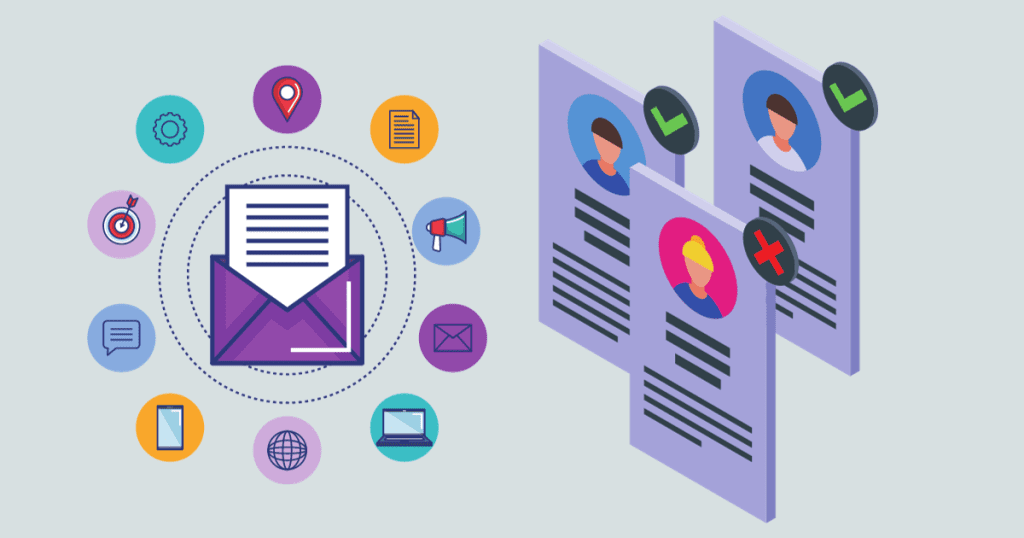
    Conclusion

    After researching and comparing several alternatives to Ninja Outreach, we have found that there are several tools that can be used for influencer marketing and outreach campaigns.

    We recommend that you carefully consider your needs and priorities before choosing an alternative to Ninja Outreach. Each of these tools has its own strengths and weaknesses, so it’s important to choose the one that best fits your specific needs and goals.

  • Prowritingaid vs Grammarly: A Comprehensive Comparison

    Prowritingaid vs Grammarly: A Comprehensive Comparison

    prowritingaid vs grammerly

    When it comes to writing tools, two of the most popular options on the market are ProWritingAid and Grammarly. Both tools offer a range of features designed to improve your writing, from correcting grammar and spelling mistakes to analyzing your writing style and offering suggestions for improvement.

    However, despite their similarities, there are some key differences between ProWritingAid and Grammarly that are worth exploring. For example, ProWritingAid offers a more detailed analysis of your writing than Grammarly, with 20 different writing reports available to help you improve your work. On the other hand, Grammarly has a more robust spell checker and can catch more typos and errors than ProWritingAid, making it a better choice for business writing.

    In this article, we’ll take a closer look at the similarities and differences between ProWritingAid and Grammarly, so you can decide which tool is best for your writing needs. Whether you’re a professional writer, a student, or just someone who wants to improve their writing skills, understanding the pros and cons of each tool can help you make an informed decision. So let’s dive in and explore what these two writing tools have to offer.

    Prowritingaid vs Grammarly: Key Features

    key features of prowritingaid and grammerly

    Understanding ProWritingAid

    ProWritingAid is a writing tool that is designed to help writers improve the quality of their writing. It offers a range of features that help writers to identify and correct errors in their writing, such as spelling and grammar mistakes, punctuation errors, and more. ProWritingAid also offers suggestions for improving the style and tone of the writing, making it more engaging and effective.

    Strengths of ProWritingAid

    One of the biggest strengths of ProWritingAid is its ability to analyze writing in great detail. With 20 different writing reports, ProWritingAid offers a more detailed analysis of your writing than all the other grammar checkers. It also offers a range of features that help writers to improve their writing, such as the ability to identify overused words, clichés, and redundancies. ProWritingAid also offers a range of integrations with other writing tools, such as Google Docs, Scrivener, and Microsoft Word.

    Another key strength of ProWritingAid is its affordability. ProWritingAid offers a range of pricing plans that cater to different needs and budgets. The free version of ProWritingAid is limited in terms of features, but it still offers a range of useful tools that can help writers to improve their writing.

    Weaknesses of ProWritingAid

    One of the main weaknesses of ProWritingAid is that it can be overwhelming for new users. The tool offers a lot of features and options, which can be difficult to navigate and understand for new users. Additionally, some of the reports and suggestions provided by ProWritingAid can be overly technical, which may not be helpful for all writers.

    Another weakness of ProWritingAid is that it is not as accurate as some of the other grammar checkers available on the market. While it offers a range of features and tools, it is important to note that it is not perfect and may miss some errors or make incorrect suggestions.

    Overall, ProWritingAid is a powerful writing tool that offers a range of features and tools to help writers improve the quality of their writing. While it may not be perfect, it is an affordable and effective option for writers who are looking to improve their writing skills.

    Understanding Grammarly

    Grammarly is an AI-powered writing assistant that helps users improve their writing style, grammar, and punctuation. It is available as a browser extension, desktop app, and mobile app. Grammarly offers various features, including a plagiarism checker, vocabulary enhancement suggestions, and a tone detector.

    Strengths of Grammarly

    Grammarly is an excellent tool for catching grammar and spelling errors. It provides real-time suggestions and corrections as you write. It also offers suggestions for improving your writing style, such as eliminating redundant phrases and using active voice instead of passive voice. Grammarly’s plagiarism checker is another valuable feature, as it can help you avoid accidental plagiarism by highlighting text that matches other sources.

    Weaknesses of Grammarly

    Grammarly has some limitations. It may not catch all errors, and some of its suggestions may not be relevant to your writing style or intended audience. Additionally, Grammarly’s premium features can be expensive, and the free version has limited functionality. Finally, Grammarly’s tone detector can be inaccurate, so it’s important to use your own judgment when evaluating the tone of your writing.

    In summary, Grammarly is a powerful tool for improving your writing, catching errors, and avoiding plagiarism. While it has some limitations, it is a valuable resource for anyone looking to improve their writing skills.

    Comparing User Experience

    When it comes to user experience, both ProWritingAid and Grammarly offer user-friendly interfaces that are easy to navigate. However, there are some notable differences between the two.

    Grammarly’s interface is sleek and modern, with a focus on simplicity. The tool’s sidebar provides a quick overview of potential issues with your writing, such as spelling and grammar errors, as well as suggestions for improvement. The interface is intuitive and easy to use, making it a popular choice for many users.

    On the other hand, ProWritingAid’s interface is more robust, with a wide range of features and settings for users to customize. While this can be overwhelming at first, it allows for a greater level of control over the editing process. ProWritingAid also offers a more detailed analysis of your writing, including suggestions for improving style and readability.

    Both tools offer browser extensions and desktop apps, making it easy to use them across multiple platforms. However, ProWritingAid also offers a Google Docs add-on, which can be a major advantage for users who do a lot of collaborative writing in that platform.

    Overall, both ProWritingAid and Grammarly offer excellent user experiences, with intuitive interfaces and a wide range of features. For writers and creators who also focus on visual content and branding, tools like Fontib can help create professional typography styles that complement their digital projects. The choice ultimately comes down to personal preference and the specific needs of the user.

    Price Comparison

    price comparison between prowritingaid and grammerly

    When it comes to pricing, both ProWritingAid and Grammarly offer different plans to choose from.

    Grammarly offers a free version with basic grammar and spelling checks. For more advanced features like vocabulary enhancement, genre-specific writing style checks, and plagiarism detection, users need to upgrade to the Premium version. The Premium version can be purchased on a monthly basis for $29.95 or on an annual basis for $139.95. Grammarly also offers a Business plan for teams, which starts at $12.50 per member per month.

    ProWritingAid also offers a free version with basic grammar and spelling checks. For more advanced features like contextual thesaurus, repeated words and phrases check, and consistency check, users need to upgrade to the Premium version. The Premium version can be purchased on a monthly basis for $20 or on an annual basis for $79. ProWritingAid also offers a lifetime license for $399, which includes all future updates.

    In terms of pricing, ProWritingAid is more affordable than Grammarly. However, Grammarly offers more advanced features in its Premium version, such as genre-specific writing style checks and a plagiarism detector. It’s important to consider which features are most important to you when deciding which tool to choose.

    Prowritingaid vs Grammarly: At a Glance

    Grammarly

    Ease of Use: Grammarly offers a user-friendly experience with a less-cluttered interface, making navigation straightforward and intuitive, earning it a five-star rating in this category.

    Customization: The platform provides a solid range of options allowing users to tailor the experience to their writing style, meriting a four-star rating.

    Analysis Reports: Grammarly supplies users with a basic PDF report that covers the essentials, garnering a three-star rating for its simplicity.

    Rephrasing Tools: The tool excels in suggesting numerous ways to rephrase or rewrite text, making it deserving of a four-star rating for its versatility.

    Integrations: Grammarly boasts an impressive integration with over 500,000+ applications, which earns it a four-star rating in this aspect.

    Pricing and Support: While Grammarly is on the pricier side, its cost is justified by its offerings, leading to a four-star rating in pricing and support.

    ProWritingAid

    Ease of Use: ProWritingAid features a more complex interface with numerous reports and menus that may be overwhelming to some users, resulting in a four-star rating.

    Customization: It offers an extensive range of customization options and style guides, catering to various writing needs, which warrants a four-star rating.

    Analysis Reports: The service stands out with its offering of over 20 in-depth online reports, providing comprehensive analysis, which is why it gets a five-star rating.

    Rephrasing Tools: ProWritingAid suggests complete rewrites and provides a handful of suggestions, which might not be as comprehensive as some users would prefer, thus it receives a three-star rating.

    Integrations: The platform lacks mobile integration, which can be a significant downside for some users, earning it a three-star rating in this category.

    Pricing and Support: ProWritingAid is competitively priced, and while it offers great options, the need to pay extra for a plagiarism checker is a notable point, leading to a four-star rating.

    Final Verdict

    After comparing ProWritingAid and Grammarly, we can say that both tools have their strengths and weaknesses. ProWritingAid is a comprehensive writing tool that provides detailed analysis of your writing, including style, grammar, and structure. On the other hand, Grammarly is a more user-friendly tool that offers real-time suggestions and corrections.

  • Jasper vs Grammarly: Which is the Best Writing Assistant?

    Jasper vs Grammarly: Which is the Best Writing Assistant?

    When it comes to writing software, there are plenty of options available to help you improve your writing. Two of the most popular options are Grammarly and Jasper. Both tools offer a range of features designed to help writers improve their work, but they differ in their approach.

    In this article, we’ll take a closer look at Grammarly vs. Jasper and explore the differences between the two tools.

    What is Jasper?

    What is Jasper?

    Jasper is an AI writing tool that assists writers in creating high-quality content with ease. It uses state-of-the-art natural language processing (NLP) technology to provide suggestions for improving the clarity, tone, and style of your writing.

    Unlike Grammarly, Jasper is not just a grammar checker or a plagiarism checker. It is a complete writing assistant that helps you with various aspects of the writing process, including generating ideas, structuring your content, and optimizing it for search engines.

    One of the unique features of Jasper is its ability to understand the context of your writing. It can identify the purpose, audience, and tone of your content, and provide suggestions accordingly. For instance, if you are writing an article for a technical audience, Jasper will suggest using more technical terms and avoiding jargon that might confuse the reader.

    Jasper is also a great tool for multilingual businesses. It supports multiple languages and can translate your content into different languages with ease. This is particularly useful for businesses that operate in different countries and need to create content in different languages.

    What is Grammarly?

    What is Grammarly?

    Grammarly is a writing assistant software that uses artificial intelligence to help users improve their writing. It offers grammar and spelling checks, as well as suggestions for sentence structure, word choice, and tone.

    Grammarly can be used as a browser extension, desktop app, or mobile app. It can be integrated into various writing platforms, including Microsoft Word, Google Docs, and WordPress.

    Grammarly offers both free and premium versions. The free version provides basic grammar and spelling checks, while the premium version includes more advanced features like genre-specific writing style checks, plagiarism detection, and a vocabulary enhancement tool.

    Grammarly has received positive reviews from users and has been recognized by various organizations, including Forbes, TIME, and The New York Times.

    Key Features of Jasper

    Jasper is an AI-powered writing assistant that helps writers create high-quality content quickly and efficiently. Here are some of its key features:

    AI-Driven Content Generation

    Jasper uses advanced artificial intelligence algorithms to generate content ideas and suggestions based on your writing style and preferences. Its AI-powered content generation feature can help you create engaging and informative articles, blog posts, and other types of content in a fraction of the time it would take to write them manually.

    SEO-Optimized Content

    Jasper also helps you optimize your content for search engines by suggesting relevant keywords and phrases to include in your writing. Its SEO optimization feature can help you increase your website’s visibility and improve your search engine rankings.

    Multilingual Content Creation

    Jasper supports over 25 languages, making it an ideal tool for writers who need to create content in multiple languages. Its multilingual content creation feature allows you to write in multiple languages and translate your content into other languages with ease.

    Plagiarism Detection

    Jasper also includes a plagiarism detection feature that can help you ensure that your content is original and free of plagiarism. Its plagiarism detection feature scans your writing for similarities to other published content and alerts you if it finds any potential instances of plagiarism.

    User Experience

    Jasper’s user interface is intuitive and easy to use, with a clean and modern design that makes it easy to find the features you need. Its user experience is designed to help you create high quality content quickly and efficiently, with minimal distractions or unnecessary features.

    Key Features of Grammarly

    Key Features of Grammarly

    Grammarly is a writing assistant tool that provides users with a range of features to improve their writing skills. Here are some of the key features that we found most useful:

    1. Grammar and Spelling Checker

    Grammarly’s grammar and spelling checker is one of its most popular features. It scans your text for any grammatical errors, spelling mistakes, and punctuation errors and provides suggestions to correct them. This feature is especially useful for those who struggle with grammar and spelling.

    2. Writing Style Suggestions

    Grammarly also provides suggestions to improve your writing style. It analyzes your text for things like sentence structure, tone, and clarity, and provides suggestions to make your writing more engaging and effective. This feature is particularly useful for those who want to improve their writing skills and make their writing more professional.

    3. Plagiarism Checker

    Grammarly’s plagiarism checker is another useful feature. It scans your text for any instances of plagiarism and provides a report with the percentage of text that is similar to other sources. This feature is especially useful for students and professionals who need to ensure that their work is original and free of plagiarism.

    4. Vocabulary Enhancement

    Grammarly also provides suggestions to enhance your vocabulary. It analyzes your text for overused words, repetitive phrases, and other issues that can make your writing sound dull and uninteresting. This feature is especially useful for those who want to improve their writing skills and make their writing more engaging.

    Comparison of User Interface

    When it comes to user interface, both Grammarly and Jasper AI are user-friendly and easy to navigate. However, there are some differences that users should be aware of.

    Grammarly has a sleek and modern interface that is easy to use. Users can access the writing assistant directly from their browser or use the desktop app. The interface is intuitive and easy to navigate, with clear labels and options. The writing assistant offers suggestions for grammar, spelling, and punctuation errors in real time, making it easy to correct mistakes as you write.

    On the other hand, Jasper AI also has a user-friendly interface that is easy to navigate. The dashboard is well-organized, with clear labels and options. Users can easily create new projects, access existing ones, and view their analytics. The AI-powered writing assistant offers suggestions for sentence structure, tone, and voice, making it easy to create high-quality content.

    One difference between the two interfaces is that Grammarly offers more customization options. Users can choose from different writing styles and adjust their preferences for the writing assistant. For example, users can choose to receive more or fewer suggestions, depending on their needs.

    Another difference is that Jasper AI offers more content creation options. Users can create blog articles, social media captions, and other types of content directly from the dashboard. The AI-powered writing assistant can also generate long and short-form content rapidly, making it a great option for businesses that need to create a lot of content quickly.

    Comparison of Pricing

    When it comes to pricing, both Grammarly and Jasper offer different plans to choose from.

    Grammarly offers a free plan with basic features, a premium plan for individuals at $29.95 per month, and a business plan for teams starting at $12.50 per member per month. The premium plan comes with advanced grammar and spelling checks, style suggestions, and a plagiarism detector. The business plan includes team usage statistics and centralized billing.

    On the other hand, Jasper offers a free trial and two paid plans. The standard plan costs $199 per month and includes unlimited content creation, 24/7 support, and a content brief generator. The enterprise plan is custom-priced and includes all the features of the standard plan plus a dedicated account manager, custom integrations, and personalized content strategy.

    While Grammarly may seem more affordable for individual users, Jasper’s plans are tailored toward businesses and agencies that need a more comprehensive solution for their content creation needs.

    It’s important to note that both tools offer different features and pricing plans, so it’s important to evaluate your needs and budget before making a decision.

    Accuracy and Efficiency

    When it comes to accuracy and efficiency, both Jasper and Grammarly have their strengths and weaknesses.

    Grammarly is known for its powerful AI writing assistant and plagiarism checker. It quickly identifies spelling and grammar errors, suggests better word choices, and even checks for plagiarism. It’s a great tool for anyone who works with the written word, including writers, students, and professionals.

    On the other hand, Jasper is more of a writing assistant than an editing tool. It uses AI to quickly generate high-quality written content, such as blog articles and social media captions. While it may not be as accurate as Grammarly in terms of catching grammar and spelling errors, it is efficient at generating content quickly.

    One area where Jasper shines is in its ability to generate long-form content. With its advanced features, it can help writers create longer pieces of content, such as white papers and e-books. Grammarly, on the other hand, is more focused on editing and improving existing content.

    Both tools offer language support, but Jasper has a wider range of languages available. This can be a significant advantage for writers who work in multiple languages.

    User Reviews and Feedback

    User Reviews and Feedback

    We scoured the internet to find user reviews and feedback on both Jasper and Grammarly. Here’s what we found:

    Grammarly

    Grammarly has a 4.5 overall rating on Gartner Peer Insights, with 89% of reviewers willing to recommend it. Users praise the tool’s ability to catch mistakes and provide insightful recommendations. Many users also appreciate the plagiarism checker feature, which helps ensure the originality of their work.

    On TrustRadius, Grammarly has 297 reviews and ratings. Users appreciate the tool’s ability to enhance grammar, tone, and clarity, ensuring high-quality writing. Grammarly’s team consistency feature is also praised for helping maintain consistency in writing across a team, ensuring cohesive messaging.

    Jasper

    Jasper has a 4.8 rating on Capterra, with users praising the tool’s ability to help them generate content quickly and easily. The tool’s AI-powered writing assistance is also praised for helping users write, rewrite, and get ideas quickly.

    On Trustpilot, Jasper has a 4.5 rating, with users praising the tool’s ease of use and ability to help them create high-quality content. Many users appreciate the tool’s ability to suggest relevant content ideas and help them improve their writing skills.

    Pros and Cons of Jasper

    Jasper AI is a powerful writing assistant that can help writers and content creators in many ways. Here are some of the pros and cons we’ve found when using Jasper:

    Pros

    • Unique content generation: Jasper AI boasts the impressive capability to generate copies five times faster than the average human copywriter. With this writing aid, you can effortlessly create 100% original content with no traces of plagiarism.
    • Customizable tone and style: Jasper AI allows you to customize the tone and style of your writing. You can choose from different writing styles such as academic, conversational, or persuasive, and even set the tone to match your brand voice.
    • Integrations with other tools: Jasper AI integrates with various tools such as Google Docs, WordPress, and Medium. This integration makes it easier to use Jasper AI and streamline your writing workflow.
    • Real-time feedback: Jasper AI provides real-time feedback on your writing, giving you suggestions on how to improve your grammar, sentence structure, and word choice.

    Cons

    • Limited language support: Jasper AI currently only supports English language writing. If you’re writing in another language, you won’t be able to use Jasper AI.
    • Limited features compared to Grammarly: Jasper AI doesn’t have as many features as Grammarly. For example, it doesn’t have a plagiarism checker or a browser extension.
    • Relatively new software: Jasper AI is a relatively new writing assistant, and it may not have the same level of accuracy as Grammarly, which has been around for many years.

    Pros and Cons of Grammarly

    Grammarly is a popular writing tool that offers a range of features to help writers improve their writing skills. Here are some of the pros and cons of using Grammarly:

    Pros

    • Grammar and spelling checker: Grammarly is a powerful tool that can help you identify and correct grammar and spelling errors. It offers suggestions for corrections and explanations for why something is incorrect.
    • Plagiarism checker: Grammarly also offers a plagiarism checker that can help you identify instances of plagiarism in your writing. This is especially useful for students and academics who need to ensure that their work is original.
    • Ease of use: Grammarly is easy to use and integrates seamlessly with popular platforms like Microsoft Word, Google Docs, and Gmail. It also offers a browser extension that can be used with Chrome, Firefox, and Safari.
    • Customization: Grammarly allows users to customize their writing preferences. For example, you can set your writing goals, choose your audience, and select your writing style.

    Cons

    • Expensive: Grammarly is a paid tool and can be expensive for some users. The premium version costs $30 per month, which may be too high for some writers.
    • Limited functionality: While Grammarly is a powerful tool, it does have some limitations. For example, it may not be as effective at identifying complex grammatical errors or offering suggestions for improving sentence structure.
    • Privacy concerns: Grammarly stores all of your writing on its servers, which may raise privacy concerns for some users. However, the company has stated that it takes user privacy seriously and has implemented measures to protect user data.

    Final Verdict

    After comparing the features and capabilities of Jasper and Grammarly, we can say that both tools have their strengths and weaknesses.

    Grammarly is a great choice for those who want to improve their writing skills, especially when it comes to grammar, punctuation, and spelling. It offers a powerful AI writing assistant that can help you write and edit your work much faster. Additionally, Grammarly provides a plagiarism checker, which can be useful for students and writers who want to ensure the originality of their work.

    On the other hand, Jasper is more of a writing assistant who can help you generate ideas and create long-form content. It offers advanced features such as language support and the ability to create content for ads, emails, websites, listings, and blogs. Moreover, Jasper can be a great tool for those who want to create content marketing with less work.

    When it comes to pricing, Grammarly offers a free version with basic features, while Jasper offers a free trial with limited access to its features. Grammarly’s premium plans start at $30/month, while Jasper’s plans start at $49/month.

  • Serpstat vs SEMrush: Which SEO Tool Is Right for You?

    Serpstat vs SEMrush: Which SEO Tool Is Right for You?

    When it comes to SEO tools, two names stand out: Serpstat and Semrush. Both are popular and widely used by digital marketers and SEO professionals to improve their website’s search engine rankings and drive more organic traffic. However, which one is better? In this article, we’ll take a closer look at Serpstat vs Semrush and compare their features, usability, keyword analysis, domain analysis, competitive research, and extra features.

    Serpstat Overview

    Serpstat Overview

    Serpstat is an all-in-one SEO tool that provides a comprehensive set of features for website optimization. It was founded in 2013 and has since become a popular choice among digital marketers and SEO professionals.

    One of the key features of Serpstat is its keyword research tool. It allows users to find profitable keywords and analyze the competition for those keywords. Additionally, Serpstat provides data on search volume, CPC, and keyword difficulty to help users make informed decisions about their SEO strategy.

    Another feature that sets Serpstat apart from other SEO tools is its site audit tool. This tool analyzes a website’s on-page and technical SEO factors and provides recommendations for improvement. Users can also track their website’s performance over time to see how their optimization efforts are paying off.

    Serpstat also offers a backlink analysis tool that allows users to analyze their website’s backlink profile and identify opportunities for improvement. The tool provides data on the number of backlinks, referring domains, and anchor text distribution.

    Semrush Overview

    Semrush Overview

    Semrush is a powerful all-in-one digital marketing tool that provides a wide range of features for SEO, PPC, content marketing, and more. It is a comprehensive solution that can be used by businesses of all sizes to improve their online visibility and drive more traffic to their website.

    One of the most notable features of Semrush is its keyword research tool, which allows users to find profitable keywords and analyze their competitors’ keyword strategies. It also provides detailed information about search volume, keyword difficulty, and related keywords.

    In addition to keyword research, Semrush also includes content optimization tools, including the SEO writing assistant, which can save users money on purchasing a separate content optimization tool like MarketMuse or Clearscope. The writing assistant provides real-time suggestions for optimizing content based on SEO best practices.

    Semrush also offers a comprehensive backlink analysis tool that allows users to identify their website’s link profile and analyze their competitors’ link building strategies. It provides detailed information about the quality and quantity of backlinks, anchor text, and referring domains.

    Features Comparison

    Keyword Research

    Both Serpstat and SEMrush offer comprehensive keyword research tools that allow us to find profitable keywords for our website. Serpstat’s Keyword Research tool provides us with a list of related keywords, search volume, and keyword difficulty. On the other hand, SEMrush’s Keyword Magic Tool offers a broader range of keyword suggestions and allows us to filter by specific criteria such as search volume, keyword difficulty, and more.

    Backlink Analysis

    Serpstat and SEMrush both have backlink analysis tools that help us to analyze our website’s backlinks and those of our competitors. Serpstat’s Backlink Analysis tool provides us with information about referring domains, backlink types, and anchor text distribution. SEMrush’s Backlink Analytics tool offers similar features as well as additional metrics such as toxic score, backlink authority score, and more.

    Rank Tracking

    Both tools allow us to track our website’s ranking for specific keywords. Serpstat’s Rank Tracker provides us with daily updates on our website’s ranking position, search volume, and keyword difficulty. SEMrush’s Position Tracking tool offers similar features as well as additional metrics such as estimated traffic, visibility score, and more.

    Site Audit

    Serpstat and SEMrush both have site audit tools that help us to identify technical SEO issues on our website. Serpstat’s Site Audit tool provides us with a comprehensive report on our website’s technical SEO issues, including broken links, duplicate content, and more. SEMrush’s Site Audit tool offers similar features as well as additional metrics such as crawlability issues, HTTPS implementation, and more.

    Overall, both Serpstat and SEMrush offer comprehensive SEO tools that can help us to improve our website’s search engine ranking. While there are some differences between the two tools, both are reliable and effective in their own ways.

    User Interface and Experience

    User Interface and Experience

    When it comes to user interface and experience, both Serpstat and SEMrush offer intuitive and user-friendly dashboards. However, there are some differences worth noting.

    Serpstat’s dashboard is visually appealing and easy to navigate, with a clean and modern design. The left-hand sidebar provides quick access to all the main features, including keyword research, site audit, backlink analysis, and more. The main dashboard displays an overview of your website’s performance, including organic and paid search traffic, backlinks, and more. The only downside is that some features, such as the backlink analysis tool, require a separate subscription.

    SEMrush’s dashboard is also user-friendly, but it can be overwhelming for beginners due to the sheer amount of information available. The left-hand sidebar provides access to all the main features, including keyword research, site audit, backlink analysis, and more. The main dashboard displays an overview of your website’s performance, including organic and paid search traffic, backlinks, and more. However, some users may find it difficult to navigate due to the amount of data presented.

    Both tools offer a range of customization options, allowing you to tailor the dashboard to your specific needs. For example, you can choose which metrics to display, adjust the date range, and more. Additionally, both tools offer mobile apps, allowing you to access your data on the go.

    Overall, both Serpstat and SEMrush offer user-friendly dashboards with a range of customization options. However, Serpstat’s dashboard is more visually appealing and easier to navigate, while SEMrush’s dashboard may be overwhelming for beginners.

    Pricing Models

    When it comes to pricing, both Serpstat and SEMrush offer a variety of plans to choose from. We found that Serpstat’s pricing is generally more affordable than SEMrush, but SEMrush offers more features in its plans.

    Serpstat’s plans start at $69 per month for the Lite plan, which includes basic features like keyword research, site audit, and competitor analysis. The Standard plan costs $149 per month and includes additional features like backlink analysis, site search analytics, and rank tracking. The Advanced plan costs $299 per month and includes all the features of the Standard plan plus API access and white-label reporting.

    On the other hand, SEMrush’s plans start at $119.95 per month for the Pro plan, which includes features like keyword research, site audit, and position tracking. The Guru plan costs $229.95 per month and includes additional features like content marketing tools, historical data, and branded reports. The Business plan costs $449.95 per month and includes all the features of the Guru plan plus API access, extended limits, and Google Data Studio integration.

    Overall, both Serpstat and SEMrush offer competitive pricing models, but it ultimately depends on the specific needs of the user. If affordability is a top priority, Serpstat may be the better option. However, if more advanced features are required, SEMrush may be the better choice.

    Customer Support

    Customer Support

    When it comes to choosing an SEO tool, customer support is a crucial factor to consider. Both Serpstat and Semrush offer excellent customer support, but there are some differences worth noting.

    Serpstat offers 24/7 customer support via email, live chat, and phone. Their team is known for being responsive and helpful, and they have an extensive knowledge base and video tutorials available on their website. Additionally, Serpstat offers a dedicated account manager for enterprise customers, which is a nice touch for those who need extra support.

    Semrush also offers 24/7 customer support via email, live chat, and phone. They have a large team of support agents who are knowledgeable and responsive. Additionally, Semrush offers a variety of resources on their website, including a knowledge base, video tutorials, and a community forum where users can ask and answer questions.

    Both Serpstat and Semrush offer excellent customer support, but there are some differences worth noting. For example, Semrush offers a dedicated account manager for their Guru and Business plans, while Serpstat offers a dedicated account manager for their enterprise customers.

    Pros and Cons of Serpstat

    When it comes to SEO tools, Serpstat is a popular choice for many users. Here are some of the pros and cons of using Serpstat:

    Pros

    • Affordable pricing: Serpstat offers a variety of pricing plans to fit different budgets, making it accessible to users with varying needs and financial capabilities.
    • Keyword research: Serpstat has a powerful keyword research tool that allows users to find profitable keywords for their website. It also provides data on keyword difficulty, search volume, and more.
    • Competitor analysis: Serpstat allows users to analyze their competitors’ websites and identify their strengths and weaknesses. This can help users to improve their own website’s SEO strategy.
    • Backlink analysis: Serpstat has a backlink analysis tool that allows users to monitor their backlinks and identify any potentially harmful links.
    • User-friendly interface: Serpstat has a clean and simple interface that is easy to navigate, making it accessible to users of all levels of technical expertise.

    Cons

    • Limited features: While Serpstat offers a variety of useful features, it may not be as comprehensive as some other SEO tools on the market.
    • No social media tools: Unlike some other SEO tools, Serpstat does not include any social media tracking or posting tools.
    • Less accurate data: Some users have reported that Serpstat’s data may not be as accurate as other SEO tools on the market.

    Overall, Serpstat is a solid choice for users looking for an affordable and user-friendly SEO tool. While it may not have all of the features of some other tools, its keyword research and competitor analysis tools make it a valuable asset in any SEO toolkit.

    Pros and Cons of Semrush

    We have extensively used Semrush and have identified a few pros and cons of this SEO tool.

    Pros

    • All-in-one platform: Semrush is a comprehensive platform that offers a wide range of tools for SEO, PPC, content marketing, social media, and competitor research. With Semrush, you can get all the information you need to optimize your website and stay ahead of your competitors.
    • Keyword research: Semrush offers an excellent keyword research tool that helps you find the right keywords for your website. You can also get detailed information about the search volume, competition, and trend of each keyword.
    • Site audit: Semrush’s site audit tool helps you identify technical issues on your website that may hurt your SEO rankings. You can get detailed reports on issues such as broken links, duplicate content, and missing meta descriptions.
    • Competitor analysis: Semrush provides detailed information about your competitors’ websites, including their backlink profiles, traffic sources, and top-performing keywords. You can use this information to improve your own website and outrank your competitors.

    Cons

    • Expensive pricing: Semrush’s pricing plans are relatively expensive compared to other SEO tools in the market. The pricing plans may not be affordable for small businesses or individuals.
    • Steep learning curve: Semrush has a lot of features, and it may take some time to learn how to use them effectively. The platform may be overwhelming for beginners who are new to SEO.
    • Limited backlink data: Semrush’s backlink database may not be as extensive as some of its competitors. This may limit the accuracy of the backlink analysis and affect the quality of the recommendations provided by the tool.

    Final Verdict

    After comparing Serpstat and SEMrush, we can conclude that both tools have their strengths and weaknesses.

    SEMrush is an all-in-one SEO tool that provides a comprehensive suite of features for digital marketers, including keyword research, competitor analysis, content optimization, and more. It also has a user-friendly interface and offers excellent customer support. However, it is relatively expensive compared to other SEO tools on the market.

    On the other hand, Serpstat is a more affordable option that offers a broad range of SEO features, including keyword research, site audit, backlink analysis, and more. It also has a user-friendly interface and provides excellent customer support. However, it lacks some of the advanced features that SEMrush provides, such as content optimization tools and social media tracking.

    If you’re looking for a comprehensive SEO tool with advanced features, then SEMrush is the better choice. However, if you’re on a budget and need a reliable SEO tool with a broad range of features, then Serpstat is a great option.

    Ultimately, the decision between Serpstat and SEMrush will depend on your specific needs and budget. We recommend trying both tools to see which one works best for you.


  • How to Allocate Budget for Digital Marketing: A Clear Guide

    How to Allocate Budget for Digital Marketing: A Clear Guide

    how to allocate budget for digital marketing

    Allocating a budget for digital marketing is an essential part of any successful marketing strategy. With the rise of digital channels, businesses are increasingly shifting their focus towards online marketing to reach a wider audience. However, allocating a budget for digital marketing can be a daunting task, especially when there are so many channels to choose from.
    To begin with, businesses need to have a clear understanding of their target audience and their marketing goals. This helps them to identify the most effective digital channels to reach their target audience and allocate their budget accordingly. For instance, if a business wants to target a younger audience, they may choose to allocate more budget towards social media platforms like Instagram and Snapchat. On the other hand, if they want to target professionals, LinkedIn may be a more effective channel.

    Once businesses have identified the most effective channels, they need to determine how much budget to allocate to each channel. This requires careful consideration of the potential return on investment (ROI) for each channel. For example, if a business has a limited budget, they may choose to allocate more towards channels that have a higher ROI, such as email marketing or search engine optimization (SEO). By doing so, they can ensure that they get the most out of their budget and achieve their marketing goals.

    Setting Marketing Goals

    To allocate a digital marketing budget effectively, it is essential to set clear marketing goals. This will help to determine the budget allocation and ensure that the marketing efforts are aligned with the overall business objectives.

    Identifying Target Audience

    The first step in setting marketing goals is to identify the target audience. This involves creating buyer personas to understand the needs, preferences, and pain points of the target audience. By understanding the target audience, businesses can tailor their marketing messages and select the most effective marketing channels to reach them.



    Defining Success Metrics

    The next step is to define success metrics. This involves determining the key performance indicators (KPIs) that will be used to measure the success of the marketing campaign. KPIs can include metrics such as ROI, conversions, leads, acquisition, retention, and customer retention. By defining success metrics, businesses can track the effectiveness of their marketing efforts and make adjustments as needed.

    Establishing Timeline

    Businesses should also establish a timeline for their marketing goals. This involves setting specific deadlines for achieving each goal. By establishing a timeline, businesses can ensure that their marketing efforts are aligned with their overall business objectives and that they are making progress towards achieving their goals.

    Considering Competition

    It is also important to consider the competition when setting marketing goals. This involves analyzing the strengths and weaknesses of the competition and identifying opportunities for differentiation. By considering the competition, businesses can develop marketing strategies that are unique and effective.

    Setting Revenue Expectations

    Finally, businesses should set revenue expectations when setting marketing goals. This involves establishing specific revenue targets and determining the marketing budget needed to achieve them. By setting revenue expectations, businesses can ensure that their marketing efforts are aligned with their overall business objectives and that they are making progress towards achieving their revenue targets.

    Preparation for Budget Allocation

    preparation for budget allocation

    Before allocating a budget for digital marketing, it’s important to prepare and plan ahead. This section will cover some key areas to consider when preparing to allocate a budget for digital marketing.

    Understanding Marketing Channels

    To effectively allocate a budget for digital marketing, it’s important to understand the various marketing channels available. These channels can include social media platforms such as Facebook, Instagram, LinkedIn, Twitter, YouTube, and TikTok, as well as other digital marketing strategies such as SEO, content marketing, email marketing, and PPC.

    Exploring Digital Marketing Strategies

    Once you have a clear understanding of the marketing channels available, it’s important to explore the various digital marketing strategies that can be used within those channels. This can include strategies such as SEO, content marketing, email marketing, PPC, and more.

    Considering Operational Costs

    In addition to the costs associated with specific digital marketing strategies, it’s important to consider the operational costs of running a digital marketing campaign. This can include the cost of resources such as software and tools, as well as the cost of hiring and training staff.

    Analyzing Market Research

    Before allocating a budget for digital marketing, it’s important to analyze market research to gain a better understanding of your target audience and market trends. This can help inform your digital marketing strategy and ensure that your budget is being allocated effectively.

    Planning for Content Creation

    High-quality content is an essential component of any digital marketing strategy. When preparing to allocate a budget for digital marketing, it’s important to plan for the creation of various types of content, such as blog posts, videos, webinars, landing pages, case studies, and more.

    Exploring Software and Tools

    It’s important to explore the various software and tools available to help you manage and optimize your digital marketing campaigns. This can include marketing automation software, customer relationship management (CRM) tools, analytics tools, and more.

    By taking the time to prepare and plan ahead, you can ensure that your digital marketing budget is being allocated effectively and that you’re getting the most out of your investment.

    Implementing Budget Allocation

    implementing budget allocation

    When it comes to implementing budget allocation for digital marketing, it is important to have a clear understanding of your company’s goals and objectives. This will help you determine which areas of digital marketing to invest in and how much to allocate to each area. Here are some sub-sections to consider when allocating your digital marketing budget:

    Allocating Budget for Advertising

    Paid advertising, such as Google Ads and paid search campaigns, can be an effective way to drive traffic and generate leads. When allocating your advertising budget, consider the cost per click and the potential return on investment.

    Investing in Social Media Marketing

    Social media marketing can help you build brand awareness, engage with your audience, and drive traffic to your website. When allocating your budget for social media, consider which platforms your audience is most active on and the type of content that resonates with them.

    Funding for SEO and PPC

    Search engine optimization (SEO) and pay-per-click (PPC) advertising can help you improve your website’s visibility in search engine results pages. When allocating your budget for SEO and PPC, consider the keywords you want to target and the competition for those keywords.

    Budgeting for Content Marketing

    High-quality content, such as blog posts, videos, webinars, landing pages, and case studies, can help you attract and engage your target audience. When allocating your budget for content marketing, consider the type of content that resonates with your audience and the channels you will use to promote it.

    Investing in Email Marketing

    Email marketing can be an effective way to nurture leads and drive conversions. When allocating your budget for email marketing, consider the size of your email list and the frequency and type of emails you will send.

    Allocating Budget for Web Design

    A well-designed website can help you build trust with your audience and improve your conversion rates. When allocating your budget for web design, consider the user experience, the design elements you want to include, and the functionality you need.

    Investing in CRM and Automation Tools

    Customer relationship management (CRM) and marketing automation software can help you streamline your marketing efforts and improve your ROI. When allocating your budget for CRM and automation tools, consider the features you need and the potential return on investment.

    Monitoring and Adjusting the Budget

    Monitoring and Adjusting the allocating Budget

    Once the budget has been allocated, it’s important to monitor its performance to ensure that it is being used effectively. This involves tracking the return on investment (ROI) and success of each marketing campaign and adjusting the budget allocation accordingly.

    Tracking ROI and Success

    To track the success of each campaign, it’s essential to use analytics tools that can provide insights into the performance of each marketing channel. By monitoring metrics such as website traffic, conversion rates, and cost per acquisition, marketers can determine which channels are driving the most revenue and adjust the budget allocation accordingly.

    Adjusting Based on Performance

    If a campaign is not performing well, it’s important to adjust the budget allocation to avoid overspending. This may involve reallocating resources to more effective channels or reducing the budget for underperforming campaigns.

    Reallocating Budget as Needed

    Marketers should also be prepared to reallocate the budget as needed to ensure that it is being used effectively. For example, if a new marketing channel emerges that is showing promising results, marketers may choose to allocate more budget to that channel and reduce spending on less effective channels.

    Overall, monitoring and adjusting the budget is an essential part of effective budget allocation for digital marketing. By tracking ROI and success, adjusting based on performance, and reallocating budget as needed, marketers can ensure that their budget is being used effectively to drive revenue and meet their marketing goals.

    Leveraging External Resources

    When it comes to allocating a budget for digital marketing, leveraging external resources can be a smart move. Here are a few options to consider:

    Working with Marketing Agencies

    One way to leverage external resources is to work with a marketing agency. A marketing agency can provide a range of services, from creating content to managing social media accounts to running ad campaigns. The advantage of working with an agency is that they have the expertise and experience to execute campaigns effectively. However, it’s important to choose an agency that aligns with your company’s values and goals.

    Hiring Freelancers

    Another option is to hire freelancers. Freelancers can be writers, presenters, or other specialists who can help with specific tasks or projects. The advantage of hiring freelancers is that they can be more cost-effective than working with an agency. However, it’s important to vet freelancers carefully to ensure they have the necessary skills and experience. In this process, consider conducting interviews, using different intelligence test types, and reviewing their portfolios to assess their overall suitability for the project.

    Utilizing Online PR

    Online PR can be another effective way to leverage external resources. Online PR involves getting coverage in online publications, blogs, and other outlets. This can help increase your company’s visibility and credibility. However, it’s important to have a clear strategy and to work with reputable PR professionals.

    Investing in Subscriptions

    Investing in subscriptions to online tools and resources can be a smart way to allocate your budget. For example, you might invest in a social media management tool or a content creation platform. The advantage of subscriptions is that they can provide ongoing value and support for your digital marketing efforts.

    Overall, leveraging external resources can be a smart way to allocate your budget for digital marketing. By working with marketing agencies, hiring freelancers, utilizing online PR, and investing in subscriptions, you can maximize your resources and achieve your marketing goals.

    Conclusion

    Allocating a budget for digital marketing is an essential step towards achieving business success. By defining goals, allocating budgets, and tracking results, businesses can increase brand awareness, generate leads, and drive sales.

    For small businesses, it is important to prioritize spending on activities that will bring the most value. This may include investing in brand awareness campaigns, lead nurturing activities, and business-to-business promotions.

    Fashion retail businesses may need to allocate more budget towards social media advertising to increase brand awareness and drive sales. On the other hand, businesses in other industries may need to focus more on search engine optimization and content marketing to generate leads and conversions.

    Regardless of the industry, it is important to track the success of digital marketing activities and adjust the budget accordingly. This may involve analyzing website traffic, lead generation, and sales data to determine which activities are generating the most return on investment.

    Overall, businesses that allocate their digital marketing budget wisely and strategically will be better positioned to achieve their goals and drive long-term growth.

  • Semrush Alternatives: Top Tools to Consider

    Semrush Alternatives: Top Tools to Consider

    As digital marketers, we all know the importance of using tools to help us optimize our website’s SEO and improve our search engine rankings. One of the most popular SEO tools on the market is Semrush. However, with its high price tag, it may not be the best option for everyone. That’s why we’ve compiled a list of Semrush alternatives to help you find the perfect tool for your needs.

    Our list includes both free and paid options, so you can choose what works best for your budget. We’ve done the research to ensure that each tool is reliable and effective, so you can trust that you’re getting accurate data to improve your website’s SEO. Whether you’re looking for a keyword research tool, a backlink checker, or an all-in-one SEO suite, we’ve got you covered. So, let’s dive into the world of Semrush alternatives and find the perfect tool for your digital marketing needs.

    Top Semrush Alternatives

    Top Semrush Alternatives

    If you’re looking for Semrush alternatives, there are plenty of options available in the market. In this section, we’ll cover some of the top Semrush alternatives that you can consider for your SEO needs.

    Ahrefs

    Ahrefs is one of the most popular SEO tools that you can use as an alternative to Semrush. It offers a comprehensive suite of tools that can help you with keyword research, backlink analysis, competitor analysis, and more. With Ahrefs, you can get detailed insights into your website’s SEO performance and identify areas for improvement.

    Moz

    Moz is another popular SEO tool that can be a great alternative to Semrush. It offers a range of features including keyword research, link building, site audits, and more. With Moz, you can get detailed insights into your website’s SEO performance and track your keyword rankings over time.

    Serpstat

    Serpstat is a comprehensive SEO tool that offers a range of features including keyword research, site audits, backlink analysis, and more. With Serpstat, you can get detailed insights into your website’s SEO performance and identify areas for improvement. It also offers a range of competitor analysis tools that can help you stay ahead of the competition.

    Ubersuggest

    Ubersuggest is a popular SEO tool that can be a great alternative to Semrush. It offers a range of features including keyword research, site audits, backlink analysis, and more. With Ubersuggest, you can get detailed insights into your website’s SEO performance and identify areas for improvement.

    SEO Powersuite

    SEO Powersuite is a comprehensive SEO tool that offers a range of features including keyword research, site audits, backlink analysis, and more. With SEO Powersuite, you can get detailed insights into your website’s SEO performance and identify areas for improvement.

    SE Ranking

    SE Ranking is a comprehensive SEO tool that offers a range of features including keyword research, site audits, backlink analysis, and more. With SE Ranking, you can get detailed insights into your website’s SEO performance and identify areas for improvement.

    Majestic

    Majestic is a popular SEO tool that can be a great alternative to Semrush. It offers a range of features including backlink analysis, site explorer, and more. With Majestic, you can get detailed insights into your website’s backlink profile and identify areas for improvement.

    Raven Tools

    Raven Tools is a comprehensive SEO tool that offers a range of features including keyword research, site audits, backlink analysis, and more. With Raven Tools, you can get detailed insights into your website’s SEO performance and identify areas for improvement.

    CognitiveSEO

    CognitiveSEO is a comprehensive SEO tool that offers a range of features including keyword research, site audits, backlink analysis, and more. With CognitiveSEO, you can get detailed insights into your website’s SEO performance and identify areas for improvement.

    Searchmetrics

    Searchmetrics is a comprehensive SEO tool that offers a range of features including keyword research, site audits, backlink analysis, and more. With Searchmetrics, you can get detailed insights into your website’s SEO performance and identify areas for improvement.

    Overall, there are plenty of Semrush alternatives available in the market. You can choose the one that best suits your needs and budget.

    Comparing Features of Semrush Alternatives

    When it comes to finding a Semrush alternative, it’s important to compare the features of each tool to ensure that you’re getting the most value for your money. Here, we’ll take a closer look at some of the key features offered by Semrush alternatives.

    Keyword Research

    Keyword research is a vital part of any SEO strategy, and most Semrush alternatives offer this feature. Some popular keyword research tools include Google Keyword Planner, Ahrefs, and Moz Keyword Explorer. These tools allow you to discover new keywords, analyze keyword difficulty, and track keyword rankings.

    Website Audit

    A website audit is an essential tool for identifying technical SEO issues that may be holding your site back. Semrush alternatives like SEO SpyGlass and Site Audit by Ahrefs offer comprehensive site audits that analyze everything from page speed to broken links and more.

    Rank Tracker

    Rank tracking tools allow you to monitor your keyword rankings over time. Semrush alternatives like Ahrefs and Moz Pro offer robust rank tracking features that allow you to track your rankings across multiple search engines and devices.

    Backlink Analysis

    Backlinks are a crucial part of any SEO strategy, and Semrush alternatives like Ahrefs, LinkDog and Moz Pro offer in-depth backlink analysis tools. These tools allow you to analyze your backlink profile, monitor new backlinks, and identify potential link building opportunities

    Competitor Analysis

    Understanding your competitors is key to developing a successful SEO strategy. Semrush alternatives like Ahrefs and Moz Pro offer powerful competitor analysis tools that allow you to analyze your competitors’ backlink profiles, keyword rankings, and more.

    Content Optimization

    Creating high-quality content is essential for driving traffic to your website, and Semrush alternatives like Ahrefs and Moz Pro offer content optimization tools that can help you identify content gaps and optimize your existing content for better search engine rankings.

    Pricing of Semrush Alternatives

    When it comes to choosing a Semrush alternative, pricing is an important factor to consider. While Semrush offers a range of pricing plans to suit different needs, it may not be the most affordable option for everyone. That’s why we’ve put together a list of Semrush alternatives that offer competitive pricing options.

    Some of the Semrush alternatives we’ve researched offer free plans, while others have affordable pricing for standard and enterprise plans. Here are some of the pricing options we’ve found:

    • Free Alternatives: Some of the free Semrush alternatives we’ve found include Google Keyword Planner, Ubersuggest, and GrowthBar. While these tools may not offer all the features of Semrush, they can still be useful for keyword research and basic SEO analysis.
    • Affordable Alternatives: SE Ranking is one of the most affordable all-in-one SEO tools we’ve found, with pricing starting at just $55 per month. Other affordable options include SpyFu and Serpstat, which offer pricing plans starting at $39 and $59 per month respectively.
    • Standard Plans: If you need more advanced features, some Semrush alternatives offer standard plans that are still affordable. Ahrefs, for example, offers a standard plan starting at $199 per month, while Moz has a standard plan starting at $99 per month.
    • Enterprise Plans: For larger businesses with more advanced needs, some Semrush alternatives offer enterprise plans. These plans can be more expensive, but they often come with additional features and support. Ahrefs, for example, offers an enterprise plan starting at $999 per month, while Moz has an enterprise plan starting at $599 per month.

    Overall, there are a range of Semrush alternatives available with pricing options to suit different needs and budgets. By comparing the pricing and features of different tools, you can find the right SEO tool for your business.

    Ease of Use and Interface

    When evaluating Semrush alternatives, one important factor to consider is ease of use and interface. After all, you want a tool that you can easily navigate and use to get the insights you need.

    We found that some of the alternatives we researched have a more user-friendly interface than Semrush. For example, Ubersuggest has a simple and intuitive interface that makes it easy to get started with keyword research and other SEO tasks. On the other hand, some tools like Ahrefs require a bit more of a learning curve to get used to.

    Another important aspect of ease of use is the dashboard. You want a dashboard that is organized and easy to navigate, with all the key metrics and data you need readily available. Some of the Semrush alternatives we looked at, like SE Ranking, have well-designed dashboards that make it easy to find what you’re looking for.

    Finally, some of the alternatives we researched, like Moz Pro, allow you to export data to Excel for further analysis. This can be a big advantage if you prefer to work with data in Excel or if you need to share data with others who use Excel.

    Overall, when it comes to ease of use and interface, the best Semrush alternatives are those that offer a user-friendly interface, a well-designed dashboard, and the ability to export data to Excel.

    Check out also
    Top 5 Grammarly Alternatives

    Conclusion

    In conclusion, there are many Semrush alternatives available in the market for businesses, bloggers, freelancers, and others who want to improve their organic traffic and organic rankings. After analyzing the top Semrush competitors and alternatives, we can say that each tool has its own unique strengths and weaknesses.

    If you are looking for a robust all-in-one SEO tool, Ahrefs is the best option. It offers a backlink database, rank tracking, and other analytics features. However, it is expensive compared to other tools.

    For bloggers and freelancers on a budget, Ubersuggest is a great choice. It offers a user-friendly interface and keyword research capabilities. It is also a free tool hosted by Neil Patel.

    SE Ranking is another affordable alternative that offers an all-in-one SEO tool. It has a monitoring feature that allows you to monitor backlinks and organic traffic.

    SpyFu is the best alternative for competitive research. It offers insights into your competitors’ keywords and organic rankings.

    Overall, when choosing a Semrush alternative, it is important to consider your specific needs and budget. We hope this overview helps you make an informed decision.