
Blog

  • Top Website Errors That Are Killing Your Online Success (And How to Fix Them!)

    Top Website Errors That Are Killing Your Online Success (And How to Fix Them!)

    Having website errors can seriously harm your business’s online success. These errors prevent search engines from properly crawling and indexing your site, provide a poor user experience that increases bounce rate, and even completely shut out customers from accessing your site.

    In this comprehensive guide, we will cover the top website errors you need to know about and how to fix them. Avoiding and resolving these common errors is crucial for ensuring maximum online visibility and access for your business.

    Introduction to Website Errors

    Website errors, also known as HTTP errors, occur when there is a problem loading web pages on your site. When a user clicks on a link to your site, their browser sends a request to your web server which then sends back a response code to either successfully display the page content or show an error with a specific error message.

    Some of the most common types of website errors include:

    • 400 Bad Request
    • 401 Unauthorized
    • 403 Forbidden
    • 404 Page Not Found
    • 500 Internal Server Error
    • 503 Service Unavailable

    You may encounter website errors like these either intermittently or consistently, depending on the cause. Identifying and troubleshooting errors swiftly is important because website errors negatively impact both customer experience as well as your organic search engine visibility.

    Specifically, website errors can:

    • Prevent search engine crawlers from properly indexing the affected pages, leading to drops in organic traffic
    • Increase bounce rate as customers immediately leave your site due to frustration over errors
    • Show customers errors instead of your products/services, costing you leads and sales
    • Cause security issues and site crashes depending on the error

    In even a single error can indicate serious technical problems that are barriers to visitors accessing and enjoying your website. Much less hundreds of recurring errors across multiple site pages over time.

    By learning the most common website errors, their causes, and solutions you can act fast to provide the seamless experience customers expect in order to convert and support your overall SEO strategy. The next sections will cover specific details on major errors you want to address right away.

    401 Unauthorized

    401 Unauthorized

    The 401 Unauthorized client error is one of the most common errors you may encounter. This error occurs when a user tries to access a page or resource on your site that requires authentication, but the login credentials supplied are incorrect or do not grant access.

    For example, if you have a login-protected members area, an admin dashboard, or other private content, visitors not logged in or who supply incorrect login details would get a 401 error message instead of the content.

    Some common causes of the 401 error include:

    • Typing in the wrong URL for a protected page
    • Using an incorrect password when trying to log in
    • Having an expired session that requires reauthentication
    • Issues with user permissions and roles preventing content access even when logged in
    • Browser cache or DNS issues blocking successful login

    Visitors will get a short message like “401 Unauthorized” or “401 Authentication Failed” depending on the server configuration when this occurs.

    While some level of login errors from users mistyping details is normal, a high volume of 401 errors or issues successfully logging in generally points to a technical configuration issue or problem with user accounts.

    To troubleshoot 401 errors, steps you can take include:

    • Check spelling on any private page URLs being accessed
    • Try supplying login credentials again correctly
    • Clear browser cache and DNS flush to resolve potential interference issues
    • Test user roles and permissions settings in your CMS or membership plugin
    • Contact your web host support if the issue persists for help investigating

    Keeping 401 unauthorized errors to a minimum is important both so users can seamlessly access private content but also for SEO, as pages blocked behind a failed authorization will not be indexed by search engines. Resolving any persistent or underlying issues swiftly keeps all vital site content visible to search bots.

    Now that you understand the 401 error, its potential causes, and solutions to test, you can get this common yet major error resolved quickly should it arise. Failing to control unauthorized access errors means losing out on leads and customers trying to view premium content.

    400 Bad Request

    The “400 Bad Request” error is a common HTTP status code that indicates a problem with the request sent by the client to the server. It typically occurs when the server cannot understand or process the request due to apparent client error (e.g., malformed request syntax). 

    For instance, if a user attempts to access a website and mistypes a URL, or submits a form with invalid data, the server might respond with a “400 Bad Request” error. This error serves as a general catch-all response for situations where the server cannot or will not process the request due to something that is perceived to be a client error.

    Common causes of the “400 Bad Request” error include:

    • Incorrectly Typed URL: Entering a URL with a typo or a format that the server does not recognize can trigger this error.
    • Invalid Input Data: When filling out forms on a website, entering data in an incorrect format can cause a “400” error.
    • Corrupted Browser Cache and Cookies: Stored cache or cookies that have become corrupted might send invalid request data to the server.
    • Oversized or Malformed File Uploads: Trying to upload a file that exceeds the server’s size limits or is in an incompatible format can result in this error.

    To troubleshoot “400 Bad Request” errors, the following steps can be taken:

    • Check the URL: Ensure that the URL entered is correct and follows the proper format.
    • Validate Input Data: Double-check any data entered in forms to ensure it adheres to the expected format.
    • Clear Browser Cache and Cookies: Sometimes, clearing the browser’s cache and cookies can resolve issues causing “400” errors.
    • Check File Uploads: If the error occurs during a file upload, verify that the file size and format meet the server’s requirements.

    Understanding and resolving “400 Bad Request” errors is important for maintaining a smooth user experience and ensuring that users can interact with your website without unnecessary interruptions. Addressing these errors promptly helps in keeping your website efficient and user-friendly.

    404 Page Not Found

    404 Page Not Found

    The dreaded 404 error is another very common website error that can significantly impact your business. This client error appears when users attempt to access pages or content that no longer exists on your site.

    Some common causes of 404 errors include:

    • Broken links from other sites pointing users to deleted content
    • Old bookmarks still leading to removed or relocated pages
    • Typos putting in the wrong URL
    • Attempts to access rich media that has expired

    A high volume of 404s is detrimental because each error represents a failed content access that increases bounce rate. Search engines also get 404 pages rather than being able to properly crawl and index the now missing content when following links to your site.

    Fixing steps for 404 errors involve:

    • Adding redirects for any major altered content
    • Correcting linking site sources still pointing users awry
    • Notifying users of removed pages or content expiration
    • Using custom 404 error pages with menus/search etc

    While some 404s from typos will happen despite best efforts, technical checks like redirect implementation, removing outdated backlinks, and monitoring site analytics can lessen both their quantity and impact.

    For content you have intentionally removed or altered, replacing it with custom 404 pages providing visitors site orientation and navigation assistance turns user experience into a positive. Configure your backend CMS or server rules to display these supporter 404 pages complete with menus and site search etc whenever invalid page requests occur.

    Prevent dead links from draining away business. Stay on top of 404 errors and site changes so customers always have access and search engines index to your live pages.

    500 Internal Server Error

    Seeing the 500 Internal Server Error can be worrying, but this common error simply indicates a general technical problem that has prevented the server from fulfilling a request.

    Some potential causes include:

    • Excessive load causing server overload
    • Software bugs or flaws in code execution
    • Server configuration issues
    • Conflicts with hosting environment

    The wide range of contributing factors makes quickly resolving 500 errors difficult in some cases. However, actions to try when facing this error include:

    • Checking site traffic levels before/during errors
    • Testing site performance using tools like Pingdom
    • Inspecting access and error logs closer
    • Reaching out to your hosting provider

    Troubleshooting will likely require IT skills to review logs and server settings. Consider support, updates, or migration if the site infrastructure struggles with traffic.

    For sites built on platforms like WordPress, also:

    • Check file/folder permissions
    • Test disabling plugins one-by-one
    • Switch themes to see if that impacts errors

    Removing site elements and testing their effect helps isolate potential conflicts.

    Allowing 500 errors to remain create barriers between your business and prospective customers. Frustrated site visitors bounce away while search engine crawlers fetch error notifications rather than new pages to index, slowly eroding online visibility further.

    Be proactive about enhancing site architecture to prevent downtime and errors from sudden surges in traffic as your company grows. Invest in robust hosting that can scale, introduce optimizations like caching, keep software updated, and leverage performance monitoring.

    503 Service Unavailable

    Another common error is the 503 Service Unavailable server error. This means the server is currently unable to handle requests due to overloading or maintenance downtime.

    Causes behind 503 errors include:

    • Hardware or software failures
    • Resource exhaustion from high traffic
    • Ongoing maintenance and updates
    • Hosting infrastructure issues
    • Domain registrar problems

    Visitors trying to access pages on a site displaying 503 errors will simply get a message that the site is temporarily unavailable or busy. Search engines likewise have trouble crawling and indexing during extended 503 errors.

    Troubleshooting steps involve:

    • Checking site uptime status for notifications
    • Contacting hosting provider support
    • Monitoring site analytics for traffic spikes
    • Testing site responsiveness using uptime tools
    • Retry request after specified time in Retry-After header

    For sites running on managed hosting plans and without IT expertise, you will need to open tickets for technical teams to investigate and resolve the underlying server problems or restrictions.

    Be wary of hosts with recurrent infrastructure failures leading to frequent downtime and service unavailable errors. Switch providers taking reliability and customer guarantees over only low pricing in account offerings.

    Stay on top of traffic as well to predict load, and introduce optimizations like caching, CDNs, and upgraded hosting plans or hardware to support past a point.

    Losing even 1% of site visitors due to errors risks substantial revenue. Compound that by repeat issues hampering SEO visibility sinking you further behind competitors vying for the same audience. Prioritize stable hosting and internal capacity to prevent errors from cutting into your potential. In case you stumble upon such issues, make sure to use WordPress multisite migration to seamlessly transfer your website to a new hosting provider or server without downtime or data loss.

    Other Common Errors

    Other Common Errors

    While the above errors make up a majority of the issues you may face, there are a few other common website errors to be aware of. Monitoring and quickly resolving these can further optimize site stability.

    403 Forbidden

    The 403 Forbidden client error appears when you don’t have permission to access the requested page or resource. This can occur trying to view:

    • Protected admin logins and dashboards
    • Restricted file directories
    • Password protected pages
    • Blocked IP addresses

    Check login credentials, contact the host about access restrictions, or tweak file permissions to resolve.

    408 Request Timeout

    This error is shown when the server ends requests taking too long to complete, either from a slow connection or overloaded resources.

    Speed up response times by enhancing site performance or upgrading hosting capabilities to support more simultaneous visitors.

    502 Bad Gateway

    A 502 error indicates a networking issue where the server got an invalid response trying to connect to internal or external services needed to fulfill requests.

    Work with your hosting provider to trace and resolve gateway failures so requests can correctly proxy.

    Staying on top of other common errors before they swell into larger issues further ensures your site remains stable and high-performing. Catching errors early and having a process to address them helps meet site visitor expectations.

    Now that you know the most widespread website errors impacting success and visibility, you can quickly identify issues and take appropriate fixing steps when they occur. But even better is putting preventative measures in place!

    Next, we will cover proactive ways to avoid having endless errors undermine your operations…

    Prevent Website Errors Proactively

    Prevent Website Errors Proactively

    While being able to swiftly address website errors is crucial, an ounce of prevention is truly worth a pound of cure when it comes to site stability.

    Implementing the following proactive measures greatly reduces the chances of running into recurring issues down the road:

    Optimize Site Speed

    Faster site speed means faster load times and less strain on hosting infrastructure. Optimizing images, minimizing HTTP requests, leveraging browser caching, and implementing other website performance best practices enhances resilience.

    Plugins like W3 Total Cache or SG Optimizer for WordPress sites also introduce caching and minification to boost speed. Upgrading hosting plans is another option for increasing site performance margins.

    Use Proactive Monitoring

    Rather than waiting for users or clients to report errors, automated uptime monitoring tools continually test response times and error status from multiple global locations.

    Notifications alert you at the first sign of trouble so that issues can be addressed before significantly impacting visitors.

    Implement a CDN

    A content delivery network (CDN) like Cloudflare serves site content globally from edge servers nearest end visitors. This greatly reduces server strain, speeds up performance, and improves reliability.

    CDNs easily scale to absorb traffic spikes and prevent overloading origin infrastructure. Enable on by default with hosting plans or third parties.

    Set Up Redirects

    Website changes often necessitate moving content to new URLs over time. Rather than just deleting pages and leaving broken links directing users to 404 errors, set up 301 permanent redirects to route requests to the appropriate updated locations.

    This preserves SEO equity while supporting an uninterrupted visitor experience.

    Review Server Configurations

    Optimizing the configurations of hosting web servers and stacks to support expected traffic loads and patterns is crucial. Tweaking settings for maximum connection handling, processes, file requests and more helps minimize strain.

    Consult with your managed IT team or host about ideal configurations. Monitor site analytics to predict future growth.

    Building a foundation of performance best practices and preventative systems enables your website to mostly avoid common errors site visitors and search engines would otherwise encounter.

    Stay vigilant about introducing optimizations to keep pace with company growth rather than waiting for decisions to be forced by frequent stability issues.

    Conclusion & Next Steps

    As we have covered, website errors like 500 internal server errors, 404 missing pages, and 403 forbidden access can have devastating consequences for your online business success.

    Each instance represents a failed content delivery preventing user engagement or page indexing. Accumulating issues frustrate customers, increase bounce rates, undermine SEO efforts, and directly cut into revenue.

    However, armed with knowledge of the most common website errors, their causes, and both troubleshooting and prevention best practices, you can avoid losing traffic and money unnecessarily.

    Visitors expect a seamless, problem-free experience accessing your brand across channels and devices. Maintaining the highest standards of website performance, reliability, security and universal access should remain top priorities for your digital strategy.

    • Audit your site logs and analytics to uncover current error rates and impacted pages. Quantify areas needing the most urgent fixes.
    • Implement redirects, customize error pages, and launch other tactical improvements covered to start optimizing the visitor experience.
    • Research preventative solutions like performance optimizations, CDNs, and improved infrastructure to address root causes rather than symptoms.
    • Continue monitoring site analytics and uptime going forward to catch future errors emerging early before customers notice.

    No online business is immune to the occasional hiccup. But following website error best practices separates those providing professional grade solutions from the rest. Prioritize seamless site stability and prevent errors from interfering with your success.

    The ultimate downfall of once major brands often stems from failing the customer experience. Don’t join their ranks! Commit now to valuating and enhancing your website reliability.

    FAQ Website Errors

    What are some of the most common website errors?

    Some of the most common website errors covered in the blog post include 401 Unauthorized, 400 Bad Request, 404 Page Not Found, 500 Internal Server Error, and 503 Service Unavailable. Other common errors are 403 Forbidden, 408 Request Timeout, and 502 Bad Gateway.

    Why are website errors detrimental for my business?

    Website errors negatively impact customer experience leading to higher bounce rates. They also prevent proper crawling and indexing by search engines, causing drops in organic traffic and visibility. Errors essentially create barriers to visitors accessing your products, services and content.

    What causes 404 Page Not Found errors?

    Some common causes of 404 errors are broken links from other sites pointing users to deleted content, old bookmarks leading to removed pages, typos in URLs, and attempts to access expired media files.

    How can I customize error pages to improve user experience?

    You can set up custom 404 error pages that include site menus, search bars, and suggestions for related content. This helps orient visitors and provides navigation options rather than showing them unhelpful technical messages when pages cannot be accessed.

    What proactive measures can I take to prevent website errors?

    Proactive measures covered include optimizing site speed through performance best practices, implementing monitoring systems to catch issues early, adding a CDN to boost resilience and reduce strain, setting up redirects when moving content, and reviewing server configuration settings regularly.

    How often should error logs and site analytics be audited?

    It’s recommended to audit site error logs and performance analytics on at least a monthly basis. More frequent checks such as weekly or even daily are ideal to catch rising error rates quickly before customers are lost.

    What might cause a 500 Internal Server Error on WordPress sites?

    Potential causes for 500 errors on WordPress include file permission issues, conflicting plugins, changing to an incompatible theme, exceeding server resource limits, and various software bugs and PHP code execution failures.

  • What is Onsite SEO? Your Roadmap to Onsite SEO Success in 2026

    What is Onsite SEO? Your Roadmap to Onsite SEO Success in 2026

    Imagine visitors flooding your website organically, eager to learn about your products or services. That’s the power of onsite SEO! But what exactly is it?

    Onsite SEO refers to optimizing elements on your actual website to improve rankings in search engines like Google and Bing, ultimately driving more relevant organic traffic. Proper onsite SEO implementation is key for any website looking to boost visibility and growth.

    Implementing onsite SEO best practices is crucial for websites hoping to stand out in increasingly competitive SERPs. When done right, it can significantly multiply a website’s reach and lead generation over time.

    What is Onsite SEO?

    onsite seo

    Onsite SEO, also known as on-page SEO, is all about optimizing your website’s elements to rank higher in search engine results pages (SERPs) and attract more relevant traffic. Think of it like dressing up your website to make it more appealing and accessible to search engine robots and your human visitors.

    Core Components of Onsite SEO

    core components of onsite seo

    Optimizing a website for maximum search engine visibility requires a multi-faceted approach addressing several key areas. While often perceived as simple tactics like keyword stuffing, effective onsite SEO is far more complex.

    There are three core pillars of onsite optimization that work synergistically to unlock your website’s true traffic and conversion potential. These include:

    Content

    Creating high-quality, useful content tailored to your audience is the most important onsite SEO element. Optimized content attracts organic traffic and boosts rankings in search engines.

    The content creation process involves:

    • Conducting keyword research to identify topics and questions your audience searches. Understanding user search intent helps create content that matches those information needs.
    • Crafting comprehensive, easy to consume content like blog posts, FAQs, guides etc. around target keywords. Include relevant terms in titles, urls, metadata descriptions.
    • Formatting copy for on-page readability using headings, bullet points, bolding and imagery. Breaking up text into scannable sections improves engagement.
    • Embedding target keywords naturally within the content itself at optimal densities. This signals relevance to search engines.
    • Publishing new, unique content regularly. Google rewards fresh, original content with higher rankings.
    • Iteratively improving existing content over time for better conversions and visitor experience.

    Creating well-researched and engaging content unlocks the full benefit of onsite optimization. Position those optimized pages deeper within site architecture using internal links to power a self-reinforcing virtuous SEO cycle.

    With the right informational bait, your content becomes a magnet for qualified organic traffic from search engines.

    Technical SEO

    While content, keywords and links attract search engines to websites, technical site architecture and infrastructure determine if your pages get properly indexed, ranked and displayed in results. Optimizing the backend site performance lays the technical foundation for SEO success.

    Some key technical considerations include:

    • Clean semantic HTML markup using tags like headings, alt text properly to enable easy crawling. Create XML site maps helping search bots discover new content.
    • Quick page speed enabled by optimizing images, efficient hosting, browser caching and compressed code. Faster sites improve visitor experience and search rankings.
    • Responsiveness for seamless mobile/tablet functionality using CSS media queries. Google penalizes sites not mobile-friendly.
    • Strong internal link structures interconnecting related site content with contextual anchor text links. This helps search bots navigate content and transfer page equity.
    • Proper redirects to avoid broken pages. Include 301 redirects to permanently forward old URLs to new destinations.
    • Adding schema.org and open graph metadata for richer search snippets.

    Getting the technical site architecture right improves content indexation and page experience, signaling to Google your pages are well-structured and informative. Technical audits help uncover site deficiencies hurting SEO. With robust technical foundations, your quality content gains maximum visibility in search results.

    User Experience (UX)

    Optimizing user experience is an integral but often overlooked part of onsite SEO. Beyond just attracting visitors from search engines, you want to create an engaging journey that delights visitors and earns their trust. Exceptional user experience leads to higher dwell times, lower bounce rates, and increased pages per session.

    Crafting an intuitive, user-friendly website requires thinking holistically about the visitor perspective. From the moment someone lands on your homepage, the site navigation, layout, visuals and content should guide them seamlessly towards conversion goals.

    Some key elements of onsite UX design include:

    • Simple, consistent site-wide navigation menus and structured page layouts to facilitate browsing. Use breadcrumb trails to help orient users.
    • Appealing visual designs and assets that reinforce brand identity. Include ample white space for visual relief.
    • Mobile responsive modifications to ensure smooth functioning on all devices. Avoid tiny taps targets on mobile.
    • Fast page load speeds through image optimization and efficient code. Nothing loses visitors quicker than a sluggish site.
    • Accessible elements for those with disabilities like screen readers or keyboard-only use.

    Getting these user experience details right improves visitor satisfaction and retention. More importantly, search engines are increasingly factoring user signals into rankings, rewarding sites that provide fulfilling journeys. That makes UX optimization imperative for sustainable SEO success.

    Benefits of Onsite SEO

    benefits of onsite seo
    • Increased organic traffic and website visibility: Higher rankings in SERPs mean more people will find your website.
    • Improved brand awareness and credibility: Well-optimized websites build trust and authority.
    • Leads and sales growth: Attract more qualified leads and boost your conversion rates.
    • Long-term website value: Onsite SEO is an investment that keeps paying off over time.
    • Reduced dependence on paid advertising: Organic traffic is free and more sustainable than paid ads.

    Getting Started with Onsite SEO:

    • Website audit: Analyze your website to identify areas for improvement.
    • Content strategy: Develop a plan for creating and optimizing content.
    • Technical SEO improvements: Implement best practices for page speed, mobile-friendliness, and internal linking.
    • Performance monitoring: Track your website’s performance and adapt your SEO strategy accordingly.

    FAqs

    Why is Onsite SEO important?

    Onsite SEO plays a crucial role in determining how search engines perceive and rank your website. Proper optimization helps search engines understand the content, relevance, and overall structure of your pages, making it more likely for your site to appear in relevant search results.

    What are the key components of Onsite SEO?

    Essential components of Onsite SEO include optimizing meta tags (title, description), using strategic keywords, creating high-quality and relevant content, improving website speed and mobile-friendliness, and ensuring a clean and well-organized site structure.

    Is Onsite SEO different from Offsite SEO?

    Yes, Onsite SEO and Offsite SEO are distinct but complementary. While Onsite SEO involves optimizing your website’s elements, Offsite SEO focuses on external factors like backlinks and social signals. Both are essential for a comprehensive SEO strategy.

    How does user experience relate to Onsite SEO?

    User experience is closely tied to Onsite SEO. Search engines prioritize websites that offer a positive user experience. This includes easy navigation, fast loading times, mobile responsiveness, and relevant content—factors that contribute to improved rankings.

    Can Onsite SEO benefit local businesses?

    Absolutely. Local businesses can leverage Onsite SEO to optimize their websites for local searches. This involves incorporating location-specific keywords, creating a Google My Business profile, and ensuring accurate business information on the site.

    How often should I update my website for Onsite SEO?

    Regular updates are crucial. Fresh and relevant content signals to search engines that your site is active and valuable. Aim for consistent updates, whether through new blog posts, product additions, or other relevant content improvements.

    Summary

    Onsite SEO is the magic wand that elevates your website’s visibility and attracts relevant visitors. By optimizing content, technical aspects, and user experience, you create a welcoming haven for search engines and human audiences alike. The benefits range from increased organic traffic and brand awareness to lead generation and improved ROI.

  • How to Find Competitor Backlinks: The Complete Guide

    How to Find Competitor Backlinks: The Complete Guide

    Backlinks are one of the most important ranking factors for SEO. Simply put, backlinks are links from other websites pointing back to pages on your site. The more quality backlinks you have, the higher your site will rank in search engines like Google.

    But getting powerful backlinks takes effort. An effective way to shortcut your link building is by analyzing and replicating your competitors’ backlinks. This competitor backlink analysis reveals the strongest websites linking to rival sites, allowing you to model and even outperform them.

    In this comprehensive guide, we’ll explore:

    • What competitor backlinks are and why they matter
    • Different types of competitor sites
    • Metrics for analyzing backlinks
    • Tools to identify link building opportunities
    • Tactics to replicate quality links
    • Developing your own robust backlink strategy

    Let’s start with understanding what competitor backlinks are.

    Find Competitor Backlinks

    Competitor backlinks refer to the external websites linking back to your rival websites. These are the quality referral links that top ranking competitors have earned, which you can leverage for your own SEO.

    Specifically, competitor backlink analysis involves using SEO tools to review metrics like:

    • Total number of backlinks
    • Referring domains pointing to a site
    • Domain authority of referral links
    • Anchor text trends
    • Prominent link placement spots

    Reviewing this data equips you to emulate successful link building patterns, steal opportunities, and expose potential weaknesses.

    Find Competitor Backlinks

    Competitor backlink analysis is important for several reasons:

    The websites ranking above you have clearly mastered both on-page and off-page SEO. By analyzing their backlinks, you establish goals and benchmarks to model for your own strategy across metrics like:

    • Target number of referring domains
    • Minimum domain authority of links
    • Ideal anchor text mix

    Matching and exceeding their links builds your credibility and authority.

    Discovering sites linking to rivals uncovers opportunities you may be missing, like:

    • Guest posting – Identify blogs competitors have written for and pitch superior articles to them
    • Relationship building – Connect with webmasters and influencers driving links to competitors
    • Broken links – Claim lost links pointing to dead competitor pages with your content

    This additional visibility compounds over time.

    Exposes Potential Weaknesses

    Analyzing poor quality links, like spammy directories, helps avoid ineffective tactics. You also spot opportunities from:

    • Toxic linksDisavow toxic links damaging SEO
    • Irrelevant links – Judge relevance to your brand and audience

    Optimization prevents poor links from diluting your progress.

    Identifying Competitors for Analysis

    Find Competitor Backlinks

    When analyzing competitor backlinks, you need to categorize rivals into two buckets:

    Domain-Level Competitors

    These are entire websites that compete with you directly across various topics, pages, and target keywords. For example:

    • Business consulting sites if you run an agency
    • Review sites if you are an ecommerce store
    • News outlets reporting on similar topics

    These share very similar audiences and search visibility as you. Analyze backlinks pointing to their whole domain.

    Page-Level Competitors

    These are specific web pages, often from indirect competitor sites, targeting the exact same keyword as one of your pages. For instance:

    • A blog article on the same topic
    • Forum discussion around your key term
    • News story focusing on your keyword

    So while the website itself is not a rival, that particular page competes for your target traffic. Analyze backlinks only to the URL, not the entire domain.

    When reviewing your competitors’ backlink profiles, you need to dig deeper than just the total number of links. Assess both quality and quantity factors like:

    • Total backlinks – The more links to a site, the more powerful the domain. But focus on quality too.
    • Referring domains – More valuable metric than total links. Counts number of unique domains pointing to site.
    • Sudden growth trends – Spikes may indicate undeserved links which could drop. Monitor gains/losses.
    • Domain authority – DA scores site’s power on 0-100 scale. Higher = better. 30+ is good.
    • Page authority – Like DA, but 0-100 score is for strength of specific linking page.
    • Link relevance – How useful and topically related the link is for your brand and audience. Context matters.
    • Link placement – Where link is placed on page (header, content, footer etc.). Above the fold is best.
    • Anchor text – Visible clickable text. Variety brings stability, but optimize for focus keywords.

    Ideally, utilize backlink analysis tools to review competitor links across all these parameters.

    For example, a site may have a high volume of links, but upon deeper analysis you may find:

    • Many links from irrelevant niche websites
    • Links using over-optimized anchor text
    • Links only present in footers

    This qualitative assessment balances the quantitative view. Analyzing multiple competitors exposes common patterns and differences to exploit.

    Find Competitor Backlink s

    Specialized SEO tools automate competitor backlink analysis to efficiently reveal opportunities.

    Moz

    Moz offers a free and paid solution for checking competitor links:

    • MozBar – Browser plugin showing high level domain authority and page authority
    • Link Explorer – Enter any domain or URL to view full list of referring domains, Domain Authority, Spam score, followed links and other details for qualitative analysis

    Though the free Link Explorer only shows 10 links, this gives a snapshot of top quality backlinks.

    Ahrefs

    Ahrefs’ Site Explorer is perfect for analyzing competitor links:

    • Domain and URL rating on 0-100 scale
    • Total backlinks and referring domains
    • Top linking domains and pages
    • Anchor text usage trends
    • Recommendations for undiscovered link opportunities

    Filters provide a nuanced analysis of links.

    SEMrush

    SEMrush also offers extensive backlink data:

    • Backlink numbers over time
    • Breakdown by type, attribute, placement etc
    • Domain and page authority
    • Anchor text phrases
    • Backlink gap analysis

    Historical graphs show potential risks from artificial links.

    Ubersuggest

    Ubersuggest focuses on page-level analysis:

    • Backlink details for a specific URL
    • Domain authority filters
    • Data exports to focus on quality links

    The tool integrates well with other Neil Patel SEO tools.

    Each tool analyzes domain and page specific metrics to gauge link quality beyond just volume. These insights shape your outreach.

    Finding competitor backlinks

    Armed with competitor link data, you can now discover smart opportunities to improve your own profile.

    Prioritize replicating links earning rivals the top spots. Sort by:

    • High domain authority – 50+
    • Recent links – Updated within last 3-6 months
    • Keyword relevancy – Optimized anchor text

    These point to influential sites interested in your niche.

    Identify Common Quality Referrals

    Review multiple competitors to highlight crossover links to authoritative industry publications, bloggers and resources.

    The shared presence indicates an important player for visibility.

    Expand beyond your core keywords when analyzing competitors.

    SEMrush and Ahrefs link opportunity tools also uncover prospects targeting related keywords. Cast a wider net.

    SEMrush compares your profile with competitors to reveal missed high-quality links. Directly surfaces referral sites you should pitch for links.

    Together these approaches efficiently showcase links you must emulate or outbid rivals for.

    With smart data-driven insights in hand, here are proactive tactics to replicate quality links:

    Technically Outrank Competitors

    • Fix broken links – Claim lost links from errors like 404 pages
    • Update outdated content – Replace stale data with new resources

    This directly overlays your better content.

    Strategically Build Relationships

    • Guest post outreach – Pitch contributors driving competitor links
    • Influencer marketing – Connect with leaders in your industry
    • Revamp and repurpose content – Make it 10x better through updates, graphics, videos etc to get the links they did

    Produce content so good that you become the source.

    Monitor and React

    • Link alerts – Be the first to know of new competitor links
    • URL tracking – Monitor page level ranks to complement domain tracking

    Overtake rivals by keeping pace with or exceeding their efforts.

    Executed thoroughly, these approaches compound your progress over the long term. But replication alone is not enough…

    Find Competitor Backlinks

    The most successful companies don’t just replicate competitors. They analyze links to inform an expanded strategy that outranks rivals.

    Assess potential links on merits – domain authority, relevance, theme etc. Not all links deserve replication. Audit efficiently.

    Employ More Tactics

    • Content upgrades to build email lists
    • Guestographics for infographic links
    • Link inserts in existing resources
    • More advanced outreach campaigns

    Diversify efforts for stability and synergy between tactics.

    Monitor and Optimize

    Continuously check new links, fix toxic links, refresh old links and improve poor links. Competitors start slipping? Gain an edge.

    Focus on User Experience

    At the end of the day, links serve to improve audience experience. That gives Google signals for actual search performance beyond backlinks. Keep users first.

    With a sound strategy incorporating the best of competitors’ successes, you sustainably build credibility and authority over the long run.

    Competitor backlink analysis is a game changer for accelerating your SEO strategy. By discovering the sites driving visibility for top rivals, you uncover proven link building blueprint to emulate.

    Key highlights include:

    • Analyze domain and page-level competitors to find all visibility threats
    • Use Ahrefs, Moz, SEMrush and Ubersuggest to automate analysis
    • Assess backlinks by volume, domains, placement, relevancy other quality signals
    • Tactically replicate the best competitor links through outreach campaigns
    • Complement with more advanced organic link building tactics
    • Continuously optimize your mix of links

    Keep sight of the long term by not over-optimizing links. Focus on informational relevance and audience needs. Ethically build your presence with original, empowering content that earns links naturally.

    Competitor links provide the blueprint. An expanded organic strategy sustains your advantage. Combining these approaches, you can outperform rivals in a scalable way.

  • How to Fix Redirect Chains for Better SEO

    How to Fix Redirect Chains for Better SEO

    Redirect chains are one of those pesky technical SEO issues that can silently sabotage your efforts if left unchecked.

    When a redirect chain occurs, there are multiple unnecessary redirects linking between an original URL and the final destination URL. For example:

    URL A -> URL B -> URL C

    This is far from ideal when it comes to SEO. Redirect chains negatively impact site crawlability, create indexation issues, and result in lost link equity or page authority for the target URL.

    It’s easy for redirect chains to accumulate over time as sites naturally evolve. For instance, as pages get reorganized or consolidated, redirects get stacked without realizing it. Changing web hosts, migrating domains, or switching from HTTP to HTTPS can also proliferate chains if old redirects aren’t cleaned up properly.

    The good news is that identifying and fixing redirect chains is a relatively straightforward technical SEO task. Regularly auditing and consolidating your redirects improves overall website health and prevents lost SEO value.

    This comprehensive guide will cover:

    • What causes redirect chains to form
    • The negative SEO impacts of redirect chains
    • How to detect redirect chains on your site
    • Actionable steps to fix and prevent redirect chains
    • Redirect best practices for WordPress sites and beyond

    By properly handling redirects and avoiding chains, you can maximize link equity flow, improve indexation, speed up site crawlability, and boost your SEO efforts overall.

    Let’s jump into this.

    What Causes Redirect Chains to Form?Fix Redirect Chains

    There are a few common scenarios that can lead to redirect chains accumulating on a website:

    Accidental Oversights

    It’s easy to unintentionally create a redirect chain if you aren’t aware of existing redirects in place. For example, say Page A redirects to Page B already. If you now want Page C to replace Page B, you redirect B to C without removing the A to B redirect.

    Redirects happen behind the scenes so it’s not obvious when a chain like A > B > C occurs. Doing a one-off redirect without checking for existing redirects is a common reason chains accumulate.

    Multiple Website Migrations

    As websites grow and evolve, pages and content often get moved around or reorganized. For instance, you may consolidate categories or split them into new sections.

    If the URL structure changes as part of the migration, redirects need to be created to send visitors to the new URLs. This step is just as important when you use free website migration, to ensure all existing redirects continue to work as expected. However, existing redirects don’t always get updated properly in the process.

    Over time, as content gets moved to new sections and domains, lengthy redirect chains can build up from the legacy URLs.

    Switching from HTTP to HTTPS

    Many sites have transitioned from HTTP to HTTPS in recent years. This requires implementing redirects from old HTTP pages to their new HTTPS counterparts.

    However, if you already had HTTP www to non-www redirects in place, the HTTPS migration can unintentionally chain these together. For example:

    http://example.com > http://www.example.com > https://www.example.com

    Changing Domain Names

    When transitioning to a new domain name, redirects need to pass visitors and search engines from old URLs to the new domain.

    If existing redirects weren’t properly accounted for, the domain change can tack additional links onto redirect chains from the old site architecture.

    Restructuring Site Architecture

    Evolving the information architecture and URL structure of a website often necessitates redirects to preserve SEO value when content gets moved.

    For instance, if you change from /category/page-name to /category-name/page-name URLs, all existing URLs would need redirects.

    If these redirects are layered on top of previous redirects, it can compound issues and create lengthy chains.

    Negative Impacts of Redirect Chains

    Fix Redirect Chains

    There are a few key ways that redirect chains can hurt your site’s SEO and performance:

    Lost Link Equity and Page Authority

    One of the biggest issues caused by redirect chains is lost link equity and page authority.

    When a URL is redirected, it passes on link equity and authority to the target URL. However, multiple chained redirects will result in a compounding loss of authority.

    For example, if a URL passes 100% equity/authority through a single redirect, with 2 redirects that may decrease to 90%, with 3 redirects down to 80%, etc. This can significantly diminish the SEO value being passed on.

    Indexation and Crawl Issues

    Redirect chains can also cause problems with getting new pages indexed and crawled properly.

    Google has indicated they will only follow a chain of 5 redirects before aborting the crawl. This means pages buried deep in lengthy chains may never get crawled or indexed.

    Excessive redirects also waste crawl budget, further restricting how much of your site Google can index.

    Slower Page Load Times

    Each redirect increases page load times slightly as additional requests must be made before landing on the final page.

    For users, even minor delays can increase bounce rate. For search engine crawlers, slower page loads mean fewer pages can be processed during each crawl.

    This negatively impacts user experience and satisfaction, which are both SEO ranking factors according to Google.

    Problems for Internal Site Linking

    Redirect chains also cause issues for internal site linking and structure over time.

    As content gets moved around, chains break internal links that may have passed SEO authority and relevance signals. This reduces the effectiveness of internal linking for search rankings.

    How To Identify Redirect ChainsFix Redirect Chains

    Finding redirect chains on a website takes a little detective work, but isn’t too difficult with the right tools:

    Use SEO Crawlers

    SEO crawlers like Screaming Frog are excellent for discovering and analyzing redirect chains.

    Under the Redirects section, look for the “Redirect Chains” report. This will show you any series of multiple redirects linking pages together.

    Export the list to view the full redirect paths and start investigating where chains have formed.

    Check Redirect Status Codes

    When manually analyzing site redirects, look for pages returning 301 and 302 status codes.

    • 301 = Permanent Redirect
    • 302 = Temporary Redirect

    These status codes indicate that a redirect is in place. Review chains of multiple redirects linking together.

    Trace Redirect Paths

    Use browser extensions like Redirect Path to visually see the redirects as you trace a URL to its final destination.

    This makes it easy to spot chains as you test and confirm redirect paths page-by-page.

    Monitor Broken Internal Links

    Check your site for broken internal links regularly. Redirect chains can cause internal links to break over time as pages change.

    Broken internal links are a clue that redirects may be chained together incorrectly. The linked page was likely moved without updating redirects properly.

    Fixing Redirect Chains

    Fix Redirect Chains

    Once you’ve identified redirect chains on your site, here are some tips for resolving the issues:

    Consolidate Chains

    The main fix is to consolidate any chained redirects down to a single redirect linking the original URL directly to the final destination.

    Remove any unnecessary middle redirects that are simply chaining together without purpose. Simplify the path to be direct.

    Update Redirects After Site Changes

    When making site migrations, updates, or other architecture changes, be sure to audit and update existing redirects accordingly.

    Don’t let new redirects from changes simply chain on top of old ones. Update them all together to point correctly to new destinations.

    Monitor New Redirects

    When adding new redirects, first check that the URL isn’t already redirecting somewhere else. Avoid chaining redirects together.

    Also monitor new redirects to catch any issues with 404s or chains before they compound.

    Use Canonical URLs

    For URL variations you don’t want to redirect, use canonical URLs instead to consolidating signal while avoiding potential redirect issues.

    Point all URL versions to the one canonical URL you want prioritized.

    Proper ongoing hygiene and maintenance of your redirects is key to preventing issues from accumulating over time. Regularly audit for redirect chains and don’t let new redirects be layered blindly without review.

    Redirect Best Practices

    Here are some technical best practices to keep in mind when implementing redirects to avoid potential chains:

    • Use 301 permanent redirects when entirely moving pages to a new URL, or consolidating content.
    • Use 302 temporary redirects only for short-term, temporary URL changes.
    • Set redirect cache durations to a reasonable period for temporary redirects. Don’t use excessive caching.
    • Redirect individual pages only when necessary, don’t do mass redirects blindly.
    • When possible, update existing redirects rather than adding new ones.
    • Avoid long chains of redirects (aim for 1-2 max).
    • Monitor new redirects for 404 errors, which may indicate chains.
    • Periodically audit old redirects and update or remove unnecessary ones.
    • Use canonical meta tags for minor URL variations rather than multiple redirects.

    For WordPress sites, a few specific tips:

    • Use a well-coded redirection plugin like Redirection to handle redirects. Avoid .htaccess.
    • To move a page, update existing redirects first before adding new ones.
    • When changing permalinks, update old redirects to the new URL structure.
    • Redirect attachment image URLs using redirection plugins, don’t do it in .htaccess.

    Properly setting up and maintaining redirects may seem tedious but is crucial for technical SEO. Staying on top of redirect hygiene will benefit your site’s performance and search visibility.

    Conclusion

    Redirect chains can sneakily sabotage SEO efforts if left unchecked on a website. Thankfully, with proper audits and redirect hygiene, they can be identified and fixed.

    The main takeaways around redirect chains:

    • They accumulate from site changes, migrations, and unmonitored redirects over time.
    • Redirect chains negatively impact page authority flow, site crawlability, indexation, and page load times.
    • Use SEO tools and link checkers to identify redirect chains through audits.
    • Fix chains by consolidating redirects and updating old redirects to new destinations.
    • Employ redirect best practices, like using proper status codes and monitoring new redirects.

    By regularly checking your site for redirect chains and debugging any issues, you can maximize the SEO value passed from old URLs to new pages.

    Proper redirect hygiene improves overall website health, prevents lost link equity, maintains internal site integrity, and boosts ranking potential. It takes some diligence, but the SEO impact is well worth the effort.

  • The Ultimate Link Roundup for SEO Success in 2026

    The Ultimate Link Roundup for SEO Success in 2026

    Feeling overwhelmed by the endless sea of content about SEO best practices?

     We’ve got you covered. Dive into our handpicked link roundup of the most insightful articles, research, and tips from top experts. 

    Discover hidden gems you won’t want to miss for taking your SEO game to the next level.

    A link roundup essentially compiles a carefully curated list of links to high-quality articles and resources on a specific topic. 

    The benefits for readers are saving time, broadening knowledge, and staying in-the-know on need-to-know trends.

    Types of Power-Packed SEO Link Roundups

    link roundups

    Now that you understand the basic concept of link roundups, let’s delve into the diverse flavors they offer. Buckle up, content explorers, because we’re about to navigate three distinct types of link roundups:

    1. Topic-Based Roundups

    Imagine stumbling upon a curated map guiding you to hidden gems within a specific niche. That’s the beauty of topic-based roundups! These roundups zero in on a particular theme, like “mastering mindfulness” or “conquering content creation.” They’re like theme parks for your intellectual curiosity, offering a thrilling ride through the best resources on that chosen topic.

    Whether you’re a productivity enthusiast seeking life hacks or a budding entrepreneur hungry for marketing magic, topic-based roundups cater to your specific interests, saving you precious time and serving up knowledge in bite-sized pieces.

    2. Expert Roundups

    Ever craved a front-row seat to a brainstorming session of industry leaders? Expert roundups bring that dream to life! These roundups gather insights and opinions from renowned professionals in a specific field. Imagine a symphony of thought leaders, each playing their instrument – the SEO guru sharing optimization secrets, the social media maestro revealing engagement strategies, and the design diva dishing out branding brilliance. It’s a knowledge concert where you get to soak in the expertise of the best in the business, learning from their diverse perspectives and actionable advice.

    3. Curated Content Roundups

    Picture a gallery showcasing the finest art pieces, each meticulously selected by a discerning curator. That’s the essence of curated content roundups. These roundups scour the web, handpicking high-quality articles, blog posts, infographics, and other valuable resources from various sources. They’re like digital libraries stocked with gems, meticulously categorized and presented in a way that’s both informative and visually appealing.

    Whether you’re a news junkie seeking diverse viewpoints or a research rabbit chasing down reliable data, curated content roundups become your trusted guides, leading you to the most valuable and engaging content across the web.

    Creating a Link Roundup that Ranks

    Choosing the right topic: Selecting the optimal topic is key for engaging your target readership while also ranking high in SERPs. Research trending keywords and questions in your niche using tools like Google Trends, then choose a focused theme that taps into user intent.

    Finding high-quality content: Source respected, authoritative sites related to your topic when compiling links. Check that each article is timely, thoroughly researched, credible, and offers unique value. Refer to tools like BuzzSumo to discover the most shared and engaged content.

    Curation and organization: Categorize links into logical sections or subtopics to aid scanning and consumption. For example, you could have intro overview links, followed by common issues, solutions, best practices etc. Break up walls of links with headers, relevant images, or short paragraphs.

    Writing compelling summaries: Craft a short 1-3 line snippet that summarizes the key takeaway or unique angle of each link. Ask or answer a specific question to entice clicks while establishing subject matter authority.

    SEO optimization: Research target keyword variations and LSI keywords using Google Keyword Planner and organically work them into post copy where fitting, including meta descriptions. Insert relevant outbound links to reputable external resources to enrich content. Interlink to other related or useful posts on your blog to engage visitors.

    How to Use Link Roundups

    how you can use link roundups

    Link roundups are a powerful strategy in the world of content marketing and SEO, allowing you to build connections, drive traffic, and enhance your online presence. Here’s a step-by-step guide on how to make the most of link roundups:

    1. Identifying Link Roundup Opportunities:

    • Research: Explore your industry or niche to discover websites and bloggers who regularly publish link roundups.
    • Relevance: Focus on those that align with your content and expertise.

    2. Creating Link-Worthy Content:

    • Quality is Key: Craft compelling and informative content that others would find valuable and want to include in their roundups.
    • Visual Appeal: Include eye-catching visuals and multimedia elements to make your content stand out.

    3. Building Relationships:

    • Engage: Interact with bloggers and influencers in your industry through social media or by commenting on their blogs.
    • Personalized Outreach: Reach out to them with personalized messages, expressing your appreciation for their work and sharing your relevant content.

    4. Submission and Follow-Up:

    • Submit Your Content: Once you’ve identified potential link roundup opportunities, submit your content for consideration.
    • Follow Up: Politely follow up to ensure they received your submission and express your continued interest in being featured.

    5. Monitoring Results:

    • Track Referral Traffic: Use tools like Google Analytics to monitor the traffic coming from link roundups.
    • Evaluate Impact: Assess the impact on your website’s visibility, audience engagement, and overall SEO.

    6. Staying Consistent:

    • Regularly Produce Quality Content: Maintain a consistent content creation schedule to increase your chances of being featured in future link roundups.

    Examples of Successful Link Roundups:

    One stellar example of a top-notch link roundup comes from Backlinko on the topic of keyword research. What makes this roundup excel is its smart curation of recent, authoritative content from the past year focused specifically on keyword tools and strategies.

    Link Roundups Example

    The intro neatly sets user expectations, while scannable subheaders segment the links into logical sections like blog posts, videos, and tools. Brief 2-3 line summaries provide adequate context. For example, “An in-depth guide to using Google’s free keyword planner tool to generate targeted long tail keywords.”

    From an SEO perspective, this roundup nails it by incorporating the primary keyword “keyword research” and variations naturally throughout. Additionally, each link has an optimized meta description that includes the keyword. Anchoring links like “related reading” link to other relevant evergreen posts on the site. An effective CTA concludes by driving visitors to subscribe for future updates.

    Another gold star curation example is this recent link roundup from Ahrefs discussing technical SEO best practices. The content features and format follows a similarly strategic approach. Notably, they incorporate data like shares and average read time to validate the value of each included link even further.

    The Final Word

    Link roundups should now be your not-so-secret weapon for both enriching reader experience and climbing SERPs. The benefits for your audience include massive time savings, exposure to new perspectives, and amplifying knowledge on niche topics.

    For you as the blogger, roundups drive qualified traffic through targeting specific keywords and questions. Plus, they establish subject matter expertise and relationships with industry influencers.

    FAQs

    Q1: What is a link roundup?

    A link roundup is a curated list of valuable and relevant content from various sources, typically compiled by bloggers, influencers, or websites. It serves as a convenient resource for readers, offering a collection of top-notch content on a specific topic.

    Q2: How can I find link roundup opportunities in my industry?

    Research your industry or niche to discover websites, blogs, or influencers that regularly publish link roundups. Look for those that align with your content and expertise.

    Q3: What makes content link-worthy for roundups?

    Link-worthy content is typically high-quality, informative, and visually appealing. Create content that stands out and provides value to readers. Including multimedia elements can also enhance its appeal.

    Q4: How do I submit my content for consideration in a link roundup?

    Once you’ve identified potential opportunities, submit your content by reaching out to the curator. Personalize your outreach, express your appreciation for their work, and provide a brief overview of your relevant content.

    Q5: How can I build relationships with bloggers and influencers for link roundups?

    Engage with them on social media, comment on their blogs, and share their content. Establishing a genuine connection can increase the likelihood of your content being considered for link roundups.

    Q6: How often should I produce content to increase my chances of being featured in link roundups?

    Consistency is key. Maintain a regular content creation schedule to increase your visibility and chances of being featured in future link roundups.

    Q7: Can link roundups help with SEO?

    Yes, link roundups can positively impact SEO by generating backlinks to your content, increasing website visibility, and enhancing your online authority within your industry.

  • Holistic SEO: The Key to Sustainable Organic Growth in 2026

    Holistic SEO: The Key to Sustainable Organic Growth in 2026

    A holistic SEO approach looks beyond isolated on-page and technical factors and considers how an entire website works together to provide value to both search engines and visitors. It’s about understanding user intent, providing relevant content, and crafting seamless user experiences. Tactics still matter, but they serve a greater purpose within a cohesive SEO strategy aligned to overarching business goals.

    As Google’s algorithms continue to advance and user behavior shifts, chasing individual rankings has proven an unreliable approach over the long-term. Companies that embrace holistic SEO principles—centered around relevance, experience, and continuous optimization—are best poised for durable success.

    The purpose of this post is to define the core tenets of holistic SEO and showcase why it represents the foremost pathway to healthy, lasting organic growth in the modern digital landscape.

    What is Holistic SEO?

    holistic seo explained

    Holistic SEO is a strategic, comprehensive approach to search engine optimization that coordinates efforts across multiple integrated channels with the overarching goal of delivering value and the best possible user experience.

    The Pillars of Holistic SEO

    Pillars of Holistic SEO

    There are five core pillars of Holistic SEO:

    Technical SEO:

    A technically sound website is fundamental to executing effective SEO and delivering great user experiences. If search engines can’t easily crawl and index your pages or if your site loads poorly on mobile, all your efforts toward content, links, and branding will be limited in impact.

    That’s why foundations like site architecture, URL structures, internal linking, and page speed need to be a priority.

    Some best practices related to solid technical SEO include:

    • A well-organized information architecture with logical, descriptive URL paths to help search bots understand your structure and content. Simple is best for readability.
    • Ensuring all areas of your site are easily crawlable using both internal links across related pages as well as external links, site maps, and internal search to facilitate discovery. Reduce barriers to access through 403 errors or difficult navigation.
    • Implementing metadata like titles, descriptions, alt text for images, and heading tags to make pages more comprehensible for both search engines and screen readers. Support voice search optimization.
    • Continuous site speed and performance monitoring and optimization, especially on mobile. Leverage technologies like lazy loading and compression, and keep page sizes lean. You can also use a PNG to WebP converter to reduce image file sizes, leading to faster load times. Faster sites lead to better engagement and conversions.
    • Adoption of structured data and schema markup to help search engines interpret specific types of content like reviews, recipes, events, products, etc. Can also enable rich search results.

    Getting these technical fundamentals right might not directly attract visitors or links at first, but just like good health allows greater thriving and achievement for people, technical SEO provides an enabling foundation atop which all other SEO investments can flourish over the longer term. It ensures search visibility and usability combine into positive user experiences and conversions.

    Content:

    Quality content is what fuels any holistic SEO strategy by actively attracting users, promoting discovery by search engines, and establishing domain authority and relevance.

    More specifically in terms of nutrition, great content would include ingredients like:

    • Informative, in-depth articles, eBooks and analysis that “feed” user knowledge needs with actionable insights and best practices related to navigating their problems. This content nourishes their journey.
    • Engaging, customized resources like interactive tools, quizzes and assessments that help determine specific user needs and provide tailored guidance. This content sustains their progress.
    • Compelling video, blog and social content that stimulate ongoing interest, while more snackable assets keep users returning between larger content meals. This nourishes habitual engagement.
    • Authentic stories, testimonials and reviews from real customers that build trust and help users know what to expect from your brand experience at their table. This nurtures conversion confidence.

    Taking this recipe approach ensures you provide the full spectrum of content types to serve users during every stage of their buyer’s journey. It establishes your brand as an invaluable resource and trusted advisor that earns attention and loyalty organically over time.

    Just as balanced, enriching meals foster healthier, stronger bodies, a diverse content menu full of fresh, consumer-focused ingredients sustains more robust website performance by continually attracting and converting high-quality visitors from both SEO and indirect sources. Content fuels continual growth as the foundational nutrition powering holistic SEO success.

    User Experience (UX):

    Optimizing user experience on your website goes well beyond aesthetics and ease-of-use, as important as those are. Crafting a welcoming, comfortable “home” for your visitors also means understanding motivation and designing the user journey for engagement.

    Some hallmarks of next-level UX include:

    • Leveraging user research and testing to deeply empathize with pain points and inform better solutions. Design confusion out of key tasks and questions to reduce exit rates. Clear usability enhances credibility.
    • Mapping the conversion funnel to identify sites where users struggle. Remove friction wherever possible through simplified navigation, one-click actions, saved preferences, even site search. Progress bars build confidence.
    • Optimizing forms, product pages and content layouts for scanning and readability. Improve findability of key info with better information hierarchy, spacing, visual highlighting. Good communication comforts.
    • Personalizing experiences by understanding context and intent. Guide users by showcasing related and recommended content. tailor messaging to buying stages. Familiarity nurtures trust.
    • Providing comprehensive answers to common questions and objections with helpful, accessible support content. Reduce uncertainty and anxiousness. Patience provides peace.

    Essentially, UX design should focus on understanding motivations, easing stress, and clearing the path to conversion. Reduce confusion and obstacles, while accentuating value. Guide visitors step-by-step until they feel at home taking the next action. Meet more than just basic needs – craft an experience that is reassuring.

    This emotional and functional mastery creates true stickiness that earns long-term loyalty beyond a single visit. And the associated buzz even attracts newcomers through word-of-mouth – the most trusted referral. UX builds the foundation for a thriving website community.

    Link building remains vital to sustainable SEO success, but the focus has shifted from quantity to quality, diversity, and building genuine connections. The healthiest link profile is one nurtured organically over time through trust and shared value.

    This means links should arise naturally from:

    • Strong relationships with partners, influencers and industry resources based on reciprocity and shared mission. Collaborate on co-marketing campaigns, guest posts, data studies. Cross-promote content and offers. Coordination earns credibility.
    • Recognition and recommendations from respected, authoritative publications and consumer sites like best-of roundups, product feature announcements, inclusions on reading lists. Site associations strengthen reputation.
    • Comprehensive, often updated self-serve resources like online tools, research reports, guides and other assets so influential sites will embed or reference them to serve their own users. Usefulness wins referrals.
    • Proactive and transparent communication with engaged followers providing previews, insider tips or feedback channels like surveys and social listening. Outreach shows customers you care.
    • Contributions of expert insights and original research to reputable industry publications, associations and news outlets. Become a trusted voice. Vision attracts visibility.

    By shifting focus from arbitrary domain authority metrics to forging meaningful connections centered around delivering ongoing mutual value, modern link building practices nourish the roots supporting an entire ecosystem. And the deeper those roots, the healthier and more fruitful that ecosystem becomes over time.

    Brand Building:

    A brand is much more than visuals and names. It’s the sum total of customers’ perceptions of and emotional connections with a company. Crafting an authoritative online brand presence means going beyond logos and messaging to shape those perceptions by consistently delivering value and reinforcing what makes your solution unique.

    Some important elements of using SEO to build a distinguished brand include:

    • Establishing thought leadership by publishing original research and insights that move the industry conversation forward. Become known as a trusted pioneer shaping your niche.
    • Promoting validated customer success stories that spotlight transformation fueled by your offering. Let real examples prove you deliver on promises.
    • Cultivating loyal brand advocates to organically endorse you via reviews, referrals and social recommendations. Enthusiastic customers add credibility.
    • Ensuring cohesive messaging across channels and campaigns so users retain clarity on value prop and strengths as they engage across touchpoints. Alignment breeds familiarity.
    • Proactively addressing and learning from online complaints and criticisms. Communication and accountability build confidence in character.
    • Monitoring brand signals like search queries and site traffic to identify gaps between perception and reality to refine positioning. Optimization sustains resonance.

    By imbuing a brand with meaning beyond products, holistic SEO helps craft deeper connections rooted in trust and affinity. And affinity fosters recommendation, retention and growth. A distinguished brand name becomes a badge of quality online, the x-factor elevating visibility and conversions sustainably over time.

    Why is Holistic SEO Important?

    the importance of holistic seo

    Holistic SEO is important for several reasons:

    • Sustainable results: Unlike black hat SEO tactics that can get you penalized by Google, Holistic SEO focuses on long-term, sustainable results.
    • Improved user experience: By focusing on UX, you’re creating a website that users love to visit. This can lead to higher conversion rates and brand loyalty.
    • Increased brand authority: As you build your brand and create high-quality content, you’ll naturally become an authority in your field. This can lead to more backlinks and higher rankings.
    • Future-proof SEO: Google’s algorithms are constantly evolving. By taking a holistic approach to SEO, you’ll be better prepared for whatever changes come next.

    How to Implement Holistic SEO

    Implementation of holistic seo

    Here are a few tips for implementing Holistic SEO:

    • Start with a strong technical foundation: Make sure your website is crawlable, indexable, and mobile-friendly.
    • Create high-quality content: Focus on topics that are relevant to your target audience and provide real value.
    • Optimize your website for user experience: Make sure your website is easy to navigate and visually appealing.
    • Build backlinks naturally: Focus on creating content that is so good that people want to naturally link to it.
    • Build your brand: Tell your story, share your values, and connect with your audience on an emotional level.

    Holistic SEO is not a quick fix. It’s a long-term strategy that requires effort and commitment. But if you’re willing to put in the work, you’ll be rewarded with sustainable organic growth and a website that thrives in the ever-changing world of SEO.

    Additional Tips for Ranking Your Holistic SEO Blog Post:

    • Do your keyword research: Use tools like Ahrefs, SEMrush, or Moz to identify relevant keywords that your target audience is searching for.
    • Optimize your title tag and meta description: Make sure your title tag and meta description are relevant to your topic and include your target keywords.
    • Use internal linking: Link to other relevant pages on your website to help users find more information.
    • Promote your blog post on social media: Share your blog post on social media and engage with your followers.
    • Build backlinks to your blog post: Reach out to other websites in your niche and ask them to link to your blog post.

    Conclusion

    In conclusion, embracing Holistic SEO is imperative in the dynamic landscape of online visibility. This comprehensive approach not only caters to the technical aspects favored by search engines but prioritizes user experience, content quality, and overall website health. By understanding and implementing the principles of Holistic SEO, businesses can foster sustainable growth, connect with their audience authentically, and stay resilient in the ever-evolving digital realm.

    1. What does ”Holistic SEO” mean?

    Holistic SEO refers to a comprehensive approach to search engine optimization that goes beyond traditional strategies. It involves optimizing not only for search engines but also for the overall user experience and the broader online ecosystem.

    2. How is Holistic SEO different from traditional SEO?

    While traditional SEO focuses mainly on keywords, backlinks, and on-page optimization, Holistic SEO takes a more inclusive approach. It considers factors such as user intent, content quality, website structure, and social signals to provide a more well-rounded and user-centric optimization.

    3. Why is user experience important in Holistic SEO?

    User experience is a crucial aspect of Holistic SEO because search engines increasingly prioritize websites that offer a positive and relevant experience to users. Factors like page load speed, mobile-friendliness, and content quality contribute to a holistic approach that aims to satisfy both search engines and users.

    What role does content play in Holistic SEO?

    Content is a cornerstone of Holistic SEO. High-quality, relevant, and engaging content not only attracts and retains visitors but also enhances a website’s authority in the eyes of search engines. Holistic SEO emphasizes creating content that fulfills user intent and addresses the diverse needs of the audience.

  • What are Editorial Links and Why Do They Matter?

    What are Editorial Links and Why Do They Matter?

    Editorial links are the golden nuggets of backlinks. These are earned links that come from natural mentions by other reputable sites. Unlike sponsored advertising or paid guest posts, editorial links represent genuine votes of trust and authority.

    Having a few high-quality editorial links can provide more SEO value than a large number of lower-quality backlinks.

    In this comprehensive guide, we’ll dig deep into understanding exactly what editorial links are, why they should be an important part of your link building strategy, and actionable tips to start landing these coveted backlinks.

    What Exactly Are Editorial Links?

    An editorial backlink refers to an inbound link that a website earns organically when another website mentions its content and links to it.

    For example:

    • A popular finance blog writes an in-depth guide on investing and links to your online stock screener tool as a helpful resource for readers
    • An industry publication interviews your CEO as an expert source and links back to your company website
    • A newspaper columnist references the key insights from a research study published on your site

    In a nutshell, editorial links are earned backlinks that come from genuine references and mentions instead of manual outreach efforts.

    Some key characteristics of editorial backlinks:

    • They are not requested or paid for by the site receiving the link.
    • The site giving the link voluntarily references the other site’s content without any persuasion.
    • The linking site finds the referenced content genuinely useful for its own readers.

    For example, if Forbes interviews your CEO to understand recent shifts in your industry, loves your CEO’s insights, and links back to your company blog to allow readers to learn more – that’s an editorial link.

    On the other hand, direct link requests, paid sponsorships, or content partnerships primarily aimed at exchanging links don’t qualify as editorial links.

    Essentially, the authenticity and genuineness behind the link defines whether it’s an editorial backlink. The site giving the link does it voluntarily because they find inherent value in your content.

    Why Editorial Links Matter for SEO

    What are Editorial Links

    Editorial backlinks matter because they bring immense value:

    They Indicate Trust and Topical Relevance

    In the eyes of search engines like Google, backlinks represent trust and relevance. When you earn editorial links, other reputable sites are essentially vouching for your content quality and expertise on a topic.

    This signals to Google that your content provides true value on the topic. And content that follows expertise, authoritativeness, trustworthiness – gains higher rankings.

    So editorial links act as trust endorsements that tell Google: “This content deserves to rank high”.

    They Pass Link Juice and Domain Authority

    Moreover, backlinks pass along link equity and authority from one website to another. Earning links from authoritative industry resources helps pass their domain authority to your own website. This is key to building DA and rankings over time.

    Since editorial links sit higher in the quality spectrum, they pass more weight in strengthening your website’s authority metrics.

    Higher Visibility Leads to More High-Quality Links

    Better search visibility and traffic numbers also allow you to create better content, products and services – leading to even more high quality backlinks. This creates a positive feedback loop.

    Editorial links grab the attention of your audience and industry influencers opening pathways to build relationships and contribute more value.

    They Drive Targeted Referral Traffic

    Besides search traffic from higher rankings, editorial backlinks also drive referral visitors to your website.

    When an authoritative site in your industry links to your content, visitors trust that link and click it since the source has already endorsed your expertise. This brings motivated visitors who are genuinely interested in your niche.

    Such visitors have a higher chance of converting into customers, subscribers or evangelists for your brand.

    In contrast, other links may drive lower quality traffic out of mere curiosity rather than genuine interest. So editorial links deliver highly qualified traffic.

    Difference Between Editorial Links and Manual Outreach

    what is an editorial link

    It’s vital to understand the key differences between organic editorial links and manual link building efforts:

    Editorial Links

    • Earned organically through value-added content
    • Come from genuine mentions, not requests
    • Often from reputable, high authority sites
    • Indicator of trust and relevance
    • High value for SEO

    Manual Outreach Links

    • Acquired through cold outreach and persuasion
    • Sometimes part of paid deals
    • Varying authority levels
    • Motivation may be commercial rather than value
    • Mixed quality and SEO value

    While manual link building activities like blogger outreach, broken link building and guest posting definitely have their place in an SEO strategy – the focus should be on earning high-quality editorial links naturally.

    These tips can help with manual efforts as well but editorial links should be the primary target.

    Now let’s get into proven tactics to start landing these coveted backlinks.

    Actionable Tips to Land Editorial Backlinks

    1. Create Valuable, Link-Worthy Content

    The first step to landing editorial links is producing content that is so useful, engaging or interesting that others naturally want to reference it and link to it.

    You want to create content that acts as a magnet for editorial links. Optimize your content for natural linking opportunities:

    Offer Extreme Value

    • Create comprehensive guides, detailed reports, studies and surveys
    • Build handy tools, quizzes, assessments, calculators
    • Compile data-driven research content with trends, stats and insights
    • Interview experts to provide unique perspectives

    Optimization Best Practices

    • Maintain high-quality standards for content and presentation
    • Craft magnetic headlines and meta descriptions that capture attention
    • Make it easy for others to link to your content with share buttons and quick link shortcuts
    • Promote your content proactively across channels

    The purpose is to produce content that adds so much value that your audience can’t help but link to it and recommend it. This content ends up attracting editorial links.

    2. Update and Improve Existing Content

    Another smart technique is to find outdated yet high-quality evergreen content that has already accumulated several backlinks over time. Then thoroughly update it with more recent information, data, trends and perspectives relevant for today.

    Finally, reach out to all the sites that are already linking to the old piece of content, letting them know it’s now updated with a considerate note they might want to link to the refreshed version as it provides far more value for their own readers.

    Most publishers appreciate the gesture as it shows you care about providing the best value. And they happily update the links. Plus this opens the door for potential new backlinks when they see the improved quality.

    3. Fix Broken Links with Relevant Content

    Yet another avenue is to actively hunt for broken links in websites around your industry using backlink analysis tools. Then efficiently map such dead or 404 links to your own high quality, relevant content.

    You can then approach the webmasters of sites with broken links, inform them about these non-working links and offer specific pieces of content on your own website as replacements for a better user experience.

    Most webmasters appreciate honest help in identifying and fixing broken links rather than trying to push your own content forcibly. When you offer relevant and useful content as the fix, there’s a high chance of earning an editorial link along with gratitude.

    4. Produce Linkable Assets Like Calculators and Quizzes

    Creating interactive, engaging assets like assessments, quizzes, calculators, productivity tools etc. can attract a surge of high quality editorial links with relatively lower effort compared to producing full-length written guides.

    For example, even a simple calculator that lets users estimate costs or productivity gains can become widely used if it solves a genuine pain point. Industry blogs tend to love featuring such practical tools that benefit their own readers.

    Assessments and quizzes also tend to spread virally on social media which raises their visibility and leads to natural links. Personality tests, IQ tests and psychological evaluations attract a lot of curious clicks.

    The key is to identify types of utilities your audience would genuinely welcome rather than building something no one wants. Craft something special and promotion will become much easier.

    5. Guest Post on Niche Authority Sites

    One of the most effective ways to earn editorial backlinks is to contribute guest posts to reputable websites related to your industry.

    The key here is to pitch guest posting opportunities with websites that:

    • Have high domain authority
    • Publish regularly high-quality long form written content
    • Align closely with your brand and niche
    • Attract a relevant target audience

    Make sure to only pitch original, value-adding article ideas rather than blatant guest posts. Actually offer actionable advice, valuable insights or compelling stories. This leads to much higher chances of getting approved and featured.

    Once your article goes live on such websites, an editorial link gets added to your website which can tremendously boost your own domain metrics and search visibility.

    Over time, having guest author profiles on the top publications related to your niche also builds your brand as a thought leader.

    6. Get Featured in Roundups by Content Creators

    Another viable way to score editorial backlinks is to actively reach out to bloggers, journalists and content creators that frequently publish roundups and link to multiple websites/resources in a single article.

    For example, a productivity blogger may be creating an article on “Top Time Management Tools” and list out 10-15 helpful resources; a marketing blog may do a roundup of “5 Studies That Shaped Digital Advertising in 2022” mentioning research from influential companies.

    In such cases, you have opportunities to get your own pieces featured and earn a backlink. Monitor industry publications and identify writers who create resource roundups. Offer them your best content assets and data to include in their upcoming articles.

    If the roundup they’re working on aligns well with an infographic, tool or research you’ve published, highlight how it would value-add for their post.

    Don’t spam or forcefully pitch irrelevant content. But if you follow this process of monitoring roundups and providing useful recommendations, you can organically earn high quality backlinks this way over time.

    7. Monitor and Maintain Your Editorial Links

    Investing time, effort and money into content production and promotion to earn high quality editorial links can pay rich dividends for your SEO. But you need to diligently monitor and maintain your links to derive maximum value.

    Make sure to:

    Keep Checking Link Status: Use backlink tracking tools like Ahrefs and SEMrush to monitor links pointing to your domain. Check for any dead links and make a list.

    Diagnose Issues: Understand why certain links may be dropping off – whether site architecture changes, shifting content strategies or plain oversight. Identify patterns.

    Contact Site Owners: Reach out politely to site owners where your links dropped off. Share details about the broken links causing issues for their own readers. Offer helpful solutions while requesting restoration of original links.

    Proactively Communicate: Don’t just appear when you need something fixed. Maintain periodic communication to nurture relationships with creators and publishers referring traffic to you.

    Request Notifications: Several tools provide alerts when your links get a sudden surge or abruptly drop off. Use these notifications to stay updated in real-time.

    Study Referral Performance: Analyze referral traffic metrics from sites linking to you. This shows you which links drive maximum value in terms of visitors, leads and conversions vs which ones may need pruning.

    Securing high-quality backlinks requires immense effort. By monitoring your link profile diligently and maintaining strong relationships, you give your hard-earned editorial links the best chance to power your SEO for the long run.

    Wrapping Up

    Editorial backlinks represent the highest quality links a website can earn. These are organic backlinks stemming from genuine mentions by other authoritative sites.

    Unlike manual outreach and paid links, editorial links are:

    • Earned naturally without requests
    • Given voluntarily by reputable publishers
    • Based on relevance and content quality
    • Free from commercial interests

    That’s what makes them such coveted links in SEO.

    Key takeaways:

    • Editorial links signal trust, authority and topical relevance to search engines. This results in better rankings.
    • They pass domain authority to amplify your own site’s metrics over time.
    • The additional visibility and traffic allows you to create more quality content and tools – leading to even more high value links.
    • You can organically earn editorial links by creating awesome content assets and promoting them skillfully.
    • Maintaining relationships with publishers helps keep your links active for long term SEO gains.

    In conclusion, make earning authoritative editorial backlinks a cornerstone of your overall link building strategy. Keep providing value through content and conversions will follow.

    What tips do you have for securing powerful editorial backlinks? I’d love to hear how you go about earning these coveted links!

  • What is SEO Page Structure? ( Why is it Important)

    What is SEO Page Structure? ( Why is it Important)

    Having a well-structured website is essential for providing a good user experience and for SEO. But what exactly is site structure, and why does it matter so much for rankings and usability?

    In this post, we’ll dive into what exactly SEO page structure is, why it’s so important for SEO, and some best practices for structuring your web pages for maximum search visibility.

    So, Let’s get started.

    What is Site Structure?

    SEO page structure

    When we talk about site structure, we are referring to how the pages on a website are organized and arranged. This includes:

    • The architecture and layout of the overall website
    • How pages are grouped into categories and subcategories
    • The hierarchy and flow of information throughout the site

    Essentially, site structure is the underlying framework that connects all the pages of your website together.

    For example, a basic site structure may look something like this:

    • Homepage
    • About Us Page
    • Services Page
      • Service A
      • Service B
      • Service C
    • Blog
      • Category 1
        • Post 1
        • Post 2
      • Category 2
    • Contact Us Page

    The site is organized into logical sections, with more general, high-level pages at the top and more specific, deeper pages nested under related categories. This creates a natural information architecture.

    The structure of individual pages also matters for SEO. Elements like title tags, headings, content, and internal links create the page structure. Optimizing these can help search engines understand the page better.

    Why is Site Structure Important?

    Having a clear, logical structure to your website is crucial for two main reasons:

    It Improves Usability and UX

    A well-structured site makes it much easier for users to navigate and find the information they need. Some specific benefits include:

    • Helps users navigate intuitively through related content
    • Allows users to scan and digest information more easily
    • Reduces bounce rates since users can find what they want faster
    • Encourages users to view more pages per session
    • Creates positive user experiences that lead to more return visits

    By making your site architecture user-friendly, you can boost engagement metrics like time on site, pages per session, and repeat visitors.

    It Helps with SEO and Rankings

    Optimizing your site structure also makes it easier for search engines to crawl, index, and understand your content. This can directly improve your SEO. Some ways it helps include:

    • Allows bots to discover and index more of your site’s pages
    • Shows semantic relationships between pages on your site
    • Sends signals about your expertise and authority on a topic
    • Passes link equity more efficiently throughout your site
    • Prevents issues like orphan pages or crawl errors

    Overall, a clean website structure helps search engines better interpret and rank your content.

    How to Structure an SEO-Friendly PageSEO Page Structure

    When structuring individual pages on your site, there are certain on-page elements you can optimize for SEO and usability:

    • Page Title: Include your target keyword near the beginning of the page title. Keep it under 55 characters.
    • Headings: Your H1 should match your page title and contain the focus keyword. Use additional headings like H2 and H3 tags to break up sections.
    • Content: Include your primary and secondary keywords naturally throughout the content. Answer search intents.
    • Meta Description: Summarize the page in an engaging description of under 155 characters.
    • Media: Include images, videos, or other media relevant to your content. This improves user experience.
    • Links: Link out to external resources and link internally to relevant content.
    • Page Speed: Optimize page speed by minifying code, compressing images, and eliminating render-blocking resources.
    • Mobile Optimization: Make sure the page layout and content work well on mobile screens.

    Optimizing these on-page elements creates a page structure designed for both users and search engine bots.

    How to Structure an Entire Website

    Carefully planning and optimizing your site structure is crucial for both SEO and UX. Follow these best practices:

    Step 1: Map Out Your Site Architecture

    • Create a sitemap visualizing how you want to organize all your website’s content. This will make the architecture clear and actionable.
    • Group related pages such as blog posts, individual products, services, etc. into logical buckets and categories. For example, an ecommerce site may have categories like electronics, home & kitchen, books, etc.
    • Arrange the groups and categories in a logical hierarchy. More general, high-level categories should be higher up with more specific subcategories nested under them.
    • Plan the information architecture funneling users from broad topics to narrower subtopics. The site map should flow well from general to specific.

    Step 2: Structure Your URLs

    • When naming URLs, follow the overall information architecture and keep the structure consistent across the site. For example, domain.com/category/subcategory/page
    • Use keywords in the URLs, but focus more on creating an intuitive structure vs trying to over-optimize every URL.
    • Try to keep URLs short and descriptive. Break up extremely long URLs with hyphens for readability.
    • Avoid using special characters in URLs that may cause technical issues. Stick to letters, numbers, hyphens, and underscores.

    Step 3: Set Up Your Navigation Menu

    • The main site navigation menu should link to the most important categories and pages per your site map. Keep primary navigation concise.
    • Make sure menu links use consistent keyword-driven labels that accurately describe the category or page being linked to.
    • Separate out secondary links and site utilities into a footer menu to simplify primary navigation.
    • Navigation menus reinforce site structure, so align it with your architecture by linking to key pages in each content bucket.

    Step 4: Implement Breadcrumb Navigation

    • Breadcrumb trails, typically placed below the header, show the page hierarchy and help orient users on where they are within the site’s architecture.
    • Each page should have a breadcrumb trail leading back to the homepage. For example:

    Home > Electronics > Televisions > LG > LG 55″ OLED TV

    • Breadcrumb links allow users to quickly navigate backwards up the information architecture if needed.
    • Format the breadcrumb text descriptively using relevant keywords, but don’t over-optimize. Focus on usability.

    Step 5: Organize Your Content Using Taxonomies

    • Use built-in taxonomy features like categories, tags, custom taxonomies to organize pages and posts.
    • Assign specific pages to certain categories based on your site map plan. This groups related content.
    • Tag pages with relevant keywords so users can find similar content. Don’t go overboard with tags.
    • Categories should follow your site architecture. Tags can cross-reference content between categories.
    • Review categories and tags periodically to ensure they align with your structure. Update or consolidate them if needed.

    Step 6: Use Contextual Internal Linking

    • Link between related content across your site to reinforce the relationships in your architecture.
    • For example, link from a blog post to other posts in that category or tag. Or link product pages to related products.
    • Contextual internal links help bots crawl new content and pass “link juice.”
    • Focus on providing value to the user – only link contextually between closely related content.

    Step 7: Optimize Your Homepage

    • The homepage is the front door to your website and should quickly introduce users to your brand.
    • Include a clear headline and value proposition explaining what your site offers.
    • Showcase sections, categories or product types users can navigate to in order to find content or products.
    • Focus on getting users oriented and guiding them into your site vs trying to cram too much content above the fold.
    • Link prominently to important pages like “About Us” or “Contact” so users can learn more about your business.

    Step 8: Reinforce Structure on Landing Pages

    • Many users will enter your site on deeper pages rather than the homepage, so structure matters on product/service pages too.
    • Product pages should focus mainly on the product details, specs, pricing, etc. Links to related products can guide exploration.
    • Service pages should provide an overview of the service, pricing, and have contextual links to related services or steps in the buying process.
    • Blog or information articles should thoroughly cover a topic with contextual links to other posts for further reading.
    • Even if entering deep in your structure, optimize pages to keep users oriented. Use breadcrumbs, relevant related content links, clear IA, etc.

    Step 9: Check Technical SEO Elements

    • Do a technical site audit checking page speed, mobile optimization, indexing issues, broken links, etc.
    • Slow load times or technical problems will ruin site structure and UX. Pages must load quickly and function properly.
    • Test site crawlability and make sure pages are easily indexable. Address any errors or issues.
    • Solid technical SEO will allow your site structure to function smoothly for users and search engines.

    Let me know if you need any part of optimizing site architecture explained in more detail.

    Tips for Good Site StructureSEO page structure

    Creating a properly structured website is important, but maintenance and updates are also crucial for keeping your site optimized over time. Here are some tips:

    Regularly Evaluate Your Navigation Menu

    • Review your navigation menus every 3-6 months to see if they still make sense.
    • Check if any labels need to be changed or updated based on new content or products added to your site.
    • Consolidate or remove any menu items that are outdated or no longer have much content.
    • Add new navigation labels if needed to effectively guide users to important pages/categories that have been added.

    Audit Taxonomies and URL Structures

    • Audit your categories, tags, custom taxonomies, and URLs to ensure they align with your current site structure.
    • Consolidate, rename, or remove any that are outdated or not aligned with your content. Add new taxonomies if needed.
    • Ensure URLs follow a consistent structure and group related pages together intuitively.

    Identify and Update Outdated Content

    • Scan your site for any outdated content that may confuse users or misrepresent your current offerings.
    • For evergreen detailed guides, update the content with new facts, data, recommendations, etc.
    • For outdated pages like old products, redirect them or replace them with newer content.

    Avoid Keyword Cannibalization

    • Avoid creating new pages targeting the same main keyword as existing pages. This causes indexing issues.
    • Either update and consolidate older content or redirect pages targeting the same focus keyword to prevent cannibalization.

    Conclusion

    Optimizing your page structure is clearly one of the most valuable investments you can make for better SEO in 2024. By taking the time to implement proper headings, meta data, internal linking, and image optimizations, you make it much easier for search engines to understand your content and rank pages higher in results.

    The best part is that optimizing page structure doesn’t require advanced technical skills. With a strategic approach, you can audit your existing pages and make incremental improvements over time. Focus on your most important pages first, like your home page and popular articles.

    As search algorithms continue to evolve, leveraging proper SEO page structure will only become more crucial. The sites that embrace these best practices now will gain a distinct competitive advantage.

    So, don’t wait to get started – improved SEO page structure should be a top priority for your website this year!

  • 120+ Digital Marketing Meme To Make Your Day

    120+ Digital Marketing Meme To Make Your Day

    Digital marketing memes are humorous images, videos, or texts that satirize and provide commentary on the various aspects of digital marketing in a concise and creative manner. The world of digital marketing is ever-evolving and dynamic, with new trends, strategies, and platforms constantly emerging.

    In this fast-paced environment, marketers often resort to using memes to express their frustrations, highlight industry challenges, or simply bring a smile to their peers’ faces. These memes use humor and relatable scenarios to encapsulate common experiences, dilemmas, and trends in the digital marketing realm.

    From poking fun at social media algorithms to mocking the obsession with vanity metrics, digital marketing memes provide a lighthearted way for professionals to bond, share experiences, and showcase their creativity. In this article, we will explore some popular digital marketing memes and their underlying messages.

    Digital Marketing Meme  : Power up Your Strategy with Memes


    Why Should Marketers Incorporate Memes In Their Digital Marketing Strategy?

    Digital marketing memes have taken the online world by storm, becoming a popular form of content that resonates with audiences across different platforms. With their humorous and relatable nature, memes have proven to be an effective tool for marketers to engage with their online audiences.

    If you’re a marketer looking to enhance your digital marketing strategy, incorporating memes can bring numerous benefits to your brand. Let’s explore why marketers should seriously consider leveraging memes in their digital marketing efforts.

    Memes As A Powerful Tool To Engage With Online Audiences

    • Memes are highly shareable content that can quickly go viral, allowing your brand to reach a wider audience and increase visibility.
    • They are easily consumable and provide a quick laugh or moment of entertainment that can capture your audience’s attention amidst the crowded online space.
    • Memes tap into popular culture and current trends, making them relatable and relevant to your target audience.
    • By using memes, you can add a touch of humor and personality to your brand, helping you stand out and differentiate yourself from competitors.

    Leveraging Memes To Increase Brand Awareness And Reach

    • Memes have the potential to generate a significant amount of user-generated content (ugc), as people love sharing funny and relatable memes with their friends and followers.
    • When users share your meme, they are essentially endorsing your brand, helping to increase brand awareness and reach.
    • Memes also encourage engagement, as users often tag their friends or comment on them, providing an opportunity for your brand to interact and build relationships with your audience.

    Memes: A Way To Humanize Your Brand And Connect With Customers

    • Incorporating memes into your digital marketing strategy can help humanize your brand by showcasing a fun and relatable side to your business.
    • Memes create a sense of connection between your brand and your customers, as they resonate with the shared experiences and humor depicted in the content.
    • By participating in meme culture, you demonstrate that your brand is in tune with current trends and has a sense of humor, making you more relatable and approachable to your audience.

    Incorporating memes in your digital marketing strategy can be a powerful way to engage with your online audience, increase brand awareness, and humanize your brand. Adobe Express make it simple to create your own meme and customize humor for your target audience. Memes also encourage shares and conversations, helping your content reach audiences beyond your existing followers. When used thoughtfully and in line with your brand voice, they can strengthen community engagement while keeping your marketing fresh and memorable. So don’t miss out on the opportunity to leverage the viral nature and humor of memes in your marketing efforts. VistaCreate make it easy to design and customize meme content quickly, so don’t miss out on the opportunity to leverage the viral nature and humor of memes in your marketing efforts.

    Get creative, have fun, and watch as your brand connects with customers on a whole new level.

    Also Read Digital Marketing Quotes 2024

    120+ Memes About Digital Marketing that Marketers Will Love

    • “SEO experts do it with better keywords.”
    • “Content marketers do it with great storytelling.”
    • “Why was the social media marketer bad at basketball? He kept missing the target audience.”
    • “Email marketers: ‘We love it when you open up to us.’”
    • “PPC experts: ‘We’re not afraid to bid high.’”
    • “Digital marketers are like magicians – always pulling conversions out of hats.”
    • “Influencer: ‘I’m not just a person, I’m a brand.’”
    • “When you tell your family you work in digital marketing, and they ask if you can fix their printer.”
    • “That moment when your keyword makes it to the first page of Google.”
    • “Digital marketing: Where ‘cookies’ mean more than a snack.”
    • “When you nail the perfect call-to-action: ‘Click here to feel awesome.’”
    • “Social media managers be like: ‘I can meme this.’”
    • “Content marketers when they find a typo: ‘The end is near.’”
    • “SEO specialists when a Google algorithm changes: ‘Brace yourselves.’”
    • “When your ad gets more clicks than expected: ‘I’m kind of a big deal on the internet.’”
    • “Digital marketers’ favorite pickup line: ‘Do you believe in love at first click?’”
    • “When you explain your job to your grandparents: ‘I work on the internet.’”
    • “Email marketing: The art of writing letters that people actually want.”
    • “When your boss asks for a viral campaign: ‘Let me just summon the internet gods.’”
    • “PPC specialist: ‘I dream in keywords and ad extensions.’”
    • “The life of a social media manager: ‘Yes, I’m on Facebook. No, I’m not wasting time.’”
    • “When you get a backlink from a high authority site: ‘Today, I am the king of SEO.’”
    • “Digital marketing during a pandemic: ‘Our metrics are socially distanced from last year’s.’”
    • “When your content goes viral: ‘I feel like a proud parent.’”
    • “The 404 error: The internet’s way of playing hide and seek.”
    • “When you’re a digital marketer and someone asks you to ‘boost’ their post: ‘Do you even target audience, bro?’”
    • “Content marketers be like: ‘You had me at the correct use of ‘your’ and ‘you’re.’”
    • “SEO experts when they hit the top 3 search results: ‘Feels like sitting on the throne of Google.’”
    • “When your A/B test results are statistically significant: ‘I’ve got the power!’”
    • “Digital marketer’s Valentine: ‘Will you accept this cookie?’”
    • “When the client wants to rank #1 on Google by tomorrow: ‘Let me get my magic wand.’”
    • “Social media algorithm changes: ‘Because I wasn’t already crying myself to sleep.’”
    • “Email marketers: ‘Our subject lines are un-brie-lievable!’”
    • “PPC experts watching their campaign perform: ‘It’s like watching my child grow.’”
    • “When your digital ad gets no conversions: ‘It’s not you, it’s your CTA.’”
    • “Influencer marketing: ‘Where everyone’s a celebrity, and every brand is a paparazzi.’”
    • “When you explain retargeting ads: ‘It’s not stalking, it’s strategic following.’”
    • “Digital marketing: Where ‘going viral’ is actually a good thing.”
    • “When you have to explain why social media is important for business: ‘Because it’s 2023, Karen.’”
    • “Content marketing: Because someone out there still believes ‘Content is King.’”
    • “SEO specialists: ‘We speak fluent Google.’”
    • “When your meme goes viral in the marketing community: ‘I’m an influencer now.’”
    • “Email marketing: ‘Where every day is a ‘Dear John’ letter.’”
    • “Digital marketing strategy meetings: ‘Where great ideas and budget realities have a fistfight.’”
    • “When you get the tone just right in your content: ‘I’m a literary genius.’”
    • “The joy of getting positive ROI from a new campaign: ‘It’s like finding money in your pocket.’”
    • “When you’re asked to increase organic traffic without any content: ‘Let me just turn water into wine.’”
    • “Digital marketers during a website crash: ‘Keep calm and call IT.’”
    • “When you finally understand Google Analytics: ‘I see everything now.’”
    • “The life of a social media manager: ‘Yes, I get paid to be on Twitter all day.’”

    UNIQUE Digital Marketing Memes

    Don’t we all need a little help?

    They both sound so good…

    You can expect a “YES” anytime soon!

    Marketing Meme

    When you start using 100% of your brain…


    Conclusion

    In the vast realm of digital marketing, memes have emerged as a powerful tool to engage and entertain online audiences. These clever and often humorous images, videos, or gifs have the ability to go viral and generate massive amounts of user engagement.

    They tap into our emotions and create a shared experience, making them an effective way to capture attention in today’s fast-paced digital landscape. By incorporating memes into your marketing strategy, you can create a sense of relatability, build brand awareness, and foster a stronger connection with your target audience.

    Memes have the power to make your brand more approachable and memorable, helping you stand out from the competition. So, whether you’re looking to increase brand visibility, drive website traffic, or boost social media engagement, don’t underestimate the power of the digital marketing meme.

    Start exploring the realm of memetic marketing today and watch your online presence thrive.

    FAQs about Digital Marketing Meme

    How Can I Use Memes In Digital Marketing?

    Memes can be used in digital marketing to create engaging and shareable content that appeals to a wider audience.

    What Are The Benefits Of Using Memes In Marketing?

    Using memes in marketing can help to increase brand awareness, generate engagement, and connect with younger and tech-savvy audiences.

    How Do Memes Help To Humanize Brands?

    Memes humanize brands by adding humor and relatability, making them more approachable and creating a personal connection with the audience.

  • Digital PR Link Building: A Complete Guide [2026]

    Digital PR Link Building: A Complete Guide [2026]

    Digital PR link building is a modern and strategic approach that combines traditional public relations tactics with contemporary SEO techniques. It involves acquiring high-quality backlinks from authoritative and relevant websites to your own site. The approach focuses on building relationships with influential media outlets to earn editorial coverage, improve website backlinks, brand exposure, and SEO.

    Digital PR link building is an essential strategy for businesses and organizations that want to improve their online visibility and search engine rankings. It is an effective way to increase website traffic, build brand awareness, and establish credibility and authority in your industry. The approach involves creating high-quality content that resonates with your target audience and reaching out to relevant journalists, bloggers, and influencers to promote your brand or products.

    To succeed in digital PR link building, businesses need to have a deep understanding of their target audience, their pain points, and their interests. They also need to have a clear understanding of their brand messaging and value proposition. With the right approach, digital PR link building can help businesses achieve their marketing goals and reach new heights of success.

    Understanding Digital PR and Link Building

    Digital PR Link Building

    Digital PR and link building are two essential tactics that can help businesses improve their online presence and visibility. Digital PR is all about using PR tactics to earn backlinks to support your SEO strategy. On the other hand, link building involves writing and placing content on relevant websites within your niche to acquire hyperlinks from external websites.

    Both digital PR and link building are crucial for businesses to improve their search engine rankings, drive traffic to their websites, and increase brand awareness. By using a reliable link building platform, businesses can streamline the process of earning high-quality backlinks from authoritative sources. By earning high-quality backlinks, businesses can signal to search engines that their website is a credible source of information, which can improve their search engine rankings.

    According to Google’s John Mueller, link building is an important factor in determining the credibility of a website. However, he also emphasized the importance of earning backlinks naturally, without resorting to manipulative tactics. This means that businesses should focus on creating high-quality content that is valuable to their target audience, which can naturally attract backlinks from other websites.

    While digital PR and link building share similar goals, they differ in their approach. Digital PR focuses on building relationships with journalists, bloggers, and other influencers to secure media coverage and earn backlinks. On the other hand, link building involves creating content that is specifically designed to attract backlinks from relevant websites within your niche.

    The Importance of Digital PR in SEO Strategy

    Link Builing

    Digital PR is an essential component of any SEO strategy. It is all about using PR tactics to earn backlinks to support your SEO strategy. Backlinks are one of the most critical ranking factors for Google. They signal to Google that other websites consider your content valuable and relevant. The more high-quality backlinks you have, the more likely you are to rank higher in search engine results pages (SERPs).

    Digital PR helps you create linkable assets, sometimes known as link bait, and promote them to relevant journalists and publications to encourage them to write about your content and link to it. By doing so, you can earn high-quality backlinks that will boost your organic traffic and improve your search engine rankings.

    One of the benefits of digital PR for SEO is the vast network of useful contacts with journalists and publishers. These contacts can help you get your content in front of the right people and increase your chances of getting backlinks. Digital PR also leaves more room for creativity than traditional PR, allowing marketing professionals to come up with innovative ways to promote their content. The cleanest way to earn authority backlinks is to pair link building with a digital PR strategy that turns newsworthy stories into ongoing editorial coverage.

    Another advantage of digital PR is that it is much easier to track and verify the success of each campaign. You can use tools like SEMrush or Ahrefs to monitor your backlink profile and see how your campaigns are performing. This data can help you refine your strategy and focus on the tactics that are working best for your business.

    Identifying Link Building Opportunities

    One important aspect of digital PR link building is identifying opportunities for backlinks. This involves finding relevant online publications and top-tier publications that would be interested in featuring your brand or product.

    One way to identify these opportunities is through outreach. This involves reaching out to bloggers, journalists, and other influencers in your industry to pitch them your brand or product. It’s important to personalize your outreach and make it clear why your brand or product would be of interest to their audience.

    Another way to identify link building opportunities is by monitoring online publications and top-tier publications in your industry. This involves keeping an eye on the content they publish and looking for opportunities to contribute or be featured in their content. This could include guest blogging, providing expert quotes, or even sponsoring content.

    It’s also important to keep in mind that not all link building opportunities are created equal. Some publications may have a higher domain authority or a more engaged audience, which could make a backlink from them more valuable. It’s important to prioritize opportunities based on their potential impact on your SEO and overall digital strategy.

    In summary, identifying link building opportunities is an important part of digital PR link building. This involves outreach, monitoring online publications and top-tier publications, and prioritizing opportunities based on their potential impact. By taking a strategic approach to link building, brands can improve their online presence and gain a competitive advantage.

    Building Quality Backlinks through Digital PR

    Digital PR is an essential component of any link-building strategy. It helps websites build high-quality backlinks in trusted online outlets and improves the site’s ranking in SERPs. Backlinks serve as a “vote of confidence” from one site to another, and high-quality backlinks from trusted authority websites can dramatically improve a site’s ranking.

    Digital PR helps businesses build quality backlinks by creating and distributing content that is relevant and valuable to their target audience. When businesses create content that is informative and engaging, it is more likely to be shared and linked to by other websites. This creates natural links, which are highly valued by search engines.

    Content is the foundation of any digital PR campaign. Businesses need to create content that is unique, informative, and valuable to their target audience. This content can be in the form of blog posts, infographics, videos, or other types of media. The content should be optimized for search engines and should include relevant keywords and phrases.

    Once the content is created, businesses need to distribute it through various channels. This can include outreach to industry influencers, social media marketing, and email marketing. By distributing the content through various channels, businesses increase the chances of it being shared and linked to by other websites.

    Authority links are another important aspect of digital PR. Authority links are links from websites that are considered to be authoritative in a particular industry or niche. These links are highly valued by search engines and can significantly improve a site’s ranking.

    To build authority links, businesses need to establish relationships with authoritative websites in their industry or niche. This can be done through outreach and networking. By establishing relationships with authoritative websites, businesses can increase the chances of getting links from these sites.

    Leveraging Relationships for Link Building

    Digital PR has become an essential component of modern link building strategies. It involves building relationships with journalists, bloggers, influencers, and other relevant entities to secure high-quality backlinks for a website.

    Relationships are key to successful digital PR link building. By building strong relationships with journalists, bloggers, and other influencers, a website can gain access to a wider audience and secure high-quality backlinks.

    One way to build relationships is by engaging with relevant entities on social media platforms. By sharing their content, commenting on their posts, and providing valuable insights, a website can establish a rapport with them. This can lead to opportunities for collaboration and link building.

    Another way to leverage relationships for link building is by offering valuable content. By providing journalists, bloggers, and other influencers with unique and valuable content, a website can increase its chances of securing high-quality backlinks. This could include infographics, data-driven reports, or expert insights.

    It is important to note that relationships should be built on trust and mutual benefit. A website should not approach journalists, bloggers, or other influencers with the sole intention of securing backlinks. Instead, it should focus on building long-term relationships based on shared interests and values.

    Using AI and Data in Digital PR Link Building

    Artificial Intelligence (AI) and data analysis have revolutionized the way digital PR link building is done. The use of AI and data has enabled digital PR professionals to identify and target the right audience, create personalized content, and measure the effectiveness of their campaigns.

    AI-powered tools can help digital PR professionals to identify the right influencers and publications to target. These tools use data analysis to identify the most relevant and authoritative websites in a particular industry or niche. They can also analyze the content of these websites to determine the type of content that resonates with their audience.

    Data analysis is also crucial in measuring the effectiveness of digital PR campaigns. Metrics such as the number of backlinks, social media shares, and website traffic can help digital PR professionals to determine the success of their campaigns. By analyzing this data, they can identify what works and what doesn’t, and adjust their strategies accordingly.

    Link analysis is another important aspect of digital PR link building. AI-powered tools can analyze the links pointing to a website and determine their quality and relevance. This information can help digital PR professionals to identify potential link opportunities and to avoid low-quality or spammy links.

    Overall, the use of AI and data in digital PR link building has made it easier for professionals to identify the right audience, create personalized content, and measure the effectiveness of their campaigns. As AI technology continues to evolve, we can expect to see even more advanced tools and techniques being developed to improve the digital PR link building process.

    Avoiding Spam and Building Trustworthiness

    In the world of digital PR link building, building trustworthiness and avoiding spam are two important factors to consider. Search engines like Google have become more sophisticated at detecting spammy link building tactics and can penalize websites that use them. Therefore, it is important to focus on building high-quality links that are trustworthy and credible.

    Manual Links versus Automated Links

    One way to build trustworthiness is to focus on manual link building rather than automated link building. Automated link building can be seen as spammy and can result in penalties from search engines. Manual link building involves reaching out to other websites and building relationships with them to earn links naturally. This approach takes more time and effort, but it is more effective in the long run.

    Credibility and Relevance

    Another way to avoid spam and build trustworthiness is to focus on building links from credible and relevant sources. Links from credible sources such as news websites, educational websites, and government websites are more valuable than links from low-quality sources. Additionally, links from sources that are relevant to your website’s content and industry are more valuable than links from unrelated sources.

    Monitoring Spam Scores

    It is important to monitor the spam scores of the websites that you are building links from. A high spam score can indicate that a website is engaging in spammy link building tactics, which can harm your website’s credibility. A spam score below 30% is ideal, while a score above 60% is considered high. SEO Tools like Moz can be used to measure spam scores.

    Building Relationships

    Building relationships with other websites is a key component of manual link building. By building relationships with other websites, you can earn links naturally and build trustworthiness. This involves reaching out to other websites, engaging with their content, and providing value to their audience. Over time, this can lead to natural link building opportunities and a stronger online presence.

    In conclusion, building trustworthiness and avoiding spam are essential components of digital PR link building. By focusing on manual link building, building credibility and relevance, monitoring spam scores, and building relationships, you can earn high-quality links that improve your website’s search engine rankings and online presence.

    Monitoring and Measuring the Success of Link Building

    When it comes to digital PR link building, monitoring and measuring the success of the campaign is crucial. Brands need to know whether their efforts are paying off and whether they are achieving their goals. Here are some ways to measure the success of link building:

    1. Traffic

    One of the most obvious ways to measure the success of link building is by tracking the traffic to your website. If your link building campaign is successful, you should see an increase in traffic to your site. However, it is important to note that not all traffic is created equal. You should also track the quality of traffic, such as the bounce rate, time spent on site, and pages per session.

    2. Engagement

    Engagement is another important metric to track when measuring the success of your link building campaign. Engagement can include metrics such as social shares, comments, and time spent on site. If your link building campaign is successful, you should see an increase in engagement on your site and social media channels.

    3. Conversions

    Ultimately, the goal of any digital PR link building campaign is to drive conversions. Whether it is signing up for a newsletter, downloading an ebook, or making a purchase, conversions are the ultimate measure of success. By tracking your conversion rate, you can see whether your link building efforts are paying off.

    4. Sales

    Finally, sales are the ultimate measure of success for any business. While not all link building campaigns will directly lead to sales, it is important to track whether your campaign is contributing to your overall sales goals.

    In order to accurately measure the success of your link building campaign, it is important to set clear goals and track the right metrics. By doing so, you can ensure that your link building efforts are contributing to the success of your business.

    The Future of Digital PR and Link Building

    Digital PR and link building have become essential components of any successful SEO strategy. As the digital landscape continues to evolve, it is important to consider the future of these tactics and how they can be leveraged to achieve organic growth, build online reputation, establish topical authority, and provide expert commentary.

    One of the key trends in the future of digital PR and link building is the shift towards a more personalized approach. Brands are increasingly focused on building relationships with individual journalists and influencers, rather than simply targeting large publications. This approach allows for more targeted outreach and can result in higher quality backlinks.

    Another trend is the use of data-driven strategies. As the amount of data available continues to grow, brands can use this information to identify trends and opportunities for link building. This can include analyzing competitor backlinks, identifying trending topics, and leveraging social media insights.

    Another important trend is the increasing importance of online reputation management. As consumers become more savvy and skeptical of traditional advertising, brands need to focus on building trust and credibility through earned media. This can include securing high-quality backlinks from authoritative sources, as well as leveraging expert commentary to establish thought leadership within a particular industry.

    Finally, the future of digital PR and link building will also be shaped by advancements in technology. This includes the use of artificial intelligence and machine learning to automate certain aspects of the link building process, as well as the use of virtual and augmented reality to create more immersive and engaging content.

    FAQ On Digital Pr Link Building

    How does digital PR impact link building?

    Digital PR enhances link building by securing high-quality backlinks through media coverage and influencer collaborations.

    Why is link building crucial in SEO?

    Link building boosts SEO by improving domain authority and search engine rankings through credible and relevant backlinks.

    What strategies work for effective link building?

    Successful link building involves creating shareable content, outreach to relevant sites, and leveraging digital PR for authoritative links.

    Are no-follow links valuable in digital PR?

    While no-follow links don’t pass link juice directly, they contribute to brand visibility and credibility, making them valuable in digital PR.

    Conclusion

    The future of digital PR and link building is bright, with many exciting opportunities for brands to establish themselves as thought leaders and build their online reputation. By staying up-to-date with the latest trends and leveraging data-driven strategies, brands can ensure that they are well-positioned for success in the years to come.

  • What Is Hidden Text? A Complete Guide

    What Is Hidden Text? A Complete Guide

    Hidden text refers to content on a web page that is invisible to human visitors but can be seen by search engine crawlers. It has a controversial history in the SEO industry.

    In the early days of SEO, hidden text was commonly used for manipulative purposes. The goal was to stuff keywords and improve search rankings, without providing value to users.

    However, as search engines have become more sophisticated, purely manipulative uses of hidden text have become increasingly risky. Google now penalizes sites using deceptive practices.

    At the same time, there are legitimate and strategic reasons for hiding some text on a website. When implemented properly, hidden text can enhance user experience and improve SEO.

    This comprehensive guide will examine all aspects of hidden text in SEO. We’ll explore what hidden text originally was, Google’s stance, proper uses, implementation best practices, and tips for maximizing benefits.

    Let’s get started unraveling the complexities of hidden text!

    What Was Hidden Text Originally Used For?

    In the early days of SEO, hidden text was primarily used for keyword stuffing. The goal was to manipulate search engine results pages (SERPs).

    Common tactics included:

    • Repeating keywords irrelevant to the content
    • Stuffing competitor brand names
    • Hiding blocks of text with a white font on white background
    • Positioning text off-screen using CSS
    • Obscuring text behind images
    • Tiny hard-to-see font sizes
    • Cloaking content using JavaScript

    The purpose of these questionable practices was to rank for keywords without providing value to users.

    For example, an affiliate site about pet toys could stuff “petco” and “petsmart” repeatedly in hidden text to try to outrank the actual Petco and Petsmart sites.

    Or a homepage could be optimized for “life insurance” keywords, while cloaked content shown to search engines mentioned “auto insurance” to rank for both.

    Hidden text enabled manipulation of relevancy signals used by early search algorithms. Rankings could be inflated without improving content quality.

    While some black hat SEOs still try these deceptive tactics, Google’s ever-improving algorithms now see through most attempts at manipulation. Hidden text purely for keyword stuffing often does more harm than good in modern SEO.

    Google’s Stance on Hidden TextHidden Text

    Google aims to provide the most relevant and useful search results to users. As a result, it penalizes the use of hidden text solely for manipulative ranking purposes.

    Some key facts about Google’s handling of hidden text:

    • Sites using cloaking or other deceptive practices may receive a manual action penalty. This can significantly impact rankings and traffic.
    • There is a difference between hidden text and tabbed/expandable content. Text hidden behind clearly marked expandable tabs is generally fine with Google.
    • Google wants parity between what users see and what gets indexed. If content is obscured from users, it may not be indexed fully.
    • For non-text content like videos, images, and scripts, descriptive hidden text can be useful for web crawlers. But it should not be abused.
    • While Google has become adept at detecting hidden text, getting caught still poses a risk of loss of reputation and user trust. Unethical practices could be revealed by competitors as well.

    The main takeaway is that Google rewards sites focused on helping users, not gaming algorithms. While hidden text isn’t completely banned, caution is warranted.

    Proper Uses of Hidden Text

    Proper Uses of Hidden Text

    While hidden text solely for manipulative keyword stuffing is ill-advised, there are legitimate uses that can improve user experience and SEO.

    Enhancing Mobile Layouts

    One of the most common legitimate uses is hiding secondary content on mobile screens. Mobile sites need to be extremely concise and scannable. Expandable tabs or icons that say “Show more” allow hiding less critical content.

    For example, ecommerce product pages could hide some of the reviews or additional technical specs behind a click. Articles can hide supporting quotes and references. This declutters the mobile display and facilitates easy scanning.

    Differentiating Subscription Content

    Media sites or tools with subscription plans may display some content to first-time visitors to entice them, while subscribers see the full content. The preview content shown to non-members is a form of hidden text.

    For example, a paid news site might show the full headline and first paragraph of an article to non-subscribed visitors. But subscribers can read the entire article.

    Video Transcripts

    Videos require accompanying descriptive text for search engine optimization. While full transcripts help Google understand the video content, they can clutter the actual page design.

    Many sites optimize by showing a truncated transcript highlighting key points under the video. This summarizes the content for users focused on the visuals. 

    The full transcript remains accessible on the page HTML for search engines to crawl.

    Supplementary Content

    Additional content like reviews, author bios, technical specifications, research citations, or disclaimers can often be condensed on page designs. “Read more” expandable links allow access to the full content without overloading the main display.

    For example, a detailed product spec sheet could be hidden after the first few highlights. Or a long list of references in an academic paper could have a “Show references” link.

    Alt Text and Captions

    Descriptive text for non-textual content like images, graphics, charts, scripts, and so on can help search engines better understand the content. Alt text for images and captions for videos are common implementations.

    While excessive keyword stuffing should be avoided, concise descriptive text can aid crawling and indexing without annoying users. Captions also facilitate accessibility for vision impaired users.

    Focus on User Experience

    The common thread is that legitimate hidden text puts user experience first, not search engine manipulation. All content remains fully accessible to users, just using progressive disclosure for better layouts and consumption. 

    This balance benefits both users and SEO.

    Hidden Text for SEO Benefits

    Hidden Text for SEO Benefits

    Thus far we’ve covered what hidden text is, rules to avoid penalties, and proper usage. In this section, we’ll highlight some of the SEO and UX benefits sites can gain from hidden text.

    Increased Click-through Rates

    One of the biggest potential gains is increased click-through rate from search engine result pages. By decluttering and simplifying page design, hidden text creates more focused landing pages.

    Hiding peripheral content allows showcasing only the most relevant information. This gets users directly to what they want faster. More clicks from higher CTR improves search rankings.

    More Indexed Pages

    Expanding hidden text sections allows adding more content that search engines can crawl. This effectively increases the number of indexed pages on a site.

    More indexed pages means more keywords to potentially rank for. Additional pages also provide more internal linking opportunities.

    Improved Engagement Metrics

    Hidden text techniques like expandable content tabs foster better user experience. Visitors appreciate the simplicity and focus.

    This leads to better engagement metrics like lower bounce rates, longer time on site, and more pages per visit. Google rewards sites that excel at engaging users.

    Accessibility for Non-text Content

    Descriptive hidden text provides important context and accessibility for non-textual content. Users relying on screen readers benefit, along with search engine crawling.

    Alt text, captions, and transcripts allow hidden text to aid in making visual media and scripts indexable. This expands discoverability.

    Maximizing Value of Hidden Text

    Now that we’ve covered the basics, let’s go deeper into truly maximizing the potential value hidden text can provide. Follow these tips to take your implementation to the next level:

    Conduct UX Audits

    The first step is auditing your website for opportunities to improve user experience through hidden text. Identify pain points like crowded pages, confusing navigation, long scrolling, and so on.

    Look for areas where strategic use of expandable content, truncated text, or supplementary content hiding could streamline UX. Always start from the user perspective.

    Identify High-Value Content

    Next, comb through your content and determine what is most essential for users. This primary content should remain fully visible.

    Then look for supplementary content like technical details, research citations, endnotes, etc. that can be condensed behind “Read more” links without sacrificing value.

    Develop Mobile and Desktop Variations

    With clear UX priorities identified, develop strategic variations for mobile vs desktop devices. Hide more secondary content on mobile designs.

    Testing will reveal ideal content presentation and hidden text placement tailored for each platform. Mobile and desktop optimization may differ significantly. Automated testing can help ensure the best layout and content visibility for each device.

    Analyze Site Search and Click Patterns

    Leverage your site search data and clickstream analytics to model user behavior. Identify common journeys and pain points.

    This reveals where expandable content sections or truncated text would be most beneficial. It also provides direction for descriptive hidden text markup.

    Update Hidden Text Iteratively

    View hidden text implementation as an ongoing process, not a one-time effort. Continually test new content variations and placements based on user patterns.

    Be prepared to update hidden text formatting or descriptions as needed when underlying content changes over time. Maintenance is key.

    Promote User-Focused Content

    Above all, ensure your site provides value through exceptional content focused on your users’ needs. Demonstrate subject matter expertise.

    No amount of hidden text or optimization can substitute for high-quality content marketing. This should be the foundation.

    With the right strategic approach, hidden text can elevate UX while also boosting organic search visibility. Just remember to always keep the user first in mind.

    Is hiding text bad for SEO?

    In the realm of SEO, transparency is key. Hiding text on your website – think white text on a white background or off-screen text – might seem like a clever trick to pack in keywords, but it’s actually a risky move. Search engines like Google are smart; they prioritize user experience and value honest, user-friendly content.

     When they catch onto these hidden texts, it can lead to penalties or a drop in rankings, as it’s considered deceptive.

    Instead, focus on creating engaging, visible content that naturally incorporates your keywords. This approach not only pleases search engines but also resonates with your audience, ensuring your site is both discoverable and trustworthy.

     Remember, in SEO, honesty really is the best policy!

    Key Takeaways

    Now that we’ve explored hidden text in depth, let’s summarize some key learnings:

    • Hidden text has an extensive history of manipulative use for keyword stuffing. This is now high-risk and discouraged.
    • Google penalizes deceptive uses of hidden text, but some legitimate purposes exist.
    • Implementing hidden text properly can enhance mobile layouts, condense supplementary content, and aid accessibility.
    • Best practices include testing placements, measuring impact, matching indexed content, and avoiding over-optimization.
    • Benefits of proper hidden text include higher click-through rates, more indexed pages, better engagement metrics, and expanded accessibility.
    • Align hidden text strategies with Google’s guidelines and focus on improving user experience above all else.
    • Used judiciously and ethically, hidden text can be a worthwhile investment for improving SEO and UX. But caution is still warranted.
    • For sites in highly competitive or risky niches, consult an expert to discuss hidden text strategies.

    The mindset for modern use of hidden text should be providing value for users first, not gaming search rankings. When in doubt, avoid hidden text altogether or use conservatively.

    Conclusion

    In summary, hidden text is a technique often used to manipulate search engine rankings by including invisible or non-obvious text on a webpage. This guide has walked you through its different forms, from text colored similarly to the background to positioning text off-screen. While it may seem like a clever trick, it’s important to remember that search engines like Google view this as deceptive and against their guidelines.

     Instead of risking your site’s reputation with hidden text, focus on creating quality content and following SEO best practices. Remember, transparency and user-focused content always win in the long game of SEO!

  • 13 Best Technical SEO Tools in 2026

    13 Best Technical SEO Tools in 2026

    Have you ever wondered why some websites appear on the first page of Google, while others are buried on page 394? Often, it comes down to technical SEO. As a website owner, you make sure your content is useful and keywords are sprinkled throughout. But search engines rely on more than that to understand your site. If the unseen technical elements like site architecture, speed and mobile optimization are lacking, ranking becomes an uphill battle.

    Technical SEO tools enable you to diagnose such issues and allow search engines to better crawl, index and rank your site. In this guide, we’ll explore some of the best tools across four key categories – crawling/indexing, speed/performance, content/schema markup, and mobile friendliness. With the right technology, you can set your website up for search engine success.

    Defining Technical SEO

    In simple terms, technical SEO optimizes the behind-the-scenes elements of a website to help search engines better crawl, index and rank pages. It looks at site architecture, speed, security, accessibility and more to ensure your website makes a great first impression.

    Why does this matter? Search engines are complex algorithms, not humans. They rely on cues like site speed, mobile responsiveness and proper indexing to understand content and determine ranking. Technical faults like crawl errors, duplicate content issues and broken links can lower your credibility. With increasing competition, even minor technical flaws can drastically impact traffic and search visibility.

    Common technical issues include excessive redirects, bloated JavaScript code, incorrect alt text formatting, crawler traps preventing full indexing, and responsive issues on mobile devices. Such errors are easily avoided with the right tools and expertise.

    When you optimize these unseen website elements for search engine compatibility, it becomes easier for algorithms to crawl, index, and process your content. This results in better rankings, increased organic traffic, lower bounce rates, and more qualified visits. Technical SEO is the first step to search engine success.

    Essential Technical SEO Tools

    Crawling and Indexing Tools

    Proper crawling and indexing ensures search engines can easily navigate your site to discover and rank pages. Key tools for this include:

    Google Search Console

    google search console - the best technical seo tool

    This free platform is essential for any SEO strategy, providing insight into your website’s presence on Google. Key features include:

    • Sitemap submission for easier indexing
    • Crawl rate and error reports to fix issues blocking Googlebot
    • Index coverage data to improve search visibility
    • Manual inspection of page elements as Google sees them
    • Site performance metrics like clicks, impressions and position

    For busy websites with lots of content, Search Console should be leveraged to the maximum. Monitor crawl stats weekly and optimize errors like missing title tags, 4XX errors or page timeouts. Integrate with other tools for a comprehensive view.

    Site Checker PRO

    Site checker Pro

    SEO Checker by Sitechecker tool provides powerful features to optimize your website’s technical SEO. Here’s how it can help:

    • Technical SEO Audit: Performs an in-depth analysis of the technical aspects of your website, identifying potential problems such as duplicate content, missing meta tags, and other technical flaws.
    • Broken Links Detection: Identifies broken links on your website, which is important for retaining visitors and maintaining good search rankings.
    • URL Structure Analysis: Checks URL structure, helping you create clear, easy to read and optimized URLs for search engines.
    • Load Speed Check: Analyzes page load times to improve user experience and meet search engine requirements.
    • Mobile Optimization: Evaluates the mobile friendliness of your website and provides recommendations to optimize for mobile devices.
    • Image Analysis: Helps you optimize images to improve your site’s performance and SEO ranking.
    • Security Check: Analyzes your site for potential vulnerabilities and provides security recommendations.

    These features allow you to effectively identify and resolve technical issues, improving your site’s overall SEO performance and increasing its visibility in search results.

    Screaming Frog

    screaming frog- the best technical seo tool

    This advanced crawler creates a site map by mimicking search engine bots. It highlights technical flaws, content issues and SEO opportunities. Key capabilities:

    • On-page SEO analysis checking optimization elements like title tags, headings, images, links and more
    • JavaScript rendering to see what bots see as they crawl each page
    • Detected broken links, redirects and duplicate content
    • Site audits for potential improvements across technical and content SEO

    For large ecommerce sites, Screaming Frog can analyze hundreds of pages without being blocked. Leverage its flexible exports like CSV, Excel and API access too.

    Botify

    botify- the best technical seo tool

    Botify focuses specifically on technical SEO audits of large websites. Key features:

    • Crawling capacity of over 50 million pages weekly
    • Detailed audit reports flagging critical issues impacting SEO
    • Custom workflows adapting to different site structures
    • Historical tracking of technical errors over time
    • Intelligent link analysis across domains

    The premium tool is great for enterprise websites like media, retail, classifieds and more with deep technical issues. Leverage Botify to guide development and track long term search visibility.

    Speed and Performance Tools

    Site speed significantly impacts user experience, conversion rates and search rankings. Core tools include:

    Google PageSpeed Insights

    google pagespeed insights- the best technical seo tool

    This free tool analyzes page speed performance on desktop and mobile devices. It delivers actionable recommendations to optimize:

    • First Contentful Paint (FCP): Time to load basic page content
    • Largest Contentful Paint (LCP): Time to load main page content
    • Time to Interactive (TTI): Time for page responsiveness
    • Total Blocking Time (TBT): Sum of all time browser is blocked from responding to user input

    PageSpeed identifies optimization opportunities and grades performance from 0 to 100. Leverage its lab analysis view to drill deeper before making changes. Integrate its browser extension for rapid checks during development.

    Pingdom

    pingdom- the best technical seo tool

    This performance checker conducts page speed tests from global regions. Its waterfall charts visualize page loading sequences, with detailed timings on DNS lookups, connection establishment and resource loading. Key features:

    • Page speed ‘regions’ testing connectivity from different continents
    • Waterfall charts with color coded rows to pinpoint heavy resources
    • Page grading based on load times, requests and page size
    • Performance history to compare changes over time
    • Alerts when page loads drop below set thresholds

    Free for basic checks, Pingdom helps analyze where time is lost loading pages. Use this context to optimize page weight, parallelize downloads and leverage browser caching.

    GTmetrix

    gtmetrics- the best technical seo tools

    GTmetrix grades site performance and structure for opportunities. It offers an interactive filmstrip to visualize page render sequences. Key capabilities:

    • Optimized filmstrip view across devices to spot rendering issues
    • Waterfall charts with hover-over resource previews
    • Scoring based on YSlow and PageSpeed methods
    • Customizable performance reporting is available in PDF to link, Excel, and CSV exports.
    • Email scheduled reports to monitor changes over time

    GTmetrix moving filmstrips help visualize page loading to optimize sequences. Integrate its browser plugins to check performance during development too.

    Content and Schema Tools

    Optimizing content for search algorithms is crucial for rankings. equally important? Structured data markup enabling algorithms to interpret content. Key tools here include:

    Google Structured Data Markup Helper

    Structured Data Markup Helper is a best technical seo tool

    This free developer tool helps create and validate structured data on pages. Key features:

    • Structured data snippet builder with schema.org entity types, properties and enumerations
    • Validity testing tool to automatically check for markup errors
    • Enables editing of live page markup using Schema properties
    • Extracts all Schema data from a given webpage

    The Helper enables less technical users to add eligible Schema markup to pages through a point-and-click interface. This helps search algorithms better interpret content for rich search features.

    Schema.org

    schema org

    Backed by Google, Bing and other search companies, Schema.org offers a library of structured data vocabularies spanning 500+ schemas. Core capabilities:

    • Provides universally accepted markup vocabularies
    • Covers entities, relationships between entities and actions
    • Supports rich search experiences like featured snippets, sitelinks, etc.
    • Schema enables voice search optimization on smart devices
    • Focuses specifically on semantics versus syntax

    Leverage Schema’s hierarchies to identify relevant markups for your content like VideoObject, JobPosting, Recipe and more. Reuse its established vocabularies for interoperability.

    Ryte

    ryte is the best technical seo tool

    This all-in-one SEO suite offers both content and technical analysis with specific on-page optimization opportunities. Key features:

    • Checks technical soundness covering site speed, security, indexing, etc.
    • Analyzes content and URLs for opportunities around optimization
    • Keyword tracking for ranking and traffic data
    • Automatically generated redirection manager
    • Link building module with outreach email templates

    Ryte combines the strengths of content and technical advice tailored to specific site issues. Its beginner-friendly tools are great for smaller sites getting started with SEO.

    Mobile Friendliness Tools

    With smart devices dominating search, mobile optimization is vital for findability and conversions. Core tools here:

    Google Mobile-Friendly Test

    This free tool assesses mobile-readiness with actionable feedback. It checks:

    • Configurations like viewport, legible text sizes and tap targets
    • Mobile-responsive issues causing poor readability/usability
    • Crawlability for Googlebot Smartphone user agent
    • Page load speeds on mobile network conditions

    The Mobile-Friendly test grades both desktop and mobile versions while suggesting quick fixes. Leverage its URL inspection to evaluate site-wide mobile optimization opportunities at scale.

    Mobile-First Indexing

    As part of search algorithms, Google’s mobile-first indexing uses the mobile version of a site’s content to rank pages. Key aspects:

    • Determines ranking based primarily on mobile page content
    • Redirects mobile users to equivalent mobile pages rather than desktop URLs
    • Incentivizes responsive, mobile-optimized website design
    • Avoids issues from separate mobile URLs like inconsistent content

    Ensure your website offers equivalent or better experience on mobile versus desktop. Allow Googlebot Smartphone to see optimal mobile content and structured data.

    Think with Google

    This treasure trove of original research helps understand user behavior on mobile and tablets. Relevant resources:

    • Mobile search behaviors across industries and demographic groups
    • Micro-moments research revealing shifting search patterns
    • Mobile page speed new benchmarks and testing techniques
    • Interactive tools to estimate mobile ad revenues

    Leverage Google’s insights across UX design, page speed and testing to enhance mobile experience. Follow its best practices to satisfy mobile searchers.

    Choosing the Right Tools

    With a dizzying array of technical SEO tools floating around, narrowing down your shortlist can be tricky. Here are some key considerations:

    Consider your needs: Audit common issues before selecting tools. Websites just getting started may benefit most from affordable SEO crawlers like Screaming Frog. For large enterprise sites, pricier capabilities like Botify make sense. Ensure tool features and pricing align with website and business size.

    Leverage free tools first: Many entry-level capabilities offered by Google including PageSpeed, Mobile Friendliness Test, Structured Data Markup and Search Console cost nothing to utilize. Extract all possible value before investing in paid tools offering advanced functionality.
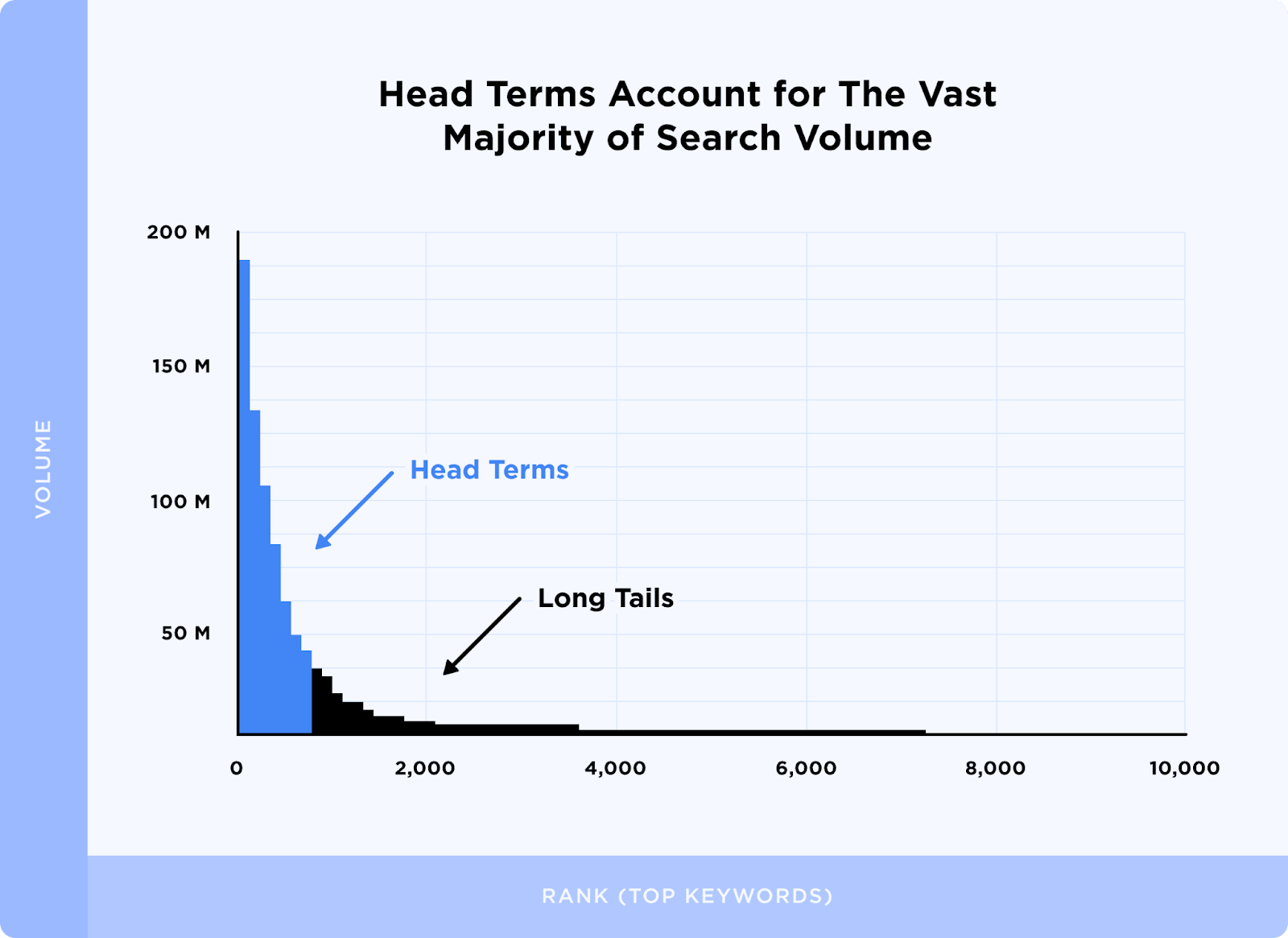
    Determine must-have features: Compile priority technical issues and goals, then map tools accordingly. If site security vulnerabilities are keeping you up at night, tools like Sucuri may take precedence over page speed checkers. Outline whether you need keyword tracking, link analysis, recommendations and exportable reports.

    Consider using a tool mix: The website technical stack rarely fits into a single SEO tool. Often, the best technical SEO strategy utilizes outputs from multiple tools in tandem to identify high-priority fixes. Determine which inexpensive tools can supplement gaps not handled by premium suites.

    Conclusion

    With increasing competition, even minor site flaws can drastically damage conversions and click-through rates. By leaning on the right technology to enhance site speed, mobile optimization, indexing and content structure, you empower algorithms to properly crawl, interpret and rank your page.

    Hopefully this guide has brought key capabilities, strengths and limitations of popular tools into sharper focus. Don’t let the sheer scope of technical SEO intimidate you. Start simple with Google’s free offerings, then layer on capabilities purposefully. In time, you’ll assemble a scalable toolset tailored to your site’s specific needs.