Blog

  • What is a Tik Tok Viewer? A Beginner’s Guide to Effortless Browsing

    What is a Tik Tok Viewer? A Beginner’s Guide to Effortless Browsing

    TikTok has become one of the most entertaining and addictive social platforms out there. From hilarious challenges and viral dances to thought-provoking content, TikTok offers a treasure trove of videos that cater to every interest. 

    But here’s the catch: to fully explore TikTok, you’re often required to create an account and log in. This is where things can feel a little limiting—what if you just want to explore TikTok videos quickly without signing up?

     Enter the Tik Tok Viewer.

    In this guide, we’ll walk you through everything you need to know about TikTok Viewers. Whether you’re a TikTok newbie or just someone who wants an easier way to explore, you’ll learn how these tools work, why they’re worth using, and how they can enhance your browsing experience. 

    So, let’s dive in and unlock the effortless way to enjoy TikTok!

    What is a Tik Tok Viewer?

    TikTok Viewer

    A TikTok Viewer is exactly what it sounds like—a tool or platform that allows you to watch TikTok videos without needing to log in, create an account, or even download the TikTok app. Think of it as a simplified gateway to TikTok’s massive video library, offering all the fun without the extra steps.

    How Does a TikTok Viewer Work?

    TikTok Viewers pull public content directly from TikTok’s platform and display it in an easy-to-use interface. You can browse videos based on usernames, hashtags, or trending topics without being logged into TikTok. Essentially, it gives you access to the same videos you’d see on the app but with none of the account-related hurdles.

    Imagine you’re curious about a trending hashtag like #DanceChallenge but don’t want to go through the hassle of downloading TikTok or creating an account. A TikTok Viewer makes it easy. All you do is type the hashtag into the viewer’s search bar, and voilà—you’re watching trending TikToks in seconds.

    Why the Name “Viewer”?

    The name says it all: TikTok Viewers are designed purely for viewing. Unlike the TikTok app, these tools don’t allow you to interact with videos (such as liking, commenting, or following creators). This makes them perfect for people who just want to watch content without engaging with the platform.

    What Makes TikTok Viewers Different from the TikTok App?

    Here’s a quick comparison:

    TikTok ViewerTikTok App
    No login requiredRequires an account for full access
    Focused on browsing and viewingAllows interaction (likes, comments)
    Often browser-basedRequires app download
    Great for casual or anonymous viewingDesigned for regular users

    Who Can Benefit From a TikTok Viewer?

    1. Privacy Enthusiasts: Don’t want to share personal data? TikTok Viewers let you stay anonymous.
    2. Casual Browsers: Perfect for those who only want to check out a few videos now and then.
    3. Parents or Educators: Want to preview TikTok content before letting younger users engage with the app? A TikTok Viewer makes it simple.
    4. Content Explorers: Stay updated with viral trends without creating an account.

    TikTok Viewers bring TikTok to you in the simplest way possible. There’s no learning curve, no need to log in, and no pressure to interact with the platform. 

    It’s just you and endless entertainment. Whether you’re new to TikTok or just looking for an easier way to explore, TikTok Viewers provide effortless access to the world’s most popular short videos.

    Why Use a TikTok Viewer?

    Use a TikTok Viewer

    TikTok Viewers have gained massive popularity for a reason—they make browsing TikTok videos easier, faster, and more private. But why exactly should you consider using one? Let’s dive into the key benefits that make TikTok Viewers a fantastic option for casual users and privacy-conscious explorers.

    1. Privacy-Friendly Browsing

    One of the biggest concerns people have when using social media platforms is privacy. With TikTok Viewers, you can watch videos without sharing any personal information. You don’t need to sign up, log in, or even provide an email address. This means your data stays completely private, and TikTok has no way of tracking your activity. Whether you’re curious about trending dances or exploring niche content, you can do it without leaving a digital footprint.

    Why this matters:
    In a world where every click and view is tracked, TikTok Viewers offer a safe and anonymous way to enjoy content. It’s perfect for those who value their online privacy.

    2. Perfect for Casual Browsing

    Not everyone wants to become a full-time TikTok user. Maybe you’re just looking for a quick laugh, exploring trending hashtags, or trying to find inspiration for your own content. A TikTok Viewer is ideal for casual users who don’t want to commit to downloading an app or signing up for an account. It’s like peeking into TikTok’s endless world of creativity without stepping all the way in.

    Example:
    Imagine you hear about a viral hashtag like #FunnyFails. Instead of downloading the app and signing up, you can use a TikTok Viewer to jump straight into the action and see what everyone is talking about.

    3. Effortless Trend Discovery

    TikTok is the birthplace of countless viral trends, from dance challenges to hilarious memes. A TikTok Viewer allows you to quickly browse the most popular videos and hashtags without any distractions. Whether you’re a social media enthusiast, a marketer, or just someone who loves staying updated, TikTok Viewers make it easy to find the latest trends in minutes.

    Why this is useful:
    It saves you time! Instead of scrolling through an app you don’t use often, you can quickly pinpoint the content you’re interested in.

    4. No Downloads or Logins Required

    One of the best things about TikTok Viewers is their simplicity. Most of them are browser-based, meaning you don’t need to download anything or deal with login screens. Just open the viewer in your browser, type in a hashtag or username, and start watching videos. It’s that simple!

    Who benefits from this?

    • People with limited phone storage who can’t install another app.
    • Those who want to quickly check out TikTok videos on shared devices without logging in.

    5. Anonymous Browsing

    When you use a TikTok Viewer, you’re invisible to the platform. TikTok doesn’t know you’re watching videos, and you don’t leave behind any activity that could be tracked. This is especially useful if you’re exploring content for research, entertainment, or inspiration but don’t want your browsing tied to an account.

    TikTok Viewers provide all the fun of TikTok without the hassle. Whether you’re privacy-conscious, a casual viewer, or just someone curious about what’s trending, these tools make it easier than ever to enjoy TikTok’s endless entertainment.

    Step-by-Step Guide: How to Use a TikTok Viewer

    Guide Use a TikTok Viewer

    1. Find a TikTok Viewer Platform
      Start by choosing a TikTok Viewer. Popular options include browser-based tools like TikTok Online Viewer, Urlebird, or others. A quick search online will reveal plenty of options.
    2. Enter the TikTok Content You Want to Explore
      • Use the search bar to type a username, hashtag, or even a specific video link.
      • For example, if you’re looking for videos related to #CatVideos, simply type the hashtag into the search bar.
    3. Browse Videos Instantly
      Once you hit search, the viewer will display a list of videos matching your input. Click on any video to watch it directly. It’s as simple as scrolling through your favorite content feed!
    4. Enjoy Advanced Features (Optional)
      • Some TikTok Viewers allow you to sort videos by popularity or upload date.
      • Others might even let you download videos for offline viewing.
    5. Stay Anonymous
      All your browsing remains private—no account, no tracking, no worries.

    What Happens Behind the Scenes?

    TikTok Viewers work by pulling publicly available TikTok data. TikTok’s content is accessible on the web, and viewers utilize this access to present videos in a simplified and user-friendly format. This means you can enjoy the same videos you’d see on TikTok but without needing to log in or use the official app.

    How Do They Handle Privacy?

    One of the standout features of TikTok Viewers is how they protect your anonymity. Unlike the official TikTok app, which tracks user behavior to customize feeds, viewers don’t require any personal information. This ensures you can explore content without worrying about privacy concerns.

    Example Scenario: Discovering TikTok Trends

    Let’s say you’ve heard about a trending hashtag, like #DanceChallenge, but you’re not ready to dive fully into TikTok. Using a TikTok Viewer, you can simply enter the hashtag, view the most popular videos, and even share them with friends—all without an account or app. It’s the easiest way to stay connected to trends without committing to the platform.

    Why It’s So Simple

    Using a TikTok Viewer doesn’t require any technical skills or prior knowledge. Whether you’re on a smartphone, tablet, or computer, you just need an internet connection and a browser. The interface is usually intuitive, with clear search options and instant playback capabilities.

    Key Features of TikTok Viewers

    TikTok Viewers are packed with features that make them a go-to solution for effortless browsing. Whether you’re here for the latest trends, hilarious videos, or niche content, these tools are designed to deliver a seamless experience. Let’s dive into the standout features that make TikTok Viewers so popular.

    1. Search by Username, Hashtag, or Keywords

    One of the most useful features of TikTok Viewers is the ability to search for content based on specific criteria:

    • Username: Explore videos from your favorite creators without logging into TikTok. For example, just type in a username like @FunnyCreator to view their latest uploads.
    • Hashtags: Dive into trending topics, like #FoodHacks or #PetMemes, and see what everyone is talking about.
    • Keywords: Not sure of the exact hashtag or username? Search using general terms, like “DIY crafts,” and find related videos instantly.

    Why this matters:
    It makes browsing super flexible. Whether you’re looking for something specific or just exploring, these search options have you covered.

    2. Watch Videos Without Interruptions

    TikTok Viewers often provide a distraction-free experience:

    • Many platforms remove in-video ads, allowing you to enjoy uninterrupted entertainment.
    • No pop-ups asking you to sign up or log in. Just hit play and enjoy.

    Bonus Tip: Some viewers even allow you to control playback speed, so you can slow down or speed up videos.

    3. Download Videos

    One of the most requested features is the ability to download TikTok videos directly from the viewer. This feature allows you to:

    • Save your favorite clips for offline viewing.
    • Share videos with friends who aren’t on TikTok.
    • Use the saved content for inspiration or reference (just remember to respect creator copyrights!).

    Example:
    Found a cool DIY idea? Download the video and keep it handy for your next project.

    4. No Login Required

    With TikTok Viewers, you can browse videos without creating an account or entering any personal details. This ensures:

    • Complete anonymity.
    • No commitment to TikTok’s platform.
    • Freedom to browse casually without being tracked or targeted by ads.

    Who benefits from this?
    Anyone who values privacy or simply doesn’t want to go through the hassle of creating a TikTok account.

    5. View Popular and Trending Content

    Many TikTok Viewers come with built-in filters that let you:

    • Sort videos by popularity, so you can catch the hottest trends.
    • Explore trending hashtags and viral challenges with just a few clicks.

    Why this is helpful:
    Staying up-to-date with trends is easier than ever. Whether it’s the latest dance craze or a meme taking over the internet, you’ll always be in the loop.

    6. Ad-Free Experience (Optional)

    Some TikTok Viewers offer premium versions that completely remove ads, providing a smoother and more enjoyable experience. If you’re someone who dislikes interruptions, this feature can make your browsing much more pleasant.

    7. Mobile and Desktop Compatibility

    TikTok Viewers are typically browser-based, meaning you can use them on any device:

    • On your phone: Perfect for quick browsing during a break.
    • On your computer: Great for watching videos on a larger screen or during work breaks.

    Pro Tip: Bookmark your favorite TikTok Viewer for easy access across devices.

    8. Explore Videos by Category

    Some TikTok Viewers go a step further by organizing videos into categories like:

    • Funny
    • Inspirational
    • Educational
    • Trending

    This makes it easy to find videos that match your mood or interest.

    9. Language and Region Support

    Many TikTok Viewers allow you to filter videos by language or region. Want to see what’s trending in a specific country? Just set the region filter and start exploring localized content.

    Why These Features Matter

    TikTok Viewers aren’t just tools; they’re designed to make your browsing experience effortless, private, and enjoyable. Whether you’re a casual browser or someone looking to stay on top of TikTok trends, these features ensure you get the best of TikTok without the usual constraints.

    Best TikTok Viewers for Effortless Browsing

    Best TikTok Viewers

    Not all TikTok Viewers are created equal. Some offer basic features, while others go above and beyond with added functionality like video downloads or ad-free viewing. To help you choose the right one, here’s a list of some of the best TikTok Viewers, along with their standout features.

    1. TikTok Online Viewer

    What It Offers:

    • A clean, user-friendly interface.
    • Quick search by hashtags, usernames, or specific keywords.
    • Supports video downloads for offline viewing.

    Why It’s Great:
    TikTok Online Viewer is simple and intuitive, making it ideal for beginners. It doesn’t require any login or personal information, ensuring a hassle-free and private experience.

    2. Urlebird

    What It Offers:

    • Organized content by categories, like trending, funny, and educational.
    • Advanced search options to explore hashtags and profiles easily.
    • Download videos with one click.

    Why It’s Great:
    Urlebird excels in presenting content in an organized way, making it easy to find what you’re looking for. Plus, its mobile-friendly design means you can browse on the go.

    3. SnapTik

    What It Offers:

    • Specializes in TikTok video downloads without watermarks.
    • Smooth playback experience, even for longer videos.
    • Allows you to save content in high quality.

    Why It’s Great:
    SnapTik is perfect for users who want to save TikTok videos to watch later or share with others. Its focus on quality downloads makes it a favorite among content creators and casual users alike.

    4. TTDownloader

    What It Offers:

    • Simple interface for downloading TikTok videos.
    • No watermarks on downloads.
    • Works on all devices, including phones, tablets, and desktops.

    Why It’s Great:
    If downloading videos is your main goal, TTDownloader is one of the best options. It’s fast, efficient, and doesn’t require any login.

    5. Brainans

    What It Offers:

    • Browse TikTok videos without logging in.
    • Explore public profiles, hashtags, and trends easily.
    • Ad-free experience for uninterrupted browsing.

    Why It’s Great:
    Brainans stands out for its simplicity and ad-free environment. It’s a great option for anyone looking for a distraction-free TikTok Viewer.

    How to Choose the Best TikTok Viewer

    When selecting a TikTok Viewer, consider the following factors:

    1. Ease of Use: Look for a platform with a clean, intuitive design.
    2. Privacy Features: Make sure it doesn’t require personal information or account logins.
    3. Extra Features: If you want video downloads or ad-free browsing, check if the platform supports these.
    4. Reputation: Stick to trusted platforms with positive reviews to ensure safety and reliability.
    5. Compatibility: Ensure it works on your preferred device—whether it’s a phone, tablet, or desktop.

    Each TikTok Viewer offers unique features to suit different needs, from casual browsing to downloading videos. Whether you prioritize simplicity, privacy, or advanced functionality, there’s a TikTok Viewer out there for you.

    Is Using a TikTok Viewer Safe?

    Safety is a top priority when using any online tool, and TikTok Viewers are no exception. While they offer incredible convenience, it’s important to ensure that the platform you choose is secure and reliable. In this section, we’ll explore the safety concerns surrounding TikTok Viewers and provide tips to protect your privacy.

    Are TikTok Viewers Safe?

    The majority of TikTok Viewers are safe to use, especially those that are browser-based and require no personal information. However, as with any online tool, there are risks associated with less reputable platforms. Here’s what you need to watch out for:

    1. Untrustworthy Platforms: Some TikTok Viewers may contain malware or ask for unnecessary permissions.
    2. Data Privacy Concerns: Avoid platforms that request personal information, such as email addresses or social media logins.
    3. Ads and Pop-Ups: Free tools may include excessive ads, which can be annoying and sometimes risky if clicked accidentally.

    How to Stay Safe While Using TikTok Viewers

    Follow these simple tips to ensure a secure browsing experience:

    1. Choose Reputable Platforms:
      Stick to well-known TikTok Viewers with positive user reviews, such as TikTok Online Viewer, Urlebird, or SnapTik. These are widely recognized and trusted by users.
    2. Look for HTTPS:
      Always ensure the website’s URL begins with “https://.” This indicates that the site is encrypted and safer to use.
    3. Avoid Entering Sensitive Information:
      Legitimate TikTok Viewers won’t ask for login credentials or personal data. If a platform asks for such details, it’s a red flag.
    4. Read User Reviews:
      Check for feedback from other users to confirm the platform’s legitimacy and reliability. Avoid sites with consistent complaints about ads or security issues.
    5. Beware of Download Links:
      If a TikTok Viewer allows you to download videos, make sure the files are clean and not bundled with unwanted software. Use platforms known for safe downloads, like SnapTik or TTDownloader.
    6. Avoid Clicking on Ads or Pop-Ups:
      Some free TikTok Viewers may include ads. Be cautious and avoid clicking on anything suspicious. If ads disrupt your experience, consider switching to an ad-free viewer.

     FAQs About TikTok Viewer

    Can I Like, Comment, or Share Videos Using a TikTok Viewer?

    No, TikTok Viewers are designed for browsing only. They don’t allow interactions like liking, commenting, or sharing videos directly through the platform. TikTok Viewers don’t connect to your TikTok account (or require you to have one), so they can’t perform these actions. If you want to share a video, many viewers provide a “copy link” or “download” option that lets you save the video and share it manually.

    Are TikTok Viewers Free?

    Yes, most TikTok Viewers are completely free to use. However, some may offer premium features, such as an ad-free experience or faster download speeds, for a fee. Stick to free versions if all you need is basic browsing. For more advanced features like watermark-free downloads, consider a trusted paid option.

    Can I Stay Anonymous While Using a TikTok Viewer?

    Absolutely! TikTok Viewers don’t require you to log in or create an account, so your browsing activity remains completely private. TikTok won’t know you’re watching its videos through these viewers.

    Who benefits most from this?

    People who want to explore TikTok without creating an account, users concerned about their online privacy, researchers or marketers looking for trends without being tracked.

    Is There a Limit to How Much Content I Can Browse?

    No, there’s usually no limit to the amount of content you can view. You can explore hashtags, usernames, and trending videos as much as you like. Some TikTok Viewers even allow you to watch live streams if the creator has enabled public access.

    Can I Watch TikTok Videos Without Ads?

    Yes, some TikTok Viewers offer an ad-free experience, but this may require a premium subscription. Free platforms might include occasional ads to support their services. If ads bother you, try multiple TikTok Viewers to find one with minimal interruptions.

    Are There Risks of Using TikTok Viewers?

    Most TikTok Viewers are safe, but it’s essential to use reputable platforms, avoid entering personal information, steer clear of suspicious download links. TikTok Viewers don’t interact with TikTok directly through your account, so there’s no risk of being banned or flagged.

    Can I Use TikTok Viewers on My Phone?

    Yes, TikTok Viewers are typically browser-based, making them accessible on any device:
    Mobile: Perfect for on-the-go browsing.
    Desktop: Great for watching videos on a larger screen.

    Conclusion

    TikTok Viewers are the ultimate tool for anyone who wants to enjoy the fun, creativity, and trends of TikTok without the hassle of logging in, creating an account, or downloading the app. 

    They’re perfect for casual browsers, privacy-conscious users, and anyone curious about what TikT

    Start by choosing a trusted TikTok Viewer that suits your needs. Whether you’re after simple browsing, advanced features like video downloads, or an ad-free experience, there’s a platform out there for you. 

    Remember, the best TikTok Viewer is one that matches your goals and keeps your experience effortless and secure.


  • 200+ Inspiring Online Marketing Quotes to Motivate Your Digital Success

    200+ Inspiring Online Marketing Quotes to Motivate Your Digital Success

    Online marketing is an ever-evolving landscape, filled with challenges, opportunities, and endless potential for creativity. But even the most seasoned marketers and entrepreneurs need a spark of inspiration to keep the momentum going. That’s where the wisdom of industry leaders and visionaries comes in.

    This blog is your ultimate collection of 200+ online marketing quotes, curated to motivate and empower you in every aspect of digital marketing—be it social media, SEO, content creation, or paid advertising. These marketing quotes aren’t just words; they’re powerful reminders of what’s possible when creativity meets strategy. Dive in and let these insights fuel your journey to digital success!

    inspiring marketing quotes

    Social Media Marketing Quotes

    • “Social media is not a media. The key is to listen, engage, and build relationships.” – David Alston
    • “Content is fire, and social media is gasoline.” – Jay Baer
    • “Social media is about sociology and psychology more than technology.” – Brian Solis
    • “Think like a publisher, not a marketer.” – David Meerman Scott
    • “Don’t use social media to impress people; use it to impact people.” – Dave Willis
    • “On social media, the key is to interact, not just post.” – Unknown
    • “Social media creates communities, not markets.” – Don Schultz
    • “Your brand isn’t what you say it is. It’s what Google says it is.” – Chris Anderson
    • “Social media is the ultimate equalizer. It gives a voice and a platform to anyone willing to engage.” – Amy Jo Martin
    • “Engage, enlighten, encourage, and especially…just be yourself! Social media is a community effort; everyone is an asset.” – Susan Cooper
    • “The best content marketing happens on platforms where people spend their time.” – Rand Fishkin
    • “Stop interrupting what people are interested in and be what people are interested in.” – Craig Davis

    Search Engine Optimization (SEO) Quotes

    • “Google only loves you when everyone else loves you first.” – Wendy Piersall
    • “SEO is not about gaming the system anymore; it’s about learning how to play by the rules.” – Jordan Teicher
    • “The best place to hide a dead body is page two of Google search results.” – Anonymous
    • “Search engine optimization is an ongoing effort, not a one-time task.” – Neil Patel
    • “SEO is an investment, not a cost.” – Unknown
    • “Content is the reason search began in the first place.” – Lee Odden
    • “Rankings in search engines are the result of great strategy and relentless execution.” – Unknown
    • “Good SEO work only gets better over time. It’s only search engine tricks that need to keep changing when the ranking algorithms change.” – Jill Whalen
    • “SEO is not about tricking Google. It’s about partnering with Google to provide the best search results for Google’s users.” – Phil Frost
    • “You can’t just ‘SEO’ your website and be done. It’s a forever moving goal post.” – Stoney deGeyter
    • “Successful SEO is not about tricking Google. It’s about serving your users.” – Matt Cutts
    • “The best SEO strategies are built for humans, not algorithms.” – Unknown

    Email Marketing Quotes

    • “Email has an ability many channels don’t: creating valuable, personal touches – at scale.” – David Newman
    • “Email marketing is not about sending mass emails; it’s about creating a conversation.” – Unknown
    • “Focus on the customer experience, and the rest will follow.” – Jeff Bezos
    • “The money is in the list.” – Unknown
    • “Email marketing is a marathon, not a sprint.” – Jenn Herman
    • “Email is your direct line to the heart of your customer.” – Unknown
    • “Make every email you send count.” – Unknown
    • “If content is king, then conversion is queen.” – John Munsell
    • “Write emails like you’re talking to one person.” – Ann Handley
    • “The success of your email campaign depends on the value it provides.” – Unknown
    • “The beauty of email marketing is that it allows you to nurture relationships over time.” – Unknown
    • “Emails are like love letters. They build relationships.” – Unknown

    Content Marketing Quotes

    • “Content is king, but marketing is queen and runs the household.” – Gary Vaynerchuk
    • “Content builds relationships. Relationships are built on trust. Trust drives revenue.” – Andrew Davis
    • “Content marketing is the gap between what brands produce and what consumers actually want.” – Michael Brenner
    • “The best marketing doesn’t feel like marketing.” – Tom Fishburne
    • “Your content has to be original because you need to stand out.” – Neil Patel
    • “Content marketing is a commitment, not a campaign.” – Jon Buscall
    • “Content is the atomic particle of all digital marketing.” – Rebecca Lieb
    • “Stop selling. Start helping.” – Zig Ziglar
    • “Focus on providing value, not just selling products.” – Unknown
    • “Content isn’t king by itself. Consistency makes it a ruler.” – Unknown
    • “Think of your content as a product – create it, refine it, and market it.” – Unknown
    • “The ultimate goal of content is to make your audience smarter and better.” – Unknown

    Affiliate Marketing Quotes

    • “Affiliate marketing has made businesses millions and ordinary people millionaires.” – Bo Bennett
    • “Focus on building a brand, not just links.” – Unknown
    • “Affiliate marketing is about partnerships, not just commissions.” – Unknown
    • “Your audience is your asset; serve them well.” – Unknown
    • “People don’t buy products. They buy solutions.” – Unknown
    • “The best affiliates are problem solvers.” – Unknown
    • “Create value before you ask for a sale.” – Unknown
    • “Trust is the foundation of successful affiliate marketing.” – Unknown
    • “Affiliate marketing is performance-based, so your earnings are only limited by your effort.” – Unknown
    • “Success in affiliate marketing lies in authenticity.” – Unknown
    • “Serve your audience first; the commissions will follow.” – Unknown
    • “Your reputation as an affiliate marketer is your most important asset.” – Unknown

    Website Design Quotes

    • “Your website is the window of your business. Keep it fresh, keep it exciting.” – Jay Conrad Levinson
    • “Good design is good business.” – Thomas J. Watson
    • “If you think good design is expensive, you should look at the cost of bad design.” – Ralf Speth
    • “Design is not just what it looks like and feels like. Design is how it works.” – Steve Jobs
    • “A user interface is like a joke. If you have to explain it, it’s not that good.” – Unknown
    • “Websites promote you 24/7: No employee will do that.” – Paul Cookson
    • “A website without visitors is like a ship lost in the horizon.” – Dr. Christopher Dayagdag
    • “Your website should be your best salesperson.” – Unknown
    • “The simpler, the better. Complexity confuses users.” – Unknown
    • “Every pixel on your website should have a purpose.” – Unknown
    • “Build a website that people want to stay on, not just visit.” – Unknown
    • “Good websites get found. Great websites get remembered.” – Unknown

    Influencer Marketing Quotes

    • “Influence is not about popularity; it’s about trust.” – Unknown
    • “Influencers are the bridge between brands and their audience.” – Unknown
    • “A brand is no longer what we tell the consumer it is. It’s what consumers tell each other it is.” – Scott Cook
    • “People influence people. Nothing influences people more than a recommendation from a trusted friend.” – Mark Zuckerberg
    • “Collaboration is key to influencer marketing success.” – Unknown
    • “Authenticity is the currency of influencer marketing.” – Unknown
    • “Working with the right influencers can drive engagement more effectively than traditional advertising.” – Unknown
    • “Choose influencers who align with your brand values.” – Unknown
    • “Content created by influencers resonates because it feels personal, not promotional.” – Unknown
    • “Influencer marketing is word-of-mouth on steroids.” – Unknown
    • “The best influencers create content their audience trusts and loves.” – Unknown
    • “Influencers bring stories to life in a way that ads can’t.” – Unknown

    E-commerce Quotes

    • “The best e-commerce experiences feel effortless.” – Unknown
    • “Make it easy for customers to buy, and they will.” – Unknown
    • “E-commerce isn’t the cherry on the cake; it’s the new cake.” – Jean-Paul Ago
    • “Online shopping is not a trend; it’s the future.” – Unknown
    • “Your e-commerce website is your digital storefront. Make it inviting.” – Unknown
    • “The best e-commerce sites turn visitors into loyal customers.” – Unknown
    • “The customer journey doesn’t end at checkout; it starts there.” – Unknown
    • “A satisfied customer is your best e-commerce strategy.” – Unknown
    • “Make every click count in e-commerce.” – Unknown
    • “The power of e-commerce is that it breaks boundaries – time, place, and audience.” – Unknown
    • “In e-commerce, trust is the most valuable currency.” – Unknown
    • “Don’t sell products. Solve problems through e-commerce.” – Unknown

    Paid Advertising Quotes

    • “Advertising is the art of convincing people to spend money they don’t have for something they don’t need.” – Will Rogers
    • “What really decides consumers to buy or not to buy is the content of your advertising, not its form.” – David Ogilvy
    • “The best ads don’t feel like ads.” – Unknown
    • “Advertising is fundamentally persuasion, and persuasion happens to be not a science, but an art.” – William Bernbach
    • “The most powerful element in advertising is the truth.” – Bill Bernbach
    • “Don’t interrupt what people are interested in; be what they’re interested in.” – Craig Davis
    • “Advertising is the price you pay for having an unremarkable product or service.” – Unknown
    • “Good advertising is a dialogue, not a monologue.” – Unknown
    • “A good ad makes you stop and think. A great ad makes you stop and act.” – Unknown
    • “The beauty of paid advertising is its scalability.” – Unknown
    • “Advertising is about value creation, not interruption.” – Unknown
    • “An effective ad speaks to the consumer’s heart, not just their wallet.” – Unknown

    Conclusion

    Success in online marketing is about persistence, creativity, and staying inspired even when the road gets tough. These 200+ quotes serve as your toolkit for motivation, helping you push boundaries, embrace challenges, and find new perspectives.

    Whether you’re building campaigns, optimizing content, or experimenting with strategies, let these words guide you. Bookmark this page, revisit these quotes often and share them with your team for a dose of inspiration. Remember, every great marketing success starts with a single spark of motivation. Which quote will be your spark today? Share your favorite in the comments below!

    While these marketing quotes will motivate you, sometimes a good laugh is just what you need to fuel your creativity. Check out our 120+ Digital Marketing Memes to brighten your day!

    FAQs about Inspiring Online Marketing Quotes

    How can marketing quotes help improve my digital strategy?

    Marketing quotes provide valuable insights and fresh perspectives, offering inspiration to stay focused, boost creativity, and refine your digital marketing strategies.

    Can I use these marketing quotes in my own content?

    Yes! You can use these quotes in your blog posts, social media, or presentations to motivate your team, engage your audience, or enhance your content.

    Are these quotes relevant to all types of businesses?

    Absolutely! Whether you’re in B2B, B2C, e-commerce, or content marketing, these quotes offer universal wisdom that applies to any digital marketing effort.

    Where can I find more marketing quotes for my business?

    In addition to this list, you can explore books, interviews with industry leaders, podcasts, and digital marketing blogs to find more motivational quotes.

  • Can’t Add Music to Instagram Post? Here’s the Ultimate Guide to Fix It

    Can’t Add Music to Instagram Post? Here’s the Ultimate Guide to Fix It

    Need to add music to your Instagram post? Music can transform your Instagram content from ordinary to extraordinary. It sets the perfect tone, enhances your storytelling, and grabs attention in an instant. Whether you’re looking to add a fun beat, emotional touch, or simply a catchy background tune, the right song can take your post to the next level. But what happens if you can’t find the music option, or if it just doesn’t work? That’s frustrating, right?

    Good news: you’re in the right place! In this guide, we’ll explain why you might be having trouble when trying to add music to Instagram posts and how to fix the issue with simple, actionable steps. We’ll also reveal hidden tips and bonus hacks to help your posts shine and ensure you never miss out on adding the perfect track. Let’s dive in!

    how to add music to instagram post

    Why Adding Music to Instagram Posts is a Game-Changer

    Before solving the issue, let’s talk about why adding music is worth it:

    • Boosts Engagement: Posts with music often outperform silent ones.
    • Adds Personality: Music allows you to reflect your mood, style, or vibe.
    • Increases Reach: Using trending tracks can help your post get discovered by a wider audience.
    • Strengthens Storytelling: Music enhances the emotional impact of your content, whether it’s a travel reel, a cooking video, or a heartfelt moment.

    Common Issues When You Try to Add Music to Your Instagram Post and Why They Happen

    Here’s why you might be facing challenges when you try to add music to your Instagram post:

    • Music Feature Isn’t Available in Your Country
      Instagram’s music library is region-specific due to licensing restrictions. If it’s unavailable in your country, you won’t see the option to add music to your Instagram post.
    • Outdated Instagram App
      Running an older version of Instagram means you might miss out on new features, like the ability to add music to your Instagram post. Make sure your app is up-to-date.
    • Account Type Restrictions
      Business accounts may have limited access to certain tracks due to copyright concerns. Creator and Personal accounts generally have fewer restrictions and more freedom to add music to Instagram posts.
    • Technical Glitches
      Occasionally, Instagram experiences bugs or glitches that can hide features like the music option. If you’re unable to add music to your Instagram post, a simple restart or reinstall could help.
    • File Type Limitation
      Instagram may not support certain video or image formats, which could prevent you from adding music. Ensure your media file is compatible to successfully add music to your Instagram post.

    Step-by-Step Guide to Fixing the Problem

    Here’s exactly what you need to do to get music on your posts:

    1. Update Your Instagram App

    Outdated apps often cause issues with new features.

    • Open your App Store (iOS) or Google Play Store (Android).
    • Search for Instagram and tap Update (if available).
    • Restart the app after updating.

    2. Switch Your Account Type

    Switching to a Creator or Personal account unlocks more features, including access to Instagram’s music library.

    • Go to Settings > Account.
    • Select Switch to Personal Account or Switch to Creator Account.
    • Don’t worry—you can still enjoy analytics with a Creator account.

    3. Clear Cache or Reinstall the App

    Clearing the cache helps remove temporary bugs.

    • On Android: Go to Settings > Apps > Instagram > Storage > Clear Cache.
    • On iOS: Uninstall and reinstall the app since iOS doesn’t have a direct cache-clearing option.

    4. Use a VPN for Region Restrictions

    If Instagram’s music library isn’t available in your country, use a VPN to bypass the restriction. For businesses or influencers managing multiple accounts, using a whitelabel VPN can offer added branding and control while ensuring consistent access across different regions.

    • Recommended VPNs: NordVPN, ExpressVPN, or ProtonVPN (free option).
    • Set your location to a country like the United States or the UK where the feature is active.

    5. Use a Third-Party App to Add Music

    If none of the above works, take control by editing your content outside Instagram:

    • Apps to Use:
      • InShot: Perfect for beginners to add music and sync it to visuals.
      • CapCut: Great for advanced video editing with extensive music libraries.
      • Adobe Premiere Rush: Ideal for high-quality edits.
      • Canva: Easy-to-use tool for combining music with graphics or slideshows.
    • Steps:
      • Open the app and upload your video or image.
      • Select a music track from the app or import your own.
      • If you’re looking for new tracks for your Instagram videos, you can also download music for free using trusted apps that offer a wide selection of music suitable for social media content.

    6. Create a Reel or Story First

    Reels and Stories have better music integration than regular posts.

    • Record your content as a Reel or Story.
    • Add music using Instagram’s built-in library.
    • Save the video to your device and upload it as a regular post.

    Hidden Tricks to Make Your Content Pop

    Want to take your music game to the next level? Here are some pro tips:

    1. Use Trending Songs
      • Keep an eye on Instagram Reels or TikTok for trending tracks.
      • Use these songs early to boost engagement and reach.
    2. Sync Music with Transitions
      • Make your content dynamic by timing visual transitions to beats in the music. Tools like CapCut make this easy.
    3. Experiment with Instagram Features
      • Try effects like Lyrics Display to add a fun, visual element to your music.
    4. Create a Music Mood Board
      • Save your favorite songs on Instagram for future posts. This helps you stay consistent with your brand’s vibe.

    Extra Resources

    Here are some tools and platforms to help you create amazing content:

    • Royalty-Free Music: Use sites like Epidemic Sound or Artlist for unique, copyright-free tracks.
    • Instagram Help Center: Check Instagram’s official resources for troubleshooting.
    • Editing Tutorials: YouTube has tons of tutorials for apps like InShot or Adobe Premiere Rush.

    Conclusion

    Adding music to your Instagram posts may seem tricky at first, but with the right steps and tools, it’s easier than you think! Whether you’re updating your app or using third-party tools, you have everything you need to resolve any issues and start creating captivating, music-enhanced content.

    So, what are you waiting for? Follow these tips today, and add music to your Instagram post to give it that perfect soundtrack. Want to share your favorite music hacks or have any questions? Drop them in the comments—I’d love to hear from you!

    If you’re looking to use TikTok audio in your Instagram posts, you might need to download the music first. Check out our Top 10 TikTok to MP3 Downloaders in 2025 for the best tools.

    FAQs about How to Add Music to Instagram Post

    Why is the music button missing on my Instagram?

    This happens if the feature isn’t available in your region or if you’re using an outdated app. Try updating the app or using a VPN.

    Can I use my own music?

    Instagram doesn’t allow direct uploads of copyrighted music. However, you can use third-party apps to add your own tracks before posting.

    Why can’t I find trending songs in my music library?

    Business accounts have limited access to popular music. Switching to a Creator account can fix this.

    Can I add music to static images?

    Music works best with videos or slideshows. Use tools like Canva to create a slideshow from images and pair it with music.

  • How to Delete Instagram Account: A Complete Guide

    How to Delete Instagram Account: A Complete Guide

    Are you thinking about how to delete Instagram account? Maybe you’re looking to take a break from social media, or perhaps you’re ready to say goodbye for good. Whatever your reason, this guide will walk you through the process step-by-step. Whether you want a temporary break or a permanent deletion, I’ve got you covered. Let’s get started learn how to delete Instagram account.

    Temporary Deactivation vs. Permanent Deletion: What’s the Difference?

    Before diving into the steps, let’s clarify the two options:

    1. Temporary Deactivation
      This option allows you to take a break from Instagram without losing your data. Your profile, photos, comments, and likes will be hidden until you log back in. It’s like hitting the “pause” button.
    2. Permanent Deletion
      This is the “no going back” option. Once you delete your account, all your data is gone forever. Your profile, posts, messages, and everything else will be erased. Choose this if you’re absolutely sure.
    how to delete instagram account

    Things to Know Before Deleting Your Instagram Account

    • Backup Your Data: If you have photos, videos, or messages you want to keep, download a copy of your account data before deleting. To do this:
      1. Open Instagram on your browser or app.
      2. Go to Settings > Privacy and Security > Download Data.
      3. Follow the prompts to receive your data via email.
    • Consider the Consequences: Permanent deletion is irreversible. Think carefully before taking this step.
    • Log-in Details: Make sure you know your username and password. You’ll need them to proceed.

    How to Temporarily Delete Instagram Account

    If you want a short break without losing your data, follow these steps:

    1. Log In Through a Browser: You can only deactivate your account via a browser, not the app.
    2. Go to Your Profile: Click on your profile picture in the top-right corner.
    3. Open Settings: Select “Edit Profile.”
    4. Select “Temporarily Disable Account”: Scroll down and find this option at the bottom of the page.
    5. Choose a Reason: Instagram will ask why you’re disabling your account. Pick a reason from the dropdown menu.
    6. Enter Your Password: Confirm your choice by entering your password.
    7. Click “Temporarily Disable Account”: That’s it! Your account is now hidden until you decide to log back in.

    What Happens When You Temporarily Deactivate?

    • Your profile, photos, videos, likes, and comments will be invisible.
    • People won’t be able to find or interact with your account.
    • You can log back in anytime to reactivate it, restoring everything as it was.

    How to Permanently Delete Instagram Account

    Ready to say goodbye for good? Here’s how to permanently delete your account:

    1. Visit the Deletion Page: Instagram doesn’t make this easy to find, so here’s the link: Account Deletion Page.
    2. Log In: If you’re not already logged in, enter your username and password.
    3. Select a Reason for Deletion: Instagram will ask why you’re leaving. Pick a reason from the list.
    4. Re-enter Your Password: For security reasons, you’ll need to confirm your password.
    5. Confirm Deletion: Click “Delete Account.” Your account will be deactivated immediately, and Instagram will permanently delete it after 30 days.

    What Happens When You Permanently Delete Instagram Account?

    • All your data, including photos, videos, messages, and followers, will be erased forever.
    • You cannot recover the account or use the same username for a new account.
    • If you change your mind within 30 days, you can log in to cancel the deletion.

    Troubleshooting Common Issues

    Sometimes things don’t go as planned. Here’s how to tackle common problems:

    • Forgot Password?
      No problem! Use the “Forgot Password” option on the login page to reset it. Follow the instructions sent to your email.
    • Can’t Access the Deletion Page?
      Make sure you’re using a browser, as the app doesn’t support account deletion. Try switching to a different browser if the page won’t load.
    • Encountering Other Errors?
      Contact Instagram support through the Help Center for further assistance.

    Conclusion

    Deleting your Instagram account might feel like a big step, but it can be the right decision depending on your goals. Whether you’re taking a short break or leaving the platform for good, this guide ensures you know exactly what to do.

    If you found this guide helpful, feel free to share it with someone who might need it. Got questions? Drop them in the comments or reach out to Instagram support.

    And remember—social media isn’t the only way to stay connected.

    Not ready to delete your account just yet? You can always change your Instagram name instead and give your profile a fresh new identity.

    FAQs About Deleting Your Instagram Account

    How long does it take for my account to be permanently deleted?

    Instagram deactivates your account immediately, but the full deletion takes 30 days.

    Can I recover my account after deleting it?

    Unfortunately, no. Once the 30-day period is over, everything is gone.

    What happens if I temporarily deactivate my account?

    Your profile and data are hidden but not deleted. You can reactivate it anytime by logging back in.

    Does deleting my account remove all my messages?

    Yes, all your messages and chats will be deleted permanently.

  • How to Delete TikTok Account: A Complete Step-by-Step Guide

    How to Delete TikTok Account: A Complete Step-by-Step Guide

    TikTok has become a global sensation, boasting millions of users who create and consume engaging short videos daily. However, not everyone stays in the TikTok bubble forever. Whether it’s concerns over privacy, reclaiming time, or simply moving on, deleting your TikTok account is a choice many consider.

    This guide goes beyond the basics, diving deep into the why, how, and what happens next when you decide to delete TikTok account. Let’s get started.

    guide how to delete tiktok account

    Why Do People Delete Their TikTok Accounts?

    TikTok is entertaining, but it’s not for everyone. Here are the most common reasons people choose to leave:

    1. Privacy Concerns:
      • TikTok has faced scrutiny for data collection practices.
      • Users worry about personal data being shared or stored improperly.
    2. Addictive Nature:
      • Endless scrolling often leads to wasted hours.
      • People may decide to quit to regain control over their time.
    3. Content Concerns:
      • Users might feel that TikTok content no longer resonates with their values or interests.
    4. Digital Detox:
      • Many people are stepping back from social media for mental health reasons.
    5. Switching Platforms:
      • Moving to platforms like Instagram Reels or YouTube Shorts for different types of content.
    6. Career or Personal Image:
      • Professionals may delete accounts to maintain a certain online image.

    Key Considerations Before Deleting TikTok

    Deleting your TikTok account is a permanent decision. Here are some critical factors to think about before proceeding:

    1. Your Data Will Be Lost

    When you delete your TikTok account, all your data, including videos, messages, and profile information, will be permanently removed. To save important memories:

    • Request a Data Download:
      • Go to Settings > Privacy > Personalization and Data > Download Your Data.
      • TikTok will compile your account data and send you a download link.

    2. The 30-Day Deactivation Period

    TikTok offers a 30-day deactivation window before account deletion becomes final. During this time:

    • You can log back in to reactivate your account.
    • After 30 days, the process is irreversible.

    3. Resolve Any Transactions

    • If you’ve purchased TikTok Coins or other in-app purchases, ensure they’re used up or refunded (if applicable).
    • Check your payment history for unresolved charges.

    4. Linked Accounts

    If your TikTok account is connected to other platforms (e.g., Instagram, Facebook), disconnect them before proceeding to ensure smooth account management elsewhere.

    How to Delete a TikTok Account on a Mobile

    Here’s a detailed walkthrough of deleting your TikTok account using the mobile app:

    Step 1: Open the TikTok App

    • Launch the app and log in to the account you want to delete.

    Step 2: Access Your Profile

    • Tap the profile icon in the bottom-right corner to open your account page.

    Step 3: Go to Settings and Privacy

    • Tap the three-line menu (hamburger icon) in the top-right corner.
    • Select Settings and Privacy from the dropdown menu.

    Step 4: Navigate to “Manage Account”

    • Under the Account section, find and tap Manage Account.

    Step 5: Select “Delete Account”

    • Choose Delete Account from the options. TikTok may prompt you to select a reason for leaving.

    Step 6: Verify Your Identity

    • Depending on your account settings, you may need to verify your identity via:
      • Email.
      • Phone number.
      • Linked social accounts.

    Step 7: Confirm Deletion

    • Once verified, TikTok will show a final confirmation screen.
    • Tap Delete Account, and your account will enter the 30-day deactivation phase.

    How to Delete TikTok Account on Desktop

    Deleting your TikTok account on a computer or laptop is equally simple:

    Step 1: Log In

    • Open TikTok’s official website and log in to your account.

    Step 2: Access Your Profile

    • Click your profile icon in the top-right corner of the page.

    Step 3: Open Account Settings

    • Navigate to Settings > Manage Account.

    Step 4: Select Delete Account

    • Follow the on-screen instructions to confirm your decision.

    Step 5: Finalize the Deletion

    • Verify your identity using the required method and confirm the deletion.

    What Happens After You Delete Your TikTok Account?

    Deleting your account isn’t the end—it initiates a process with several key stages:

    1. Immediate Deactivation:
      • Your account becomes inactive, and your profile is no longer visible to other users.
    2. 30-Day Grace Period:
      • You have 30 days to change your mind and log back in to restore your account.
      • If you don’t log in during this time, TikTok will permanently delete your account.
    3. Permanent Deletion:
      • After the grace period, your account and all associated data (videos, messages, followers) are irretrievably deleted.

    Common Issues When Deleting TikTok Accounts

    Despite its simplicity, some users face challenges when trying to delete their accounts. Here are solutions to common problems:

    1. Forgotten Password

    • Use TikTok’s Forgot Password feature to reset your login credentials via email or phone.

    2. Linked Accounts

    • If your TikTok is connected to other apps, unlink them to prevent errors during deletion.

    3. Error Messages

    • Update the app to the latest version and try again.
    • Restart your device to resolve temporary glitches.

    4. Data Download Issues

    • Ensure a stable internet connection and wait for the download link (it can take up to 3 days).

    Alternatives to Deleting Your TikTok Account

    Not ready to leave TikTok permanently? Here are some options to consider:

    1. Temporary Uninstall:
      • Remove the app from your phone without deleting your account.
    2. Make Your Account Private:
      • Adjust privacy settings to control who can view your content.
    3. Limit Usage:
      • Use TikTok’s Digital Wellbeing feature to set time limits.

    Before deleting your account, make sure it’s not a temporary issue. Learn more about why your TikTok account might be suspended and how to fix it.

    Conclusion

    Deleting your TikTok account is a straightforward process, but it’s essential to back up your data, resolve pending issues, and consider alternatives before taking the leap. Whether you’re leaving for privacy reasons, better time management, or personal growth, TikTok offers an easy way to step away.

    Have questions or want to share your experience? Drop a comment below—we’d love to hear from you!

    FAQs about How to Delete TikTok Account

    Can I Recover My Account After Deleting It?

    Yes, but only within the 30-day deactivation period.

    Will My Data Be Visible During Deactivation?

    No, your profile will be hidden.

    How Long Does TikTok Take to Delete Data Permanently?

    After the 30-day deactivation period, data deletion is immediate and irreversible.

  • How to Recover Facebook Account If You’ve Lost Access

    How to Recover Facebook Account If You’ve Lost Access

    Losing access to your Facebook account can be a frustrating experience, but don’t worry—there are several ways to recover your account. Whether you’ve forgotten your password, lost access to your email, or suspect that someone has hacked your account, this guide will show you how to recover Facebook account step by step.

    how to recover facebook account

    1. Start with the Facebook Account Recovery Page

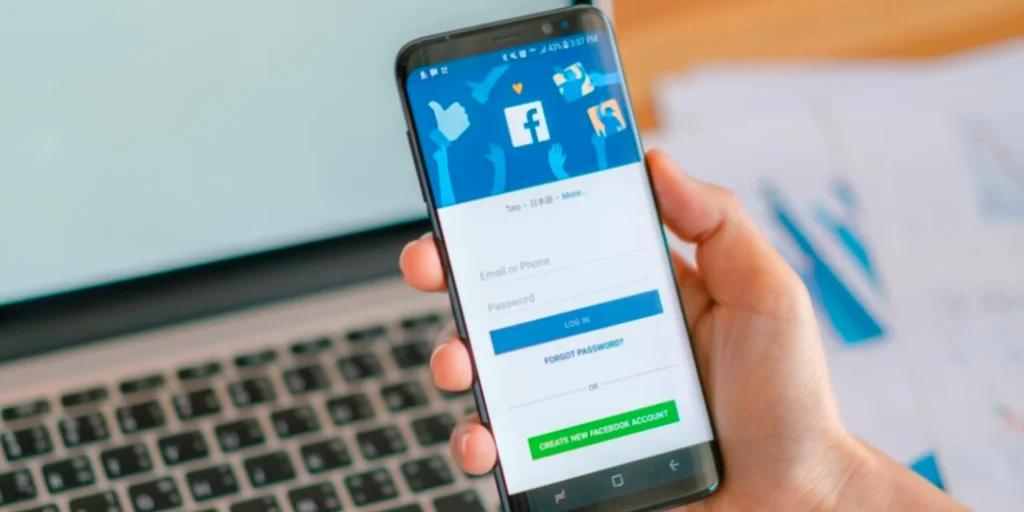
    The first step to recovering your Facebook account is to visit the Facebook account recovery page. You can do this by going to facebook.com/login/identify from any browser. Here, Facebook will ask for the email address or phone number associated with your account. Once you enter the correct information, Facebook will send you a recovery link.

    2. Reset Your Password

    If you’ve forgotten your password or believe someone has changed it, you can reset it. After entering your email or phone number, Facebook will give you the option to receive a reset code via email or SMS. Choose your preferred recovery method and enter the code to set a new password for your account.

    3. Check Your Email or Phone Number for the Code

    After requesting the reset link or code, check your email inbox or SMS for a message from Facebook. If you don’t receive the code immediately, be sure to check your spam or junk folder. If you’re using a phone number, ensure that you’re entering the correct digits, including your country code.

    4. Recover Account Using Trusted Contacts

    If you’re unable to access your email or phone number, Facebook provides a feature called trusted contacts. This allows you to select friends who can help you recover your account. If you’ve set up trusted contacts in advance, you can send them a recovery code and ask them to help you regain access to your account.

    5. Use Your Facebook ID or Government ID for Identity Verification

    In rare cases where you still can’t recover your account, Facebook may ask you to verify your identity using a government-issued ID. You can upload a clear photo of your ID to Facebook, which will then review your submission and restore access to your account. For agencies or businesses that manage many Facebook accounts for clients, keeping recovery options and identity verification documents organized is essential to avoid disruptions.

    6. Secure Your Account After Recovery

    Once you’ve regained access to your Facebook account, it’s essential to secure it. Update your password to something strong and unique. Enable two-factor authentication (2FA) for an extra layer of protection. Be cautious of suspicious activity and review any recent logins or changes to your account settings.

    By following these steps, you should be able to recover your Facebook account with ease. Always ensure that your account is protected with strong passwords and security measures to prevent future issues.

    If you’re also facing difficulties with managing or recovering your Spotify username, you can refer to our guide on how to Change Spotify Username to regain control of your account.

    FAQs about How to Recover Facebook Account

    What should I do if I don’t have access to the email or phone number linked to my Facebook account?

    If you can’t access the email or phone number associated with your account, you can use Facebook’s trusted contacts feature or verify your identity using a government-issued ID.

    How long does it take to recover a Facebook account?

    The recovery process can take anywhere from a few minutes to several days, depending on the method you use and whether Facebook needs additional verification.

    What if I can’t get the recovery code from Facebook?

    Ensure you’re entering the correct email or phone number. If you still don’t receive the recovery code, try the alternative recovery methods, like using trusted contacts or a government-issued ID.

    Can I recover my Facebook account if it was hacked?

    Yes, if your account was hacked, follow the recovery steps immediately. Facebook has a dedicated page for hacked accounts, and you can report the issue directly from the recovery page.

  • Grammarly Alternatives for Grammar and Content Editing

    Grammarly Alternatives for Grammar and Content Editing

    Effective writing is crucial in professional, academic, and creative fields. Whether you’re drafting emails, composing essays, or creating content for digital marketing, having a reliable grammar and editing tool can significantly enhance your work. While Grammarly is a popular choice, it’s not the only option available. Several Grammarly alternatives provide comprehensive writing assistance, offering unique features tailored to different needs.

    Some writers prefer tools that emphasize style and readability, while others require advanced grammar checks or AI-powered rewriting capabilities. Additionally, pricing, customization, and privacy concerns may lead users to explore alternatives that better align with their preferences.

    grammarly alternatives for grammar

    This guide explores the best Grammarly alternatives, detailing their features and benefits to help you find the perfect tool for your writing requirements.

    Why Consider Grammarly Alternatives?

    Grammarly is a widely used writing assistant, but it may not be the best fit for everyone. Here’s why you might consider alternative tools:

    • Pricing: Some Grammarly alternatives offer free plans with generous features.
    • Customization: More flexibility in style and tone adjustments.
    • Privacy: Some tools prioritize data security and offline use.
    • Different Focus Areas: Certain alternatives excel in plagiarism checking, AI-powered rewrites, or deep linguistic analysis.

    Now, let’s explore the best Grammarly alternatives available today.

    1. ProWritingAid

    ProWritingAid is an excellent alternative to Grammarly, offering in-depth reports on writing style, readability, and grammar.

    Key Features:

    • Detailed writing analysis and reports
    • Style improvement suggestions
    • Integrates with MS Word, Google Docs, and Scrivener
    • Lifetime pricing option available

    2. Hemingway Editor

    Hemingway Editor focuses on improving readability and conciseness by identifying complex sentences and passive voice.

    Key Features:

    • Highlights hard-to-read sentences
    • Provides readability score
    • Works offline with a desktop app
    • Ideal for improving writing clarity

    3. QuillBot

    QuillBot is an AI-powered writing assistant that specializes in paraphrasing and sentence restructuring.

    Key Features:

    • Paraphrasing tool with multiple writing modes
    • Grammar and spelling checker
    • Summarizer and citation generator
    • Browser extension available

    4. WhiteSmoke

    WhiteSmoke offers comprehensive grammar and spell-checking features, making it a solid Grammarly alternative.

    Key Features:

    • Multi-language support
    • Advanced grammar and punctuation checker
    • Plagiarism detection tool
    • Desktop and mobile compatibility

    5. Ginger Software

    Ginger Software is a powerful grammar checker with translation capabilities and AI-based writing suggestions.

    Key Features:

    • Translates text into 40+ languages
    • AI-powered sentence rephraser
    • Text-to-speech feature
    • Works across multiple devices

    6. Slick Write

    Slick Write is a free online tool that analyzes grammar, style, and sentence structure.

    Key Features:

    • Free to use
    • Detailed sentence structure analysis
    • Passive voice and adverb detection
    • No software installation required

    Choosing the Right Grammarly Alternative

    The best tool depends on your specific writing needs:

    • For in-depth grammar and style analysis: ProWritingAid
    • For improving readability: Hemingway Editor
    • For AI-powered rewriting: QuillBot
    • For multilingual support: Ginger Software
    • For free and simple grammar checking: Slick Write

    Conclusion

    Using Grammarly alternatives can help you refine your writing while offering unique features tailored to different needs. Whether you want enhanced readability, AI-powered rewriting, or multilingual support, these tools provide powerful alternatives to Grammarly.

    As writing technology evolves, alternative tools continue to improve, offering better AI assistance, deeper style analysis, and enhanced customization options. Trying out multiple platforms can help you find the one that best suits your writing style and objectives.

    Need better translation accuracy? Check out Google Translate Alternative Platforms to find reliable tools for multilingual communication.

    FAQs for Grammarly Alternatives

    Are Grammarly alternatives free to use?

    Many Grammarly alternatives offer free versions, but premium plans provide advanced features.

    Which Grammarly alternative is best for academic writing?

    ProWritingAid and WhiteSmoke offer detailed reports and plagiarism detection, making them great for academic use.

    Do these tools work with Google Docs?

    Yes, many alternatives, including ProWritingAid and QuillBot, have Google Docs integrations.

    Can I use Grammarly alternatives on mobile devices?

    Yes, tools like Ginger Software and WhiteSmoke offer mobile apps for grammar checking on the go.

  • The Best Free Data Visualization Tools

    The Best Free Data Visualization Tools

    Data visualization is essential for analyzing and presenting data in an engaging and understandable way. While premium tools offer advanced features, many free data visualization tools provide powerful capabilities without the cost. In this article, we explore the best free platforms for creating insightful and visually appealing data representations.

    best free visualization tools

    Why Use Free Data Visualization Tools?

    Investing in paid software isn’t always necessary, especially when free alternatives offer robust features. Here’s why you should consider them:

    • Cost-Effective: No subscription fees or licensing costs.
    • User-Friendly: Many tools have intuitive drag-and-drop interfaces.
    • Customization Options: Create charts, graphs, and dashboards tailored to your needs.
    • Integration Capabilities: Connect with popular data sources like Google Sheets and Excel.

    Now, let’s dive into the best free data visualization tools available.

    1. Google Data Studio

    Google Data Studio is a leading free data visualization tool that enables users to create interactive reports and dashboards.

    Key Features:

    • Seamless integration with Google Analytics, Google Sheets, and BigQuery
    • Interactive and customizable dashboards
    • Collaboration features for teams
    • Free templates for quick setup

    2. Tableau Public

    Tableau Public is a free version of the popular Tableau software, ideal for creating and sharing interactive visualizations.

    Key Features:

    • Drag-and-drop functionality for ease of use
    • Supports multiple data sources
    • Allows public sharing of visualizations
    • Rich library of chart types

    3. Microsoft Power BI Free

    Microsoft Power BI offers a free version with powerful data visualization and analytics features.

    Key Features:

    • Connects to Excel, databases, and cloud services
    • AI-powered insights and trend detection
    • Interactive dashboards and reports
    • Free desktop version for personal use

    4. Chart.js

    Chart.js is an open-source JavaScript library for creating responsive and customizable charts.

    Key Features:

    • Lightweight and easy to use
    • Supports multiple chart types
    • Interactive animations for better user engagement
    • Can be integrated into websites and applications

    5. Infogram

    Infogram is a user-friendly tool for creating infographics, charts, and reports.

    Key Features:

    • Drag-and-drop interface
    • Custom branding options (in paid versions)
    • Real-time data updates
    • Easy sharing via links and embedding

    6. wpDataTables

    Processing data from various sources into attractive and meaningful visuals can be daunting, but wpDataTables simplifies it. This feature-rich WordPress plugin helps create interactive, responsive, and editable tables and charts from multiple data formats.

    Key Features:

    • Ability to create interactive, attractive, meaningful, responsive, and easily editable tables and charts.
    • Ability to create tables and charts from data that can come from a variety of sources and in a variety of formats.
    • Front-end editing and sorting, advanced filtering, AJAX loading, and conditional formatting capabilities for categorizing and highlighting key data.

    Choosing the Right Free Data Visualization Tool

    The best tool depends on your specific needs:

    • For business analytics: Google Data Studio or Microsoft Power BI Free
    • For interactive dashboards: Tableau Public
    • For developers: Chart.js or RAWGraphs
    • For infographics: Infogram

    Conclusion

    Using free data visualization tools can help you create stunning visuals without breaking the bank. Whether you need interactive dashboards, business analytics, or simple infographics, these tools offer powerful capabilities for various needs. By leveraging the right tool, you can transform raw data into compelling visual stories that drive insights and decision-making.

    If you’re a business owner, marketer, or data analyst, incorporating these tools into your workflow can enhance your presentations, reports, and overall data communication. Experimenting with multiple platforms can also help you determine which one best suits your specific needs.

    As technology continues to advance, free data visualization tools are becoming more sophisticated, offering AI-powered insights, real-time collaboration, and seamless integration with various data sources. Staying updated with the latest advancements in data visualization can give you a competitive edge in your industry.

    Looking for design tools beyond Canva? Check out Canva Alternatives to explore user-friendly platforms for creating stunning graphics without advanced design skills.

    FAQ’s about Free Data Visualization Tools

    What is the best free data visualization tool for beginners?

    Google Data Studio and Infogram are great options due to their user-friendly interfaces and pre-built templates.

    Are free data visualization tools secure?

    Yes, but always check the tool’s privacy settings and data-sharing policies before uploading sensitive information.

    Can I use free data visualization tools for business reports?

    Yes, tools like Google Data Studio and Power BI Free are excellent for creating business reports and dashboards.

    Do these tools require coding knowledge?

    Most tools, like Tableau Public and Google Data Studio, don’t require coding, but Chart.js and RAWGraphs may need some programming skills.

  • 6 Best Google Translate Alternative Platforms for Accurate Translations

    6 Best Google Translate Alternative Platforms for Accurate Translations

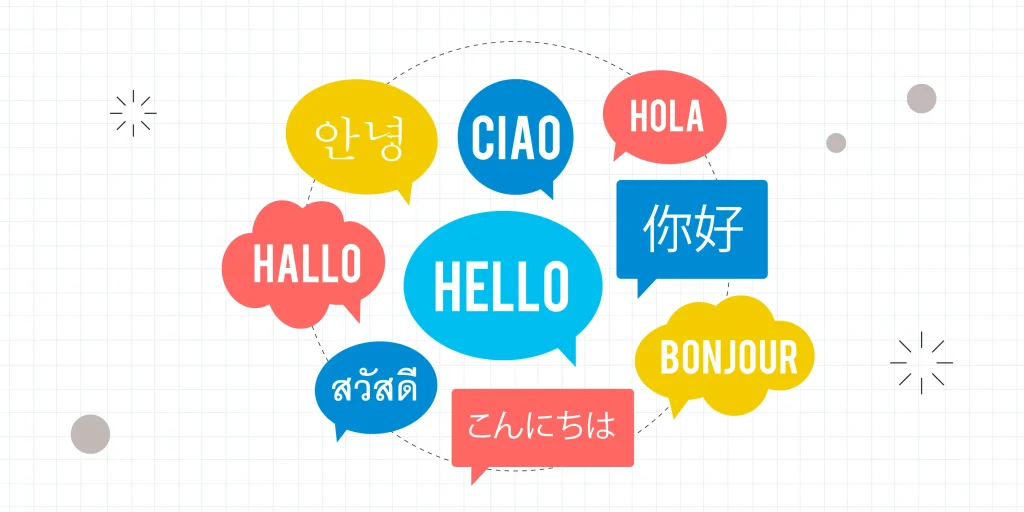
    Google Translate is one of the most widely used translation tools, but it isn’t always the most accurate or reliable option. Whether you’re translating complex documents, business communication, or website content, finding a Google Translate alternative that offers precision and context-aware translations is essential. In this article, we explore the best translation platforms that provide accurate and high-quality translations.

    google translate alternative platforms

    Why Look for a Google Translate Alternative?

    While Google Translate is convenient, it has several limitations:

    • Lack of Context: Often provides literal translations without understanding nuances.
    • Accuracy Issues: Struggles with complex sentences and industry-specific jargon.
    • Limited Formatting Options: Does not retain document formatting during translation.
    • Privacy Concerns: Some businesses require a more secure translation service.

    If you need more precise and reliable translations, consider these top alternatives.

    1. DeepL Translator

    DeepL is one of the most highly regarded Google Translate alternatives, known for its superior accuracy and natural-sounding translations. It utilizes advanced AI to understand context better than many other tools.

    Key Features:

    • Supports multiple languages with high accuracy
    • Maintains natural flow and tone in translations
    • Offers both free and paid versions with enhanced features
    • Allows document translation while preserving formatting

    2. Microsoft Translator

    Microsoft Translator is a strong competitor, widely used for personal and business translations. It integrates seamlessly with Microsoft Office products.

    Key Features:

    • Supports over 70 languages
    • Available on desktop, mobile, and web
    • Provides real-time translation for conversations
    • Secure and private translation options

    3. iTranslate

    iTranslate is a popular app offering text, voice, and website translations, making it ideal for travelers and business professionals.

    Key Features:

    • Voice-to-voice translations in multiple languages
    • Offline mode for translating without internet access
    • Dictionary and phrasebook for language learners
    • Website translation tool for seamless browsing

    4. Reverso

    Reverso is an excellent choice for those needing detailed and grammatically accurate translations. It’s widely used by professionals and language learners.

    Key Features:

    • Contextual translation for better accuracy
    • Grammar and spell-checking tools
    • Supports idiomatic expressions and professional terminology
    • Includes language learning features

    5. SYSTRAN Translate

    SYSTRAN Translate is a professional-grade translation tool used by businesses and government organizations for high-security translations.

    Key Features:

    • AI-powered translations with industry-specific terminology
    • Secure and private translation options
    • Supports large document translation with formatting preservation
    • API integration for business applications

    6. Smartcat

    Smartcat is an AI-driven translation platform that combines machine translation with human editing for high-quality results.

    Key Features:

    • AI-assisted translations with human refinement
    • Collaboration tools for teams and freelancers
    • Supports integration with business applications
    • Secure cloud-based platform

    Choosing the Right Google Translate Alternative

    The best alternative depends on your specific needs:

    • For casual use: DeepL or Microsoft Translator
    • For business documents: SYSTRAN Translate or Smartcat
    • For travelers: iTranslate
    • For language learners: Reverso

    Conclusion

    While Google Translate is a widely used tool, it may not always be the best choice for accurate and context-aware translations. Exploring a Google Translate alternative can enhance translation quality, maintain document integrity, and provide better security. Whether for business, education, or travel, these translation platforms offer reliable solutions for various needs.

    Want to boost your digital marketing strategy? Discover the hidden power of interactive content in Digital Marketing Campaigns and see how it can engage your audience effectively.

    FAQ’s about Google Translate Alternative Platforms

    What is the most accurate alternative to Google Translate?

    DeepL is widely considered the most accurate translation tool due to its advanced AI and context-aware translations.

    Are there free Google Translate alternatives?

    Yes, platforms like DeepL (basic version), Microsoft Translator, and iTranslate offer free translation services with optional paid upgrades.

    Which translation tool is best for businesses?

    SYSTRAN Translate and Smartcat are ideal for businesses due to their security features, API integrations, and industry-specific translations.

    Can I translate entire documents with these alternatives?

    Yes, DeepL, Microsoft Translator, and SYSTRAN Translate allow document translations while preserving formatting.

  • Top Google Ads Alternatives for Effective Paid Advertising Campaigns

    Top Google Ads Alternatives for Effective Paid Advertising Campaigns

    Google Ads has long been the dominant force in online paid advertising, offering businesses a powerful way to reach potential customers. However, as competition intensifies and advertising costs continue to rise, many marketers are searching for Google Ads alternatives that provide better ROI, lower CPC rates, or unique audience targeting options.

    In this guide, we’ll explore some of the best Google Ads alternatives, comparing their features, pricing, and targeting capabilities. Whether you’re a small business looking for budget-friendly options or an enterprise seeking to diversify your ad strategy, these platforms can offer valuable opportunities to drive traffic, generate leads, and increase conversions. Let’s dive into the best alternatives to Google Ads and how they stack up against the industry leader.

    Top Google Ads Alternatives for Effective Paid Advertising Campaigns

    Would you like me to add specific comparisons or recommendations for each alternative? Let’s dive into the best Google Ads alternatives and see how they compare to the industry leader.

    1. Microsoft Advertising (Bing Ads)

    Microsoft Ads is a strong alternative to Google Ads, especially if you’re targeting an older or more affluent audience. With lower CPCs and less competition, it can be a cost-effective option.

    Key Benefits:

    • Lower CPC compared to Google Ads
    • High-quality audience with strong purchasing power
    • Integration with LinkedIn for precise B2B targeting

    2. Facebook & Instagram Ads

    Meta’s advertising platforms offer highly targeted campaigns based on user behavior, demographics, and interests, and AI creative platforms like Spiral make it easier to research competitor ads and produce new variations to test.

    Key Benefits:

    • Advanced audience targeting
    • Engaging ad formats (videos, carousel, stories)
    • Strong ROI for e-commerce and lead generation

    3. LinkedIn Ads

    For B2B businesses, LinkedIn Ads provide excellent targeting based on job titles, industries, and company sizes.

    Key Benefits:

    • Precise B2B targeting
    • Effective for lead generation and brand awareness
    • Higher conversion rates for professional services

    4. Twitter Ads (X Ads)

    Twitter Ads help brands engage with trending conversations and real-time audiences.

    Key Benefits:

    • Great for brand awareness and viral marketing
    • Lower ad costs compared to Google Ads
    • Advanced interest and keyword targeting

    5. TikTok Ads

    If your audience skews younger, TikTok Ads provide high engagement rates and viral potential.

    Key Benefits:

    • Access to a younger, highly engaged audience
    • Cost-effective for brand awareness campaigns
    • Various ad formats, including in-feed and branded challenges

    6. Amazon Advertising

    For e-commerce businesses, Amazon Ads help boost product visibility within the Amazon marketplace.

    Key Benefits:

    • High intent audience ready to buy
    • Direct product placements on Amazon
    • Lower ACoS (Advertising Cost of Sales) compared to Google Shopping

    Looking for more marketing tool alternatives? While exploring the best Google Ads alternatives, it’s also essential to have the right SEO and competitive research tools. If you’re searching for a powerful SEO suite beyond Semrush, check out our in-depth guide on Semrush Alternatives: Top Tools to Consider. In this guide, we compare the top platforms for keyword research, backlink analysis, and site auditing to help you make the best choice for your marketing strategy.

    Conclusion

    Exploring Google Ads alternatives can help diversify your paid marketing strategy, reduce advertising costs, and target the right audience more effectively. Whether you choose Microsoft Ads, Facebook Ads, or TikTok Ads, selecting the right platform depends on your business goals and audience demographics.

    FAQ’s about Top Google Ads Alternatives

    What is the best Google Ads alternative for B2B marketing?

    LinkedIn Ads is the best choice for B2B businesses due to its targeting capabilities based on job titles, industries, and professional networks.

    Are Google Ads alternatives cheaper?

    Some alternatives, like Microsoft Ads and Facebook Ads, often have lower CPCs, but costs vary depending on industry and audience.

    Which platform is best for e-commerce businesses?

    Amazon Advertising and Facebook Ads are excellent for e-commerce due to high purchase intent and product visibility.

  • 15 Essential AI Tools for Business to Improve Productivity and Profitability

    15 Essential AI Tools for Business to Improve Productivity and Profitability

    Artificial Intelligence (AI) is transforming the way businesses operate, helping companies automate tasks, improve decision-making, and enhance customer experiences. Whether you’re in marketing, sales, data analysis, or customer service, AI tools for Business can significantly boost productivity and profitability. Here are 14 essential AI tools every business should consider using.

    1.Freepik AI Tools: Creative AI Suite for Visual and Audio Content

    Best for: Generation of custom images, AI voiceovers, and marketing visuals for social media, blogs, and branding.

    Why use it? Freepik AI Tools is an all-in-one creative platform designed for marketers, designers, and content teams who require high-quality assets quickly. From transforming prompts into original visuals with its AI image generator to producing voiceovers in seconds using natural-sounding voices, Freepik helps streamline content creation at every stage. With an intuitive interface, multi-language support, and seamless export options, it’s a powerful solution for businesses looking to scale visual and audio content without extra production costs or delays.

    2. ChatGPT – AI-Powered Content & Customer Support

    Best for: Generating high-quality content, answering customer inquiries, and automating chat responses.
    Why Use It? ChatGPT helps businesses streamline communication by providing automated yet human-like responses, improving customer engagement and saving time on content creation. Utilizing a prompt improve tool can help refine your instructions, leading to more accurate and relevant responses from AI models.

    3. Jasper – AI Writing Assistant for Marketing

    Best for: Blog posts, social media captions, and email marketing campaigns.
    Why Use It? Jasper speeds up content creation, helps generate persuasive copy, and ensures consistency across marketing materials.

    4. Ecosmob – AI Voice Bot for Smart Customer Interactions


    Best for: Automating customer support, handling inbound queries, and delivering personalized voice experiences.
    Why Use It? Ecosmob’s AI Voice Bot uses advanced AI and NLP to understand natural speech, resolve customer issues instantly, and provide 24/7 support. It reduces call center costs, improves customer satisfaction, and ensures businesses never miss an opportunity to engage with their customers.

    5․ Tagshop AI – Create AI-Powered UGC Videos


    Best for: Creating UGC-style video ads with AI․

    Why Use It? Tagshop AI is an AI UGC (user‑generated content–style) video generator that transforms product links, images, or scripts, especially letting you turn any product URL to videos, in just a few minutes, without real actors or filming. It is built for brands, agencies, and marketers who want scalable TikTok/Meta/shorts-style ads and product videos using lifelike AI avatars, scripts, and voiceovers.

    6. Grammarly – AI-Powered Writing & Editing

    Best for: Grammar checks, proofreading, and professional writing.
    Why Use It? Grammarly enhances writing quality, ensuring business communications are error-free and polished. It also provides tone adjustments and style suggestions.

    7. HubSpot – AI-Driven CRM & Sales Automation

    Best for: Managing customer relationships, automating sales pipelines, and tracking leads.
    Why Use It? HubSpot uses AI to score leads, predict customer behavior, and personalize marketing campaigns, leading to higher conversion rates.

    8. Paraphrasetool.ai – AI Tool to Enhance Readability & Human Touch

    Best for: Editing and refining business articles, blog posts, whitepapers, and a lot more.

    Why Use It? Paraphrasetool.ai simplifies complicated business text to make it sound more natural and human-like. It does this by rearranging the structure of the text and substituting words with the right synonyms. It makes sure to maintain the original meaning of the text. 

    9. Calculator-Online.net – AI Question answer for Students and Professionals

    Best for: Solving academic and business-related questions with step-by-step solutions.
    Why Use It? Calculator-Online.net features an advanced AI tool called Question AI, designed to understand the context of your queries and deliver accurate, easy-to-follow answers instantly. Whether you’re a student tackling equations or a professional working through analytical or financial problems, Question AI simplifies complex topics and saves time. With its intelligent, human-like explanations, it enhances learning, boosts productivity, and supports smarter decision-making

    10. Typeface – Multimodal Content Creation for Enterprises

    Best for: On-brand product photography, high-quality content generation (including blogs, SEO, social, and more), enterprise-grade security.

    Why Use It? Typeface is a multimodal AI content platform, perfect for enterprise marketing teams that want to create brand-consistent, personalized marketing content. 

    11. WeShop AI – AI Product Image Generator for E-commerce

    Best for: E-commerce product photos, virtual model shots, and branded visual consistency.
    Why Use It? WeShop AI empowers online sellers and brands to instantly generate high-quality product and model images without the need for traditional photoshoots, models, or expensive post-production. The platform offers thousands of diverse AI-generated human models, customizable backgrounds, and advanced editing tools like background removal, relighting, and upscaling. This allows businesses to create visually consistent, professional images for any product category, scale their visual content efficiently, and boost sales conversion with captivating visuals—all at a fraction of the cost and time of conventional photography.

    12. Zoviz: AI Tool for Visual Content Creation and Branding

    Best for: Creating unique logos, building brand kits, and generating branded images instantly

    Why Use It? Zoviz is a powerful all-in-one AI logo maker and branding tool designed to help startups, freelancers, and businesses establish a complete visual identity in just minutes. Using its intelligent logo generator, Zoviz creates original, multilingual logo designs with full commercial rights. But it doesn’t stop there, Zoviz also acts as a full brand kit maker, delivering business cards, letterheads, email signatures, social media profiles, favicons, and a brand book that’s ready to use. Its built-in AI image generator allows you to create custom, on-brand visuals for blogs, ads, and social media posts, perfect for fast content creation. With lifetime access, no subscription, and support for all global languages, Zoviz is the go-to solution for building a professional brand from logo to launch.

    13. ControlHippo – AI Customer Support & Engagement Platform

    Best for: AI-powered chat support, customer workflow automation, and CRM integration.
    Why Use It?  ControlHippo streamlines customer communication, boosts agent productivity with AI automation, and enhances customer satisfaction through timely, consistent, and personalized support across channels.

    14. Pdftoexcel.net: AI tool to Extract Table Data from PDFs Instantly

    Best for: Converting tabular and structured PDF data into Excel spreadsheets for easy editing and analysis.
    Why Use It?  Pdftoexcel.net uses AI to detect and extract complex tables, even from scanned or image-based PDFs, and convert them into fully structured Excel files. It’s an ideal solution for businesses that need to convert PDF to Excel, especially when working with financial reports, invoices, price lists, or any document where manual data entry is time-consuming and error-prone. This tool saves hours of effort and significantly boosts operational productivity.


    15. YouCam Online Editor: Streamline Content Creation Process

    Best for: Small teams and businesses looking to quickly create, edit, and enhance high-quality marketing, product, and social media visuals using AI—without needing advanced design skills or heavy software.

    Why use it? YouCam Online Editor helps businesses improve both productivity and profitability by streamlining the entire content creation process in one web-based platform. Instead of relying on multiple tools or outsourcing creative work, teams can use AI-powered features like image-to-video creation, photo and video enhancement, object removal or replacement, background editing, and image expansion to produce professional-grade assets in minutes. This reduces production time and cost while enabling faster campaign launches and more consistent content output. For small teams especially, it acts as an all-in-one creative solution that boosts efficiency, enhances visual quality, and ultimately drives better engagement and conversions across marketing channels.

    Conclusion

    AI is revolutionizing the way businesses operate by automating tasks, enhancing decision-making, and improving efficiency. Whether you’re streamlining customer interactions, optimizing marketing strategies, or automating workflows, these AI tools for business can help you save time and boost profitability.

    By integrating the right AI solutions into your daily operations, you can stay ahead of the competition and focus on what truly matters—growing your business. If you’re looking for more essential tools to enhance your digital marketing efforts, be sure to explore our expert recommendations.

    FAQ’s about 10 Essential AI Tools for Business

    How can AI tools improve business productivity?

    AI automates repetitive tasks, streamlines workflows, and provides data-driven insights, allowing businesses to focus on strategic growth.

    Are AI tools expensive for small businesses?

    Many AI tools offer flexible pricing, including free tiers or affordable plans, making them accessible for startups and small businesses.

    Which AI tool is best for marketing?

    For content creation, Jasper and ChatGPT are excellent choices. For SEO, SurferSEO helps businesses optimize content effectively.

    Can AI tools replace human employees?

    AI enhances efficiency but works best alongside human intelligence. It automates tasks, allowing employees to focus on higher-value work.

  • How Cybersecurity Impacts Digital Growth and Marketing

    Cybersecurity affects your business more than you might think. Every day, hackers attack websites around 2,200 times—that’s almost one cyberattack every 39 seconds. Crazy, right?


    Strong security helps you grow online. It keeps customer data safe and builds trust. If your customers feel secure, they stay loyal, boosting your brand’s image and your sales.


    But here’s the thing: many companies overlook cybersecurity, especially startups. Marketing campaigns run smoothly until a breach happens. A single breach can cost a small business around $200,000 on average, forcing many to shut down.


    Digital marketing relies on data and trust. If your audience worries about privacy, your online efforts lose power. Safe websites rank better in Google, too. Search engines favor secure sites, meaning cybersecurity directly impacts your SEO and visibility.


    So, how exactly does cybersecurity shape digital growth and marketing success? Let’s break it down clearly in this article.


    What is Cybersecurity, and How Does it Connect to Digital Growth?

    Cybersecurity is the practice of keeping computers, websites, and online data safe from cyberattacks. It protects sensitive information like customer details, financial records, and business secrets. Start with the ISACA Cybersecurity Fundamentals to build essential knowledge.

    Think of cybersecurity as a digital security guard. It blocks harmful threats and stops hackers from stealing or damaging important data. Good cybersecurity keeps your business running smoothly.

    When your cybersecurity is strong, digital growth becomes easier. Customers feel safe interacting with your website and services. That means they buy more, recommend you more, and trust your brand.

    Managed IT services, like those offered by TechAidDubai, boost cybersecurity for businesses. These services monitor systems closely, spot risks early, and prevent costly attacks. With reliable IT services, your business grows faster and stays secure online.

    For example, companies with strong cybersecurity grow around 20% faster than those without protection. Customers trust businesses more when their data feels safe.

    Simply put, cybersecurity protects your growth by keeping data secure and customers happy.

    What are the Most Common Cybersecurity Threats to Digital Marketing?

    Cyber threats are always around, and marketers face specific risks. Knowing these threats helps you stay ready and safe online.

    Phishing Attacks and Social Engineering

    Phishing happens when hackers pretend to be someone trustworthy. They send fake emails or messages to trick marketers into sharing passwords or personal details. Using Phishing Simulation Software can help teams recognize and avoid these scams before real damage occurs.

    For instance, you might get an email pretending to be from Facebook Ads asking you to “confirm your account details.” Clicking the link hands over your data to scammers. Around 90% of cyberattacks on businesses start with phishing attempts.

    Malware and Ransomware

    Malware is harmful software that sneaks into your computer without your knowledge. It infects websites, online ads, or emails. Once in, it can slow down your site, steal customer information, or delete important files.

    Ransomware is a type of malware. It locks your digital files until you pay money to unlock them. Marketers risk losing months of marketing campaigns, leads, or customer data. In 2023 alone, ransomware attacks cost businesses billions of dollars worldwide.

    Data Breaches

    A data breach occurs when private information leaks online. For startups, even one breach is serious. It damages trust and can put small companies out of business. Understanding and defending against common TTPs cybersecurity is crucial to prevent attacks and safeguard sensitive data.

    In 2022, a popular marketing startup lost thousands of customer records in a data breach. This breach cost the company more than $150,000 and hurt its reputation badly.

    Understanding these threats helps protect your marketing and keeps your digital efforts safe

    What’s the Difference Between Cybersecurity for Large Businesses and Startups?

    Cybersecurity looks different depending on your company size. Big companies often have more money and resources to spend. Startups usually work with tighter budgets and smaller teams, so priorities differ. Implementing incident management software can help streamline response processes and minimize downtime during security breaches.

    Large businesses have dedicated security teams. They can afford advanced software and full-time cybersecurity experts. These businesses handle millions of customer records, so they need strict security rules.

    On the other side, startups focus on flexibility and cost-saving. They can’t always pay for expensive software or security experts. Because of limited resources, startups often rely on affordable options and careful planning.

    That’s where startup consulting can help. Specialized consultants guide small companies to choose the right cybersecurity solutions. For example, startup consultants suggest affordable tools, help train teams, and set clear security plans within tight budgets.

    A large business might spend hundreds of thousands of dollars on cybersecurity each year. In contrast, startups typically spend much less. But even small investments in security can save startups from costly hacks or data leaks later. Startups may not have the resources to invest in advanced tools, but managed IT services for cybersecurity and IT support can help them implement cost-effective solutions, reducing the risks of cyberattacks without needing a large IT department.


    How do AI Chatbots Affect Cybersecurity in Digital Marketing?

    AI chatbots are more than tools to chat with customers. They also help businesses keep their data safe. Companies now use chatbots to spot security issues fast and protect user data.

    Advantages of AI Chatbots in Strengthening Cybersecurity

    • Quick threat detection: AI chatbots can spot unusual activity within seconds. For example, if someone tries to log in multiple times using wrong passwords, the chatbot can alert the security team instantly.
    • Efficient customer data management: AI chatbots manage user details securely. They handle sensitive data such as payment information, phone numbers, and addresses. This reduces human mistakes and keeps private information safe.

    Businesses using an AI chatbot report 30% fewer security breaches because threats get spotted early.

    Potential Risks of AI Chatbots

    • Data exposure if improperly managed: AI chatbots deal with large amounts of customer information. If not secured properly, hackers might access this data easily. In 2021, a major retail brand had a chatbot data leak, affecting thousands of customers.
    • Importance of secure chatbot development practices: To prevent risks, chatbot development must follow clear security rules:
      • Use strong encryption to keep customer conversations private.
      • Regularly test chatbot security to find weaknesses early.
      • Limit chatbot access to sensitive customer details.

    Using AI chatbots is smart for digital marketing. They provide safety and build trust. But always ensure chatbots are developed and managed carefully to avoid security problems. As more businesses use LLM-powered tools, understanding key aspects of LLM security is essential for protecting sensitive data. It’s also important to understand the pros and cons of chatbots to make informed decisions about their implementation and usage

    How to Implement Effective Cybersecurity Measures for Digital Growth

    Keeping your business safe online requires clear and practical steps. Here’s how you can quickly put effective cybersecurity into action.

    Conduct Regular Security Audits

    Regular security audits help find weak spots before hackers do. Follow these simple steps:

    • Check all software and hardware for security issues.
    • Test your website and apps for vulnerabilities.
    • Review passwords regularly and update them often.
    • Make sure backup systems work correctly.

    Around 68% of companies find security gaps through audits, fixing them before trouble starts.

    Invest in Reliable IT Services

    Integrate Single Sign-On (SSO) solutions to centralize user authentication. This helps manage access more securely and reduces the risks of password-related breaches. Good cybersecurity starts with reliable IT services. Hiring professional IT providers like IT AMC Services protects your business around the clock. These providers handle important tasks, including:

    • Monitoring your networks constantly.
    • Updating antivirus software regularly.
    • Blocking suspicious activity immediately.

    Another growing trend is leveraging outsourced IT services to reinforce both security and efficiency in business operations. Many organizations are following strategies outlined in guides like Corsica’s IT outsourcing services to handle key IT responsibilities, including comprehensive cybersecurity management. Trusted outsourcing partners can help businesses modernize outdated systems, monitor threats 24/7, and introduce best practices for risk reduction all crucial elements for supporting digital marketing growth while keeping customer data safe.

    For example, businesses with professional IT support experience 40% fewer cyberattacks each year. An experienced IT support company can significantly reduce the risk of cyberattacks for businesses.

    Track and Maintain Your Attack Surface Inventory

    As your business grows online through websites, emails, ads, and third-party tools, your risk of cyberattacks also increases. An up-to-date attack surface inventory is a detailed list that helps you keep track of everything your company has connected to the internet, including all domains, software, plugins, and cloud services.

    Keeping this list current helps you find weak spots before hackers do. It also makes securing your digital tools and platforms easier. Using automated tools for attack surface discovery ensures you do not miss anything, even as you add new apps or marketing channels. Integrating incident management processes alongside these tools allows your team to respond quickly to security events, minimizing potential damage and maintaining business continuity.

    Training Teams on Cybersecurity Best Practices

    Even the strongest security measures can fail if your staff is unprepared. Regular training helps employees spot threats and react properly:

    • Teach staff about common scams like phishing emails.
    • Train everyone on safe password use.
    • Run practice sessions on how to respond to cyber threats.

    Studies show that trained teams reduce security issues by over 50%.

    Taking these simple yet powerful steps ensures your digital strategies remain safe, helping your business grow securely.

    Mistakes to Avoid When Integrating Cybersecurity into Digital Marketing

    Avoiding common cybersecurity mistakes keeps your marketing efforts secure. One of the most crucial steps is implementing secure authentication to prevent unauthorized access and data leaks. Many startups and marketers overlook simple issues that later cost money and reputation. Let’s look at frequent mistakes and how you can easily dodge them.

    Underestimating Cybersecurity Risks

    One big error is thinking cyber threats won’t affect your business. Many startups believe they’re too small or unknown to get hacked. But hackers often target smaller companies because they’re easier to attack.

    Over 40% of small businesses experience cyberattacks each year. Ignoring these threats can shut down your business quickly. Recognize risks early and take them seriously by investing in cybersecurity solutions that safeguard your operations.

    Poor Employee Training

    Your team is your first defense against cyber threats. Yet, many companies don’t train their staff well enough. Without proper training, employees click harmful links or share private passwords unknowingly. Implementing regular security awareness training ensures employees understand potential threats and recognize phishing attempts.

    For instance, about 88% of data breaches happen because of simple human mistakes. Regular cybersecurity training programs prevent this. Teach staff to spot fake emails, protect passwords, and safely handle sensitive information.

    Over-reliance on Basic Security Tools

    Essential antivirus software alone can’t keep your business fully secure. These simple tools miss advanced threats like ransomware or sophisticated phishing scams. Hackers find ways around basic security quickly. Basic antivirus also misses the app-layer risks a CVE scanner is built to surface, so pairing signature-based tools with a layered review of internet-exposed services catches what signature databases never log.

    Think of antivirus software like locking just your front door while leaving windows open. You need stronger security measures, such as firewalls, regular security updates, and advanced threat detection systems. At the same time, a cybersecurity marketing agency can guide businesses in implementing these stronger measures and staying ahead of evolving threats.

    Final Thoughts

    Cybersecurity directly shapes how well your digital marketing and business grow. Ignoring online security can quickly lead to big losses, damaged reputations, and broken customer trust. But with smart planning, strong IT services, and proper employee training, you can avoid these problems easily.

    Remember, digital safety isn’t a one-time task. Cyber threats continue to evolve, so staying alert matters. Keep checking your security practices regularly and adjust as needed.

    Investing a little time and money in cybersecurity today saves huge headaches tomorrow. Stay safe, keep your customers protected, and watch your business grow securely online.