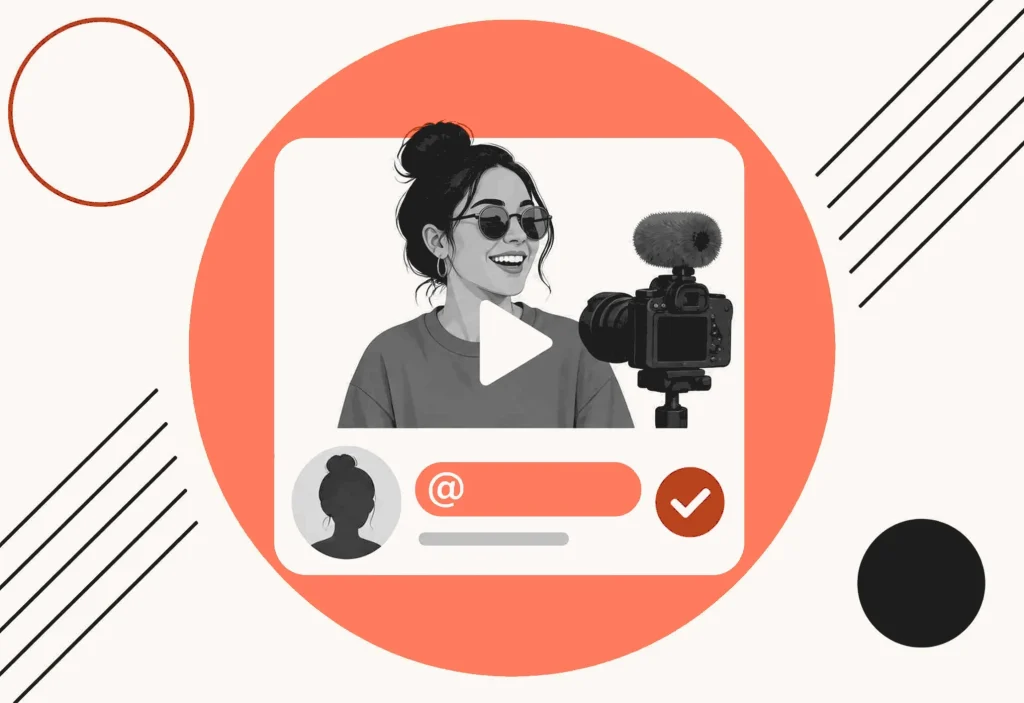
You need a YouTube username people can type, say in a collab, and paste as youtube.com/@yourhandle. That string is the handle, the unique @username, not the channel display name that sits next to the icon.
This page is a working set of YouTube username ideas, grouped by niche, plus the official handle rules that actually constrain the string, and a short process for picking one without pretending a handle is free.
What makes a good YouTube username
A good YouTube handle is short enough to say in an outro, easy to spell after one listen, and unique across the whole platform. It also has to fit YouTube’s handle guidelines and leave you room to own the brand later.
Use this filter before you lock a clever spelling:
- Short. Aim for a string you can say in one breath. If it fills the 30-character cap, it is already hard to paste in a comment.
- Sayable. Read it out loud. If you hesitate, viewers will too.
- Spellable. If you have to say “that is with a y, not an i,” the search is already leaking.
- Handle-legal. It must sit in the official 3 to 30 character range for Latin letters, skip URL-like and phone-number-like strings, and follow Community Guidelines.
- Ownable. You can live with it after the joke fades, and you can defend it in a trademark search.
Catchy YouTube usernames are not the same as keyword piles. “BestFreeTechReviewChannel2026” is descriptive. It is also hard to love, hard to say, and easy for people to mistype.
Brandable handles leave a little mystery. MrBeast does not describe challenges. Marques Brownlee does not spell MKBHD. You still need the display name, the banner, and the videos to finish the sentence.
The handle is the unique ID. The channel name is the label on the page. Do not mix those jobs. A display name can be pretty. A YouTube username has to travel in @mentions, live chat, Shorts, and a youtube.com/@ URL.
How to brainstorm YouTube username ideas
Start with the job, not a mood board. Write one sentence a viewer would text a friend: “I film phone unboxings after dinner and I want people to find me by @handle, not by a random string YouTube assigned.” Circle the words you would actually say. Those words are better raw material than a synonym dump.
Then run four patterns on that sentence. Handles cannot use spaces, so glue the words or drop a period, hyphen, or underscore in the middle, never at the start or the end.
Real word, new context. Take a plain word that does not describe video and drop it on this channel. Harbor for a review show. The mismatch is the brand. People remember the surprise more than a literal label.
Invented word. Blend two sounds you already circled. Clip plus raid becomes ClipRaid. Say it once. If someone asks you to spell it on a voice note, it is trying too hard.
Compound. Glue two short words. SkilletBay. PackList. If it looks like an internal filename (TechReviewUnboxFinalV3), cut it. Compounds work when both halves are words a person already knows.
Verb plus noun. UnboxRail. WalkThrough. This is the easiest pattern to overload with keywords. One verb is enough. “WatchMyDailyTechReviewClips” is four ideas fighting inside 30 characters.
A practical loop: write 40 handles in 20 minutes, star 10, then walk away. The next morning, say the 10 to someone who was not in the brainstorm. Keep the ones they can repeat back without looking at your list.
Unique YouTube usernames usually come from that second pass, not from the first clever line in a generator.
YouTube handle rules (the @username)
YouTube treats the handle as a unique channel identifier, not a slogan. Official help is explicit: handles start with @, they are distinct from channel names, and each channel can only have one. Legacy personalized URLs you already have will continue to work. YouTube also reserves the right to change, reclaim, or remove a handle at any time.
You will see handles in comments, mentions, live chat, and Shorts. The handle also becomes the channel URL, for example youtube.com/@youtubecreators. Viewers can search with the @ symbol plus the handle.
YouTube’s handle naming guidelines (from Learn about YouTube handles) say a handle must:
- Sit between 3 and 30 characters for the usual Latin case. Official exceptions exist for some scripts: Han or Hangul 1 to 10 characters, Ethiopic or Hiragana or Katakana 2 to 20 characters, and mixed-script handles may have different minimum and maximum limits. Do not invent a tighter cap than that.
- Use alphabet letters or numbers from one of YouTube’s 75 supported languages. Handles are not case-sensitive.
- Allow underscores (_), hyphens (-), periods (.), and Latin middle dots (·), but not at the beginning or end of the handle.
- Avoid URL-like or phone-number-like strings.
- Be unused. A handle that is already being used is not yours to take.
- Follow YouTube’s Community Guidelines.
YouTube also says it does not allow violent, offensive, or spammy handles. If a handle violates Community Guidelines, YouTube will revoke it and generate a new one. The sale and transfer of handles is not allowed.
You can change a handle twice within a 14-day period. YouTube holds the previous handle for 14 days in case you want to switch back. During that window, the former handle URL and the updated URL both work. After that, the old handle can become available for other users. Edit it in YouTube Studio under Customization, then Profile, then Handle, and click Publish. You can also go to youtube.com/handle. If the preferred handle is not available, official help suggests trying periods, numbers, or underscores. That is a workaround, not a brand.
YouTube may auto-assign a handle when you create a channel in some flows, such as posting a comment on mobile. If the channel name cannot convert cleanly, the assigned handle can look random. You can still view and edit it.
The channel display name is a separate field on the same profile screen. Changing the pretty name does not give you a second handle. Do not pad the @username with “Official” or a near-spelling of a known creator. YouTube’s impersonation policy calls out deceptive copies of usernames, “Real” or “Official” tricks, backup-channel labels, and phonetically identical handles.
250+ YouTube username ideas by category
These lists mix short invented brands and clear compounds. They are sparks, not a clearance report. Search YouTube for the exact @handle, check the youtube.com/@ URL, scan other social handles, and search trademarks before you publish. None of these names is a claim that a handle is available.
Short brandable YouTube username ideas
Short handles get said in outros and collabs. Aim for a sound someone can type after one listen.
- @Vexora
- @Nalori
- @Quenlo
- @Zivara
- @Prylo
- @Ombrix
- @Kestra
- @Fendow
- @Rovika
- @Talyne
- @Wexora
- @Brindle
- @Sovara
- @Mivelo
- @Yorlen
- @Caldrix
- @Pevara
- @Jorvik
- @Dovena
- @Rynlo
- @Sableq
- @Torvyn
Gaming YouTube username ideas
Gaming handles get yelled over Discord. Skip leetspeak that looks like a throwaway account.
- @ClipRaid
- @BossDock
- @RespawnBay
- @PixelQuarry
- @RankSpool
- @QueueWick
- @FragHearth
- @LaglessLane
- @DropCrate
- @MainShelf
- @PatchNight
- @AimVault
- @SquadDock
- @MapScout
- @LoadoutBay
- @TiltProof
- @ClutchRail
- @SpawnWick
- @GuildHearth
- @PingDock
- @CampRun
- @DraftPick
Vlog and lifestyle YouTube username ideas
Vlog handles travel in voiceovers. Pick unique YouTube usernames that still sound like a person, not a lifestyle catalog.
- @PorchLight
- @MilkLane
- @SunPorch
- @KettleWalk
- @WindowSeat
- @SlowSunday
- @CoatRail
- @MorningStoop
- @TeaTray
- @SidewalkLog
- @LaundryDay
- @LampPost
- @QuiltHour
- @ErrandRun
- @BackPorch
- @RainCoat
- @CouchHour
- @KeyBowl
- @ShoeRack
- @FridgeNote
- @ParkBench
- @DoormatVlog
Tech and review YouTube username ideas
Review handles get pasted under comparison videos. A clean compound beats a stack of gadget buzzwords.
- @UnboxRail
- @BenchSpec
- @FirmwareBay
- @GadgetDock
- @PortCheck
- @WattMeter
- @ScreenTest
- @CableTray
- @ChipBrief
- @TearDownLab
- @LatencyKit
- @BuildSheet
- @SpecSheet
- @DongleBag
- @UpdateFeed
- @KernelNote
- @PortableLab
- @ReviewStand
- @PixelPitch
- @FanCurve
- @ThermoPad
- @DockTest
Beauty and fashion YouTube username ideas
Beauty handles show up on product cards and GRWMs. Keep the string easy to type with one hand.
- @SeamLine
- @HemMark
- @BlushRail
- @ClosetPin
- @LipStain
- @ThreadCard
- @MirrorTray
- @FabricClip
- @StitchBay
- @PaletteKit
- @CollarStay
- @LashComb
- @DrapeFold
- @ButtonCard
- @SilkHanger
- @TintBrush
- @PocketSquare
- @PleatMark
- @GlossTray
- @CuffLink
- @NeedlePoint
- @RucheFold
Food and cooking YouTube username ideas
Food handles get read off a recipe card. Catchy YouTube usernames here should sound like a kitchen, not a restaurant slogan.
- @SkilletBay
- @SpoonRest
- @PantryRail
- @DoughTray
- @SimmerPot
- @CrustFold
- @HerbJar
- @StockPot
- @WhiskRail
- @OvenMitt
- @ChopBoard
- @SaucePan
- @ZestPeel
- @BrothBowl
- @KneadBench
- @PickleJar
- @RoastPan
- @MiseKit
- @LadleHook
- @CrumbTray
- @FlameKiss
- @PrepBowl
Fitness and sports YouTube username ideas
Fitness handles get shouted in gyms and group chats. Pick a string a tired person can spell after a workout.
- @LapCount
- @RepClock
- @LaneEight
- @StretchMat
- @BoxJump
- @PaceChip
- @WarmupBay
- @CoolRack
- @FormCue
- @SplitClock
- @HillRepeat
- @GripChalk
- @RecoverKit
- @SideLine
- @SprintMark
- @BarPath
- @LungeLine
- @CadenceKit
- @FoamRoll
- @MatchTape
- @DrillSheet
- @LapSplit
Education and how-to YouTube username ideas
Tutorial handles get written on slides and in community posts. Keep the username easy to copy into a description.
- @LessonClip
- @WhiteBoard
- @WorkedEx
- @DrillCard
- @ChapterMap
- @PracticeKit
- @ExplainBay
- @NoteCard
- @SketchProof
- @QuizStack
- @WalkThrough
- @HandOut
- @MarginNote
- @FlashDeck
- @TutorBench
- @ProblemSet
- @WorkbookKit
- @HowToDesk
- @StepChart
- @FactSheet
- @ReviewDeck
- @SkillClip
Comedy and commentary YouTube username ideas
Comedy handles travel in recs and stitch videos. If a friend cannot repeat it after one listen, it will not spread.
- @PunchLine
- @ColdOpen
- @AsideClip
- @BitDrawer
- @CrowdWork
- @SetupPayoff
- @DeadPan
- @CallBack
- @RoomTone
- @HotSeat
- @RiffTrack
- @TakeAfter
- @JokeBox
- @SideTalk
- @MicStand
- @GreenRoom
- @TagLine
- @WarmMic
- @SketchReel
- @CutAway
- @LaughTrack
- @Monologue
Finance and career YouTube username ideas
Money and career handles need trust on the first glance. Brandable YouTube usernames here should sound steady, not like a lottery ticket.
- @PayStub
- @LedgerClip
- @RateCard
- @OfferLetter
- @PayoutBay
- @TaxFolder
- @SalaryBand
- @BudgetClip
- @CashFlowKit
- @BenefitKit
- @RaisePlan
- @EquityNote
- @InvoiceClip
- @RunwayMap
- @PayrollKit
- @FeeChart
- @SavingsRail
- @QuoteForm
- @ClientDeck
- @HourlyRate
- @MarginKit
- @PitchDeck
Travel and outdoors YouTube username ideas
Travel handles get typed in airport Wi-Fi. Skip souvenir poetry and keep the string easy on a small keyboard.
- @TrailHead
- @PackList
- @FerryWait
- @CampStove
- @RidgeLine
- @PassportKit
- @LayOver
- @GateChange
- @SwitchBack
- @TentPeg
- @MileMarker
- @BoardWalk
- @DayHike
- @SeatMap
- @HostelKey
- @SummitLog
- @RiverFord
- @BackCountry
- @JetLagKit
- @CoastPath
- @AisleWalk
- @TrailMix
Film, audio, and creative YouTube username ideas
Creative handles show up on end cards and watch-page links. A short invented brand beats a stack of gear names.
- @FaderBay
- @CutBin
- @ColorGrade
- @ScoreCue
- @DailiesKit
- @BRollTray
- @MixBus
- @SlateClap
- @ReelCan
- @StemFolder
- @LightMeter
- @TakeBoard
- @MicBoom
- @EditBay
- @TimelineKit
- @CuePoint
- @FoleyTray
- @LensCap
- @StoryBoard
- @ShotList
- @Colorist
- @PreMix
How to check a shortlist
Pick five handles you would not mind saying for the next five years. Then run the same checks on each one.
- Say it out loud. Record a 10-second voice note. Play it back. If you flinch, drop it.
- Run the 3 to 30 character test. Count the handle without the @ sign. If it overflows, it is not a legal YouTube username in that form. Do not put a separator at the start or the end.
- Search YouTube for @thehandle and open youtube.com/@thehandle. Look at exact matches and near-spellings in your niche. A similar icon plus a similar handle is a real problem even if the strings are not identical.
- Check other social handles and the site you actually use. A missing .com is not an automatic no. A confusing handle on the platform your viewers already live on is worse. Do not treat a registrar search as proof the brand is free.
- Search trademarks. For the United States, start at the USPTO trademark search. Search your own market too. A quiet result is not legal advice, and it is not a green light to publish.
If two handles survive, pick the one a stranger spelled correctly. Pretty spelling is optional. Being found is not.
Common mistakes when you pick a YouTube username
Keyword stuffing. “BestAITechReviewDaily2026” wastes the 30-character field and reads like an ad. Put the pitch in the video title and the description.
Copying a competitor. A one-letter swap on a known creator trains people to click the other channel. YouTube’s impersonation policy also flags phonetically identical handles, “Real” or “Official” tricks, and backup-channel labels. Fan channels need that fan status to be obvious in the handle.
Unpronounceable spellings. Xyphra, Qnlyt, and stacked consonants look unique in a spreadsheet. They die in a podcast mention. If you have to invent a pronunciation guide, the handle is doing extra work the videos should do.
Locking a joke handle. Inside jokes fade. “NopeNotMrBeast” is funny on day one and awkward when a brand asks for an invoice. Save the joke for a community post.
Treating the generator as a lawyer. A list, including this one, cannot tell you a handle is clear. Only searches, and often a lawyer, can. YouTube will also reject strings that look like URLs or phone numbers, and it can reclaim a handle later.
Pick five handles and run the checks
You do not need a perfect YouTube username. You need a handle you can say, spell, fit in 3 to 30 characters, and defend after a YouTube search and a trademark search.
Star five from the lists above, run the checks, and publish. If the stuck part is the channel display name for a music show rather than the @handle, see the related list of music YouTube channel name ideas.
A good handle still needs videos that rank. The titles, the thumbnails, and the page people land on after they tap through do the rest of the work.
FAQs About YouTube Username Ideas
How do I come up with YouTube username ideas?
Write the job in one spoken sentence, circle the words you would actually say, then force those words through four patterns: a real word in a new context, an invented blend, a two-word compound with no spaces, and a verb plus noun. Generate more than you need, sleep on a shortlist of 10, and keep the handles a friend can repeat without looking at your notes.
How long can a YouTube username be?
Plan for 3 to 30 characters in the handle itself, not counting the @ prefix. That is the range YouTube publishes for the usual Latin case in Learn about YouTube handles. Some scripts have different official ranges (Han or Hangul 1 to 10, Ethiopic or Hiragana or Katakana 2 to 20, mixed scripts may differ). Shorter is easier in an outro. One or two glued words is the practical range. Put extra context in the channel name and the description, not in a stuffed @username.
Can I change my YouTube handle later?
Yes. Official help says you can change a handle twice within a 14-day period. YouTube holds the previous handle for 14 days if you want to switch back, and both URLs work in that window. After that, the old handle can become available to other people. You can edit it in Studio or at youtube.com/handle. Changing it still breaks memory. Mentions, printed cards, and old voiceovers will point at a string you no longer use. Pick as if you will keep it.
Is a YouTube handle the same as a channel name?
No. YouTube’s own help says handles are distinct from channel names. The handle is the unique @username and the youtube.com/@ URL. The channel name is the separate display field on the profile. Each channel can only have one handle. A matching display name is nice. It is not required, and it does not reserve the handle for you.
Do I need the same handle on every platform?
No. Consistency helps people find you. It is not a YouTube rule. If the exact string is already painful on Instagram or TikTok, a small, sayable variant beats a random number pile. Never treat a “handle available” badge as a brand clearance, and do not invent a length limit for those other apps from this page.