Document management software helps businesses organise, store, access, and share files through a centralised system. By improving document retrieval, version control, access permissions, and approval workflows, it reduces administrative delays, supports team collaboration, and makes everyday business operations more efficient.
Managing business documents becomes increasingly difficult as companies grow. Files often end up scattered across email conversations, individual computers, and shared folders, making it harder for employees to find the right information, track updates, and manage approvals.
Document management software helps businesses bring these processes together in one organised system. From centralised storage and version control to secure sharing and workflow management, it makes everyday document-related tasks easier to handle while allowing teams to work more efficiently.
What Is Document Management Software?
Document management software is a digital system that helps businesses store, organise, access and manage files throughout their lifecycle. Depending on the platform, it may support document capture, categorisation, search, version history, permissions, sharing, approvals and archiving.
Instead of relying on separate folders and email attachments, employees can work from a structured document library. Files can be organised by client, project, department, date or document type, making them easier to retrieve later.
The requirements vary between businesses. A small agency may need secure storage and straightforward search, while a growing SaaS company may require role-based permissions, integrations and approval workflows. The right choice depends on how documents move through the organisation, not simply how many features a provider offers.
Five Ways Document Management Software Improves Business Efficiency
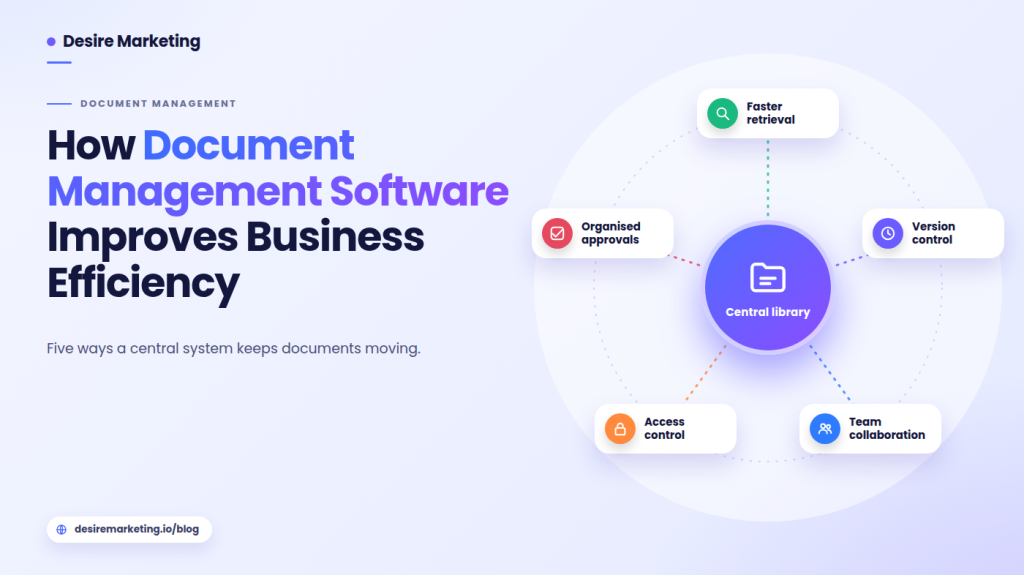
The biggest benefit of a document management system is making information easier to find, share and use. Here are five ways it can improve everyday business operations.
1. Reduces Time Spent Searching for Documents
When employees save files in different locations, finding the correct document can become unnecessarily complicated. People often rely on memory or ask colleagues where something was stored.
A centralised system gives everyone an organised place to look. Search and filtering features can make this process considerably easier.
For example, an account manager preparing for a client meeting could search by company name and locate the latest proposal, signed agreement and related documents without checking several email conversations.
A clear folder structure still matters. Businesses should establish naming conventions, document categories and ownership rules so central storage does not become another disorganised collection of files.
2. Prevents Confusion Between Document Versions
Working from an outdated document can lead to incorrect prices, missed changes and disagreements over previously approved terms.
This often happens when several employees download a file, make separate edits and send different copies through email.
Version control helps teams identify the latest document and, where supported, review previous changes. A practical process should make it clear who can edit a file, when a new version is created and which copy is approved for use.
For instance, a marketing team updating a campaign proposal can keep revisions organised instead of combining feedback from multiple attachments.
3. Improves Collaboration Between Departments
Documents frequently move between departments. Sales may prepare a proposal, finance may check the pricing, and a manager may need to approve the final version.
When every handoff depends on email, it becomes difficult to see who has the next responsibility.
Shared workspaces and cloud-based collaboration tools allow authorised employees to access the same information, even when working from different locations.
Desire Marketing discusses the wider role of cloud technology in its article on enterprise SaaS and cloud solutions. For document-heavy teams, the important consideration is choosing tools that improve collaboration without creating another disconnected place to manage work.
4. Strengthens Control Over Business Documents
Not every employee needs access to every business document. Contracts, financial records, customer information and internal plans may need to be restricted to specific people.
Document management software can help administrators set permissions for viewing, editing, downloading and sharing files. Some platforms also provide access logs, authentication controls and encryption.
These features support a broader security process, but they do not replace it. Businesses should regularly review permissions, remove access when employees change roles and train staff to handle confidential information carefully.
The NIST Cybersecurity Framework provides guidance on managing cybersecurity risks, including identifying important assets and controlling access. It is a useful reminder that document security should be part of an organisation’s wider risk management approach.
5. Makes Document Approvals More Organised
A document can be ready for review but still remain untouched because nobody knows who needs to approve it next.
Workflow management helps address this problem by assigning documents to the appropriate people and recording their progress.
For example, a supplier agreement might move from the procurement department to a manager and then to an authorised signer. Notifications can remind reviewers when action is required, while status tracking shows whether the agreement is still under review or has been completed.
For businesses handling confidential agreements, NDA management software can also support secure document sharing, electronic signatures and agreement tracking within a connected workflow.
Essential Features to Consider When Choosing Document Management Software
Not every business needs the same capabilities. Before choosing a platform, consider which features will actually improve your existing processes.
| Feature | Business benefit |
|---|---|
| Centralised storage | Keeps documents organised and accessible. |
| Search and filtering | Helps employees find files quickly. |
| Version control | Reduces confusion between outdated and updated documents. |
| Access permissions | Restricts sensitive files to authorised users. |
| Workflow automation | Simplifies reviews and approval processes. |
| Activity tracking | Provides visibility into document interactions. |
| Integrations | Connects document processes with existing business applications. |
It is also worth checking mobile access, customer support, data export options and backup policies.
A platform may offer dozens of features, but if employees find it difficult to use, they may continue relying on personal folders and email attachments. Ease of use should therefore be an important part of the selection process.
Document Management for SaaS and Growing Businesses
For SaaS companies, documents are involved in both internal operations and customer relationships.
Sales teams prepare proposals and agreements, customer success departments maintain onboarding records, and finance teams handle invoices and payment documents. As the organisation grows, keeping these files organised becomes increasingly important.
A shared document management system gives employees a consistent way to locate approved information and understand which actions are still outstanding.
The same applies to e-commerce businesses. Supplier contracts, purchase orders, product compliance records and customer-related documents may involve several departments. Organised access helps employees retrieve information and respond to requests without repeatedly chasing colleagues.
Document management also connects with sales operations. Desire Marketing’s article on mastering the SaaS sales process discusses the stages involved in moving prospects towards a purchasing decision. At the practical end of that process, proposals and contracts need to be prepared, reviewed, sent and stored without losing track of their status.
Businesses that regularly share agreements externally may also benefit from secure document sharing, which provides additional control over how recipients access sensitive files.
Common Document Management Mistakes to Avoid
Implementing new software is only one part of improving document management. A few common mistakes can make even a capable system difficult to use.
- Moving everything without a plan: Remove duplicate and outdated files before transferring documents into a new system.
- Inconsistent file naming: Establish simple naming rules so employees can recognise documents easily.
- Excessive access permissions: Give employees access according to their actual responsibilities.
- Complicated approval processes: Include only the people who genuinely need to review a document.
- Ignoring employee training: Explain how to upload, organise, search and share files correctly.
Starting with a small departmental rollout can help businesses identify problems before introducing the system across the organisation.
How to Choose the Right Solution
Choosing document management software should begin with understanding how your business currently handles information.
Identify where employees lose time, which documents require restricted access and where approval delays commonly occur.
Next, prepare a list of essential requirements. These might include searchable storage, version history, external sharing controls, electronic signatures or integration with an existing CRM.
Before making a decision, test shortlisted platforms using actual business tasks. Can an employee find a contract quickly? Can a manager review a document without downloading multiple copies? Can access be removed when a project ends?
Also consider subscription costs, implementation requirements, user limits and the ability to export documents if you eventually change providers.
The best solution is not necessarily the one with the most features. It is the one employees can use consistently and that supports the way your organisation works.
Conclusion
Document management software can improve business efficiency by making files easier to find, keeping teams aligned around current versions and bringing more structure to sharing and approval processes.
For growing businesses, these improvements become increasingly valuable as document volumes increase and more employees, customers and external partners become involved.
Ultimately, effective document management is about creating better working processes. When information is organised and accessible to the right people, employees spend less time managing files and more time focusing on meaningful business activities.